
Watch our most recent demo!
AI Test Automation Platform for all Teams
Write, run, and scale intelligent tests without scripts, powered by AI agents that work like your best testers.
See Thunders in Action
Let our AI Agent create your test
Trusted by














Purpose-built Features
for modern Testing Teams
Thunders Agents write and run tests in plain language, auto-heal scripts, simulate real users, and integrate into your CI/CD pipeline — with real-time analytics and enterprise-grade security.
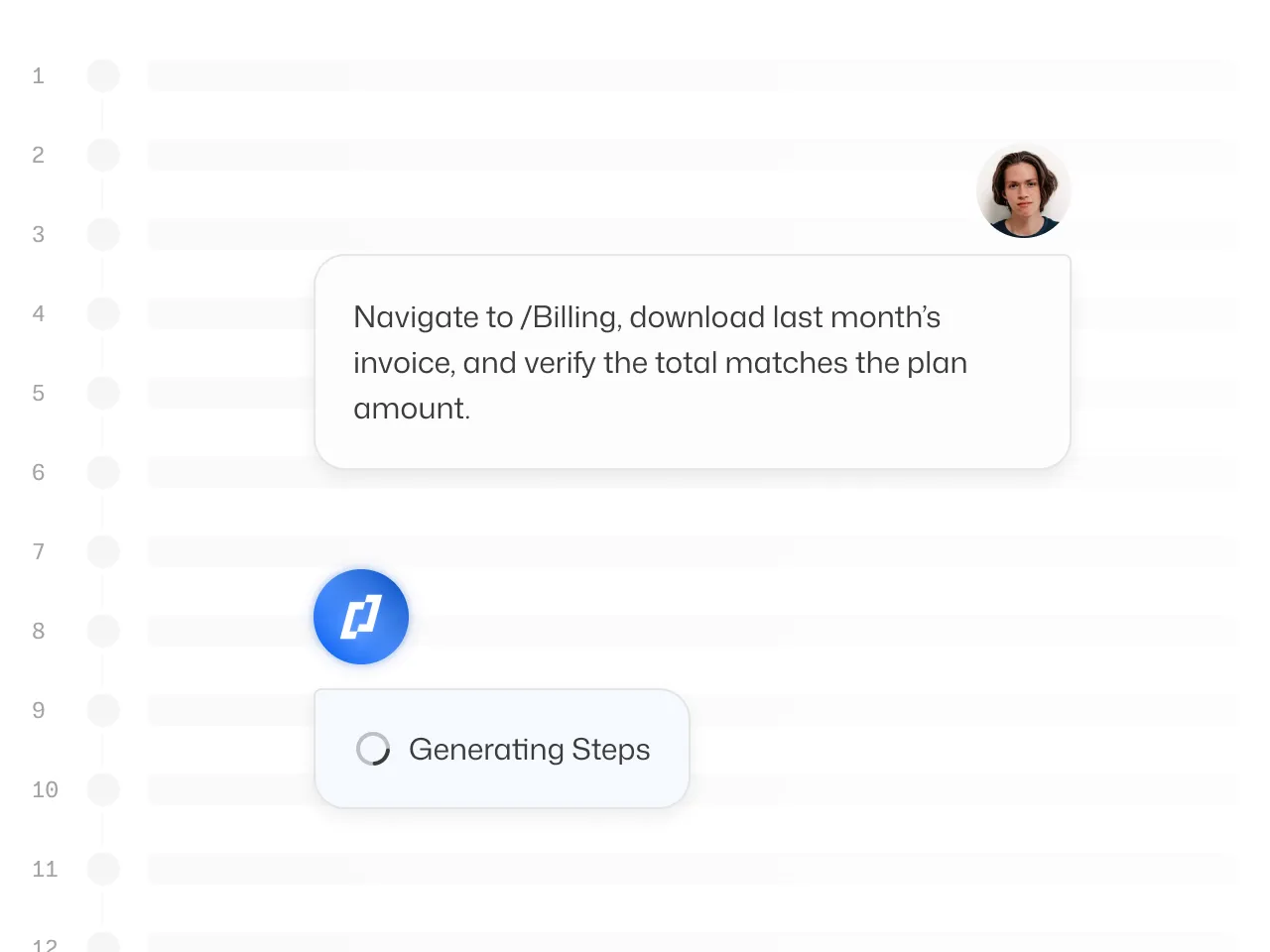
Natural Language Test Creation
Thunders AI is here to translate your intention into test steps.
Write tests in your own language, no scripts needed. Thunders turns product specs, user stories, or even quick prompts into executable test cases you can run instantly.
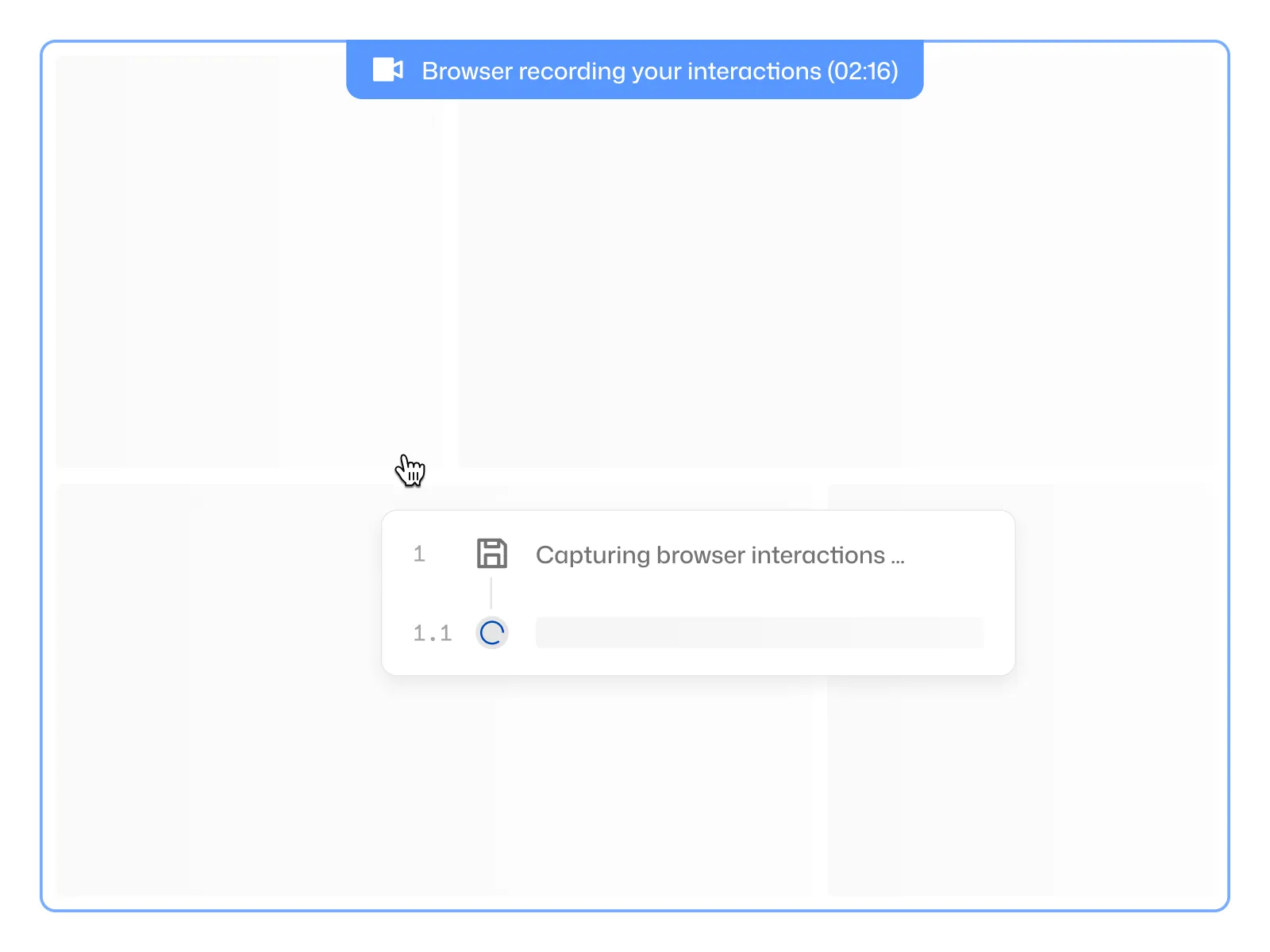
Test Recorder
Record tests directly in the browser on your app. Every click, input and navigation is captured in real time and turned into editable, runnable steps.
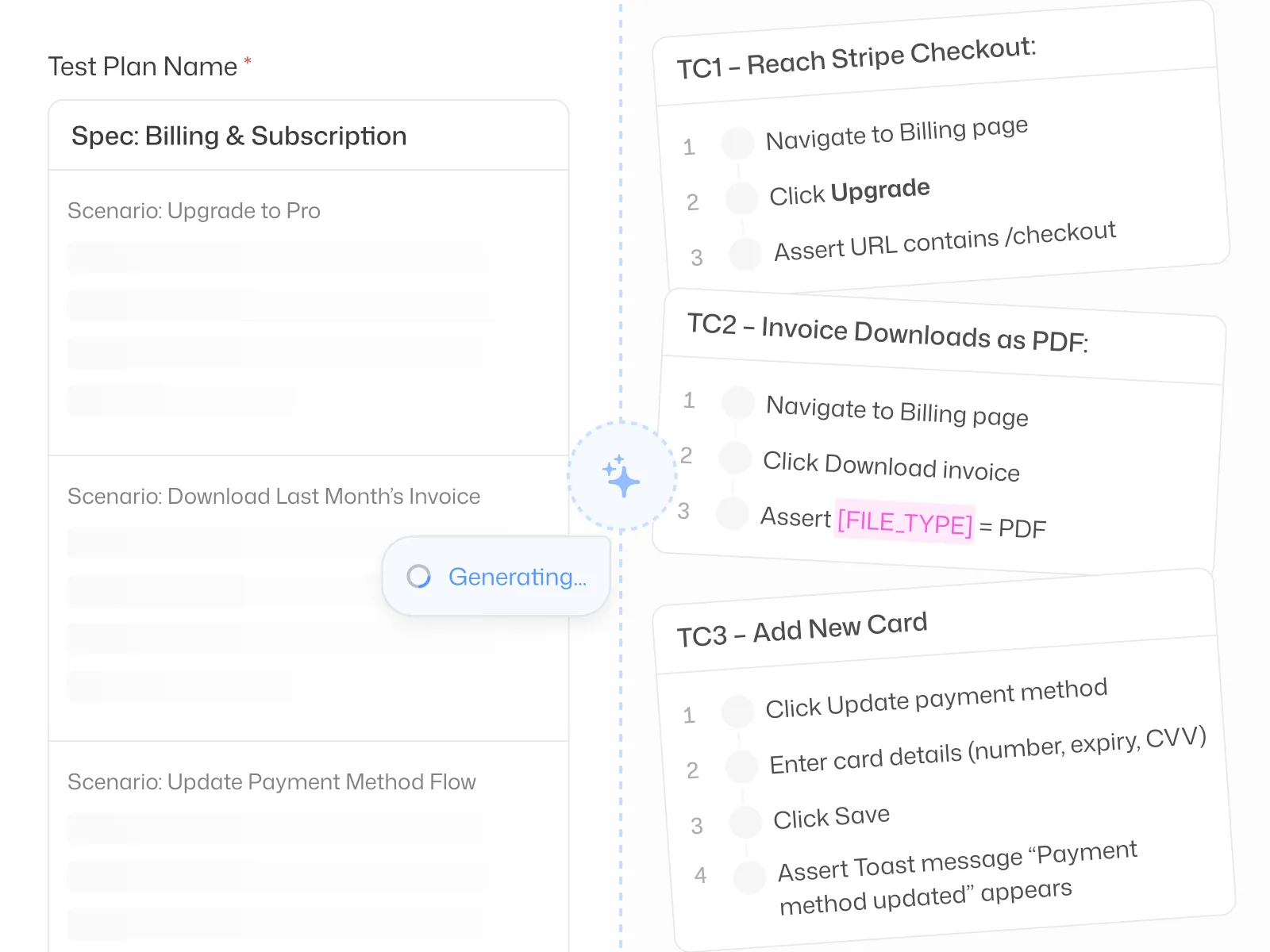
Test Plan Generation
Manage Test Plans end-to-end. Import requirements, generate structured scenarios aligned with your release goals and visualize areas coverage. Collaborate on drafts, refine as a team, and keep plans evolving with every release.
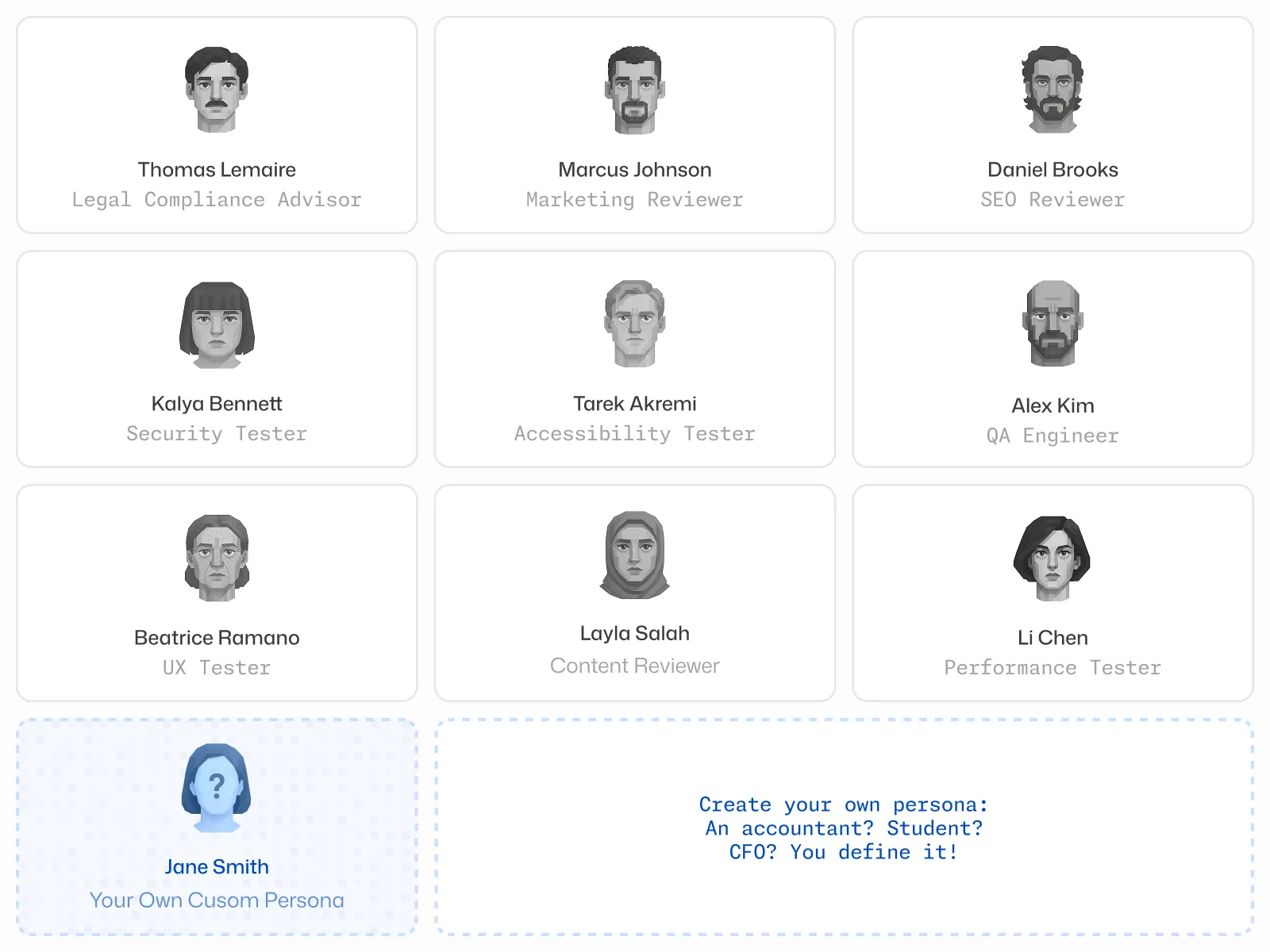
Autonomous AI Personas
Our AI-driven personas replicate expert-level behavior across flows, devices, and edge cases — delivering deep coverage without a single manual script.
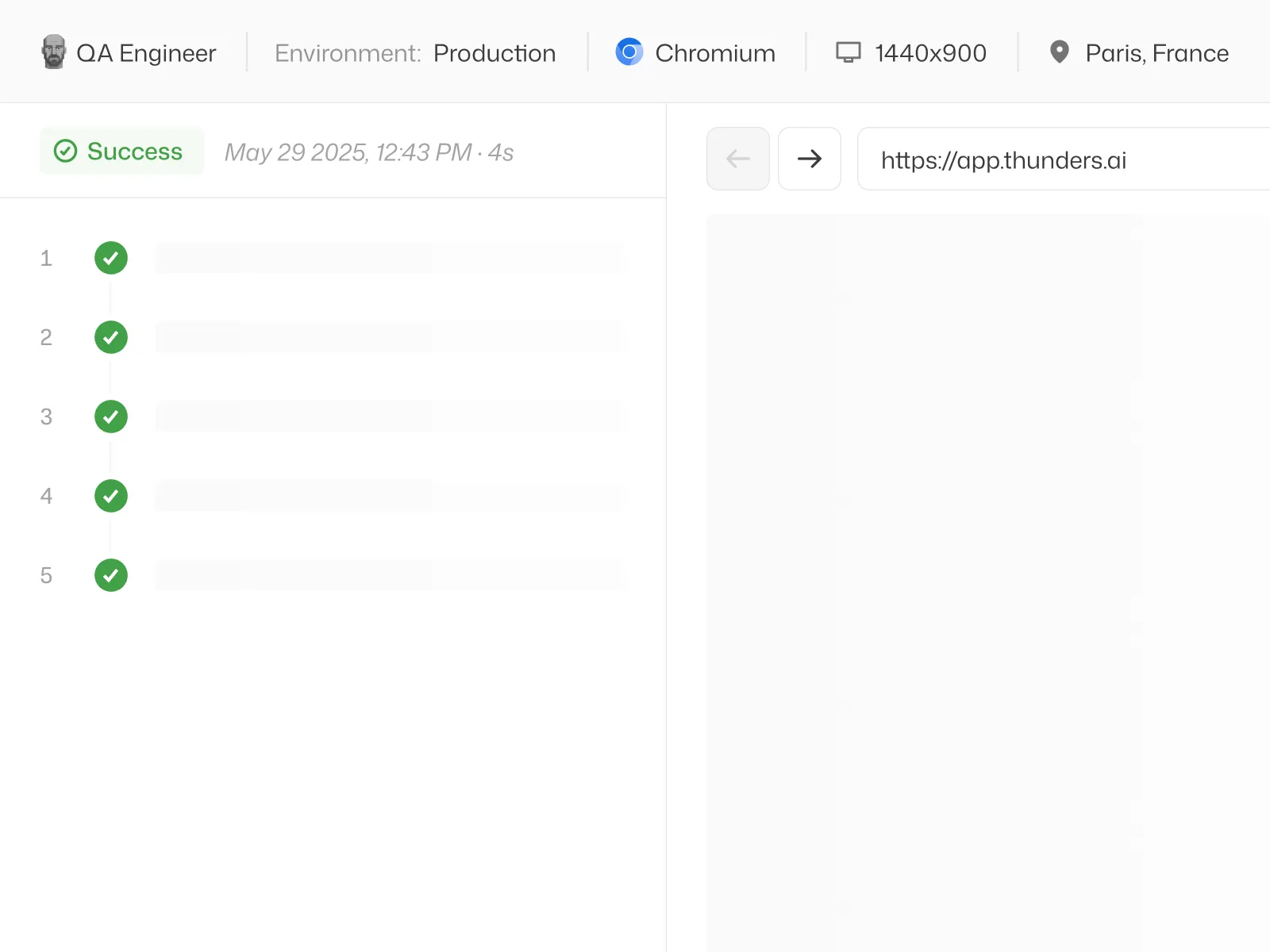
Debug Faster with actionable Insights
See exactly what happened in each run. Every step shows its outcome, so you can quickly identify where a flow failed and why. Results are easy to review and share with your team, helping you fix issues faster.
Enterprise Grade Security
SOC 2 compliant with 99.9% uptime SLA. Data isolation, audit logs, and end-to-end encryption ensure full compliance across environments.

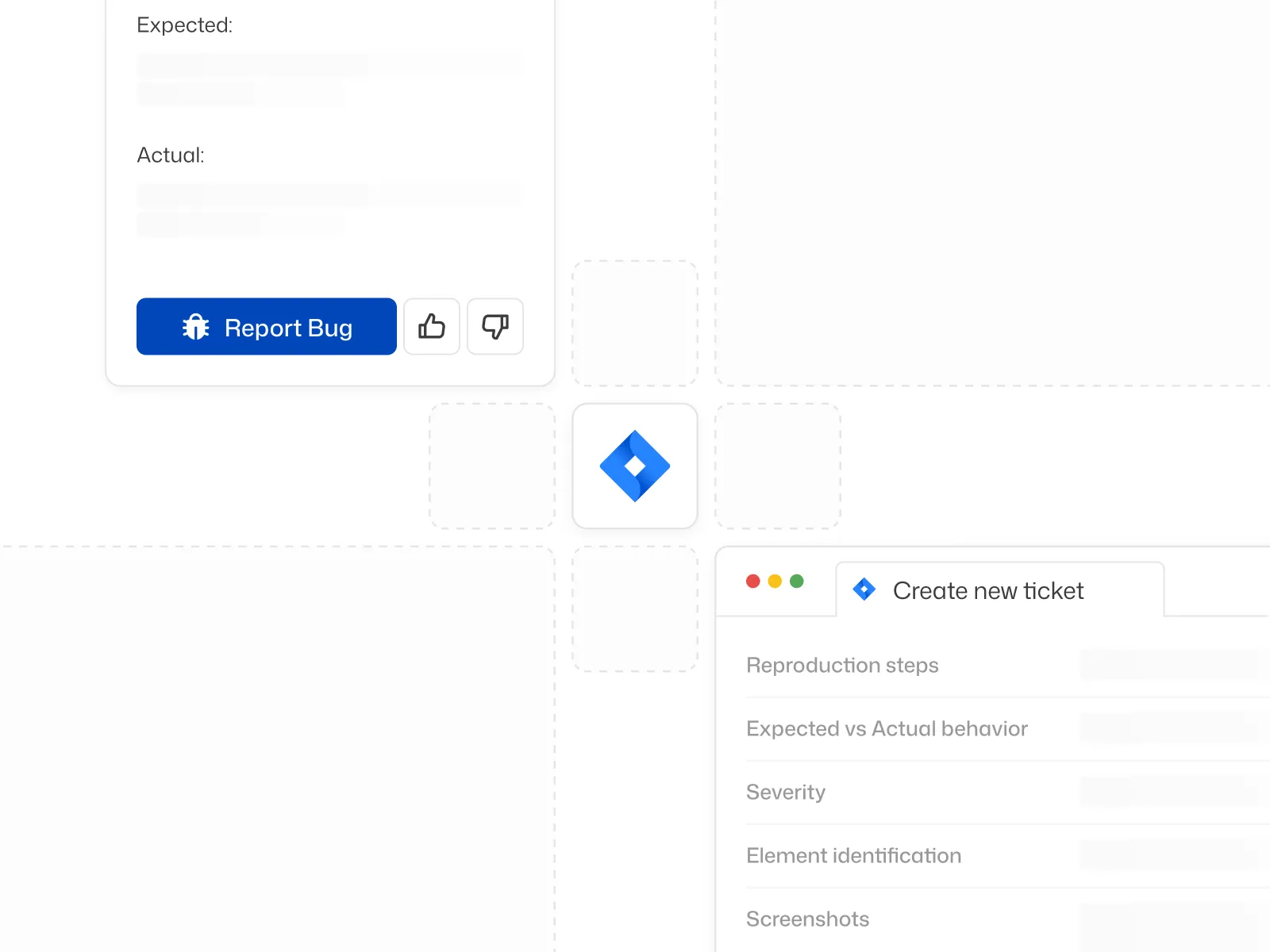
Stack Integration
CI/CD, issue tracking, and more… built-in by design. Thunders plugs into your pipelines, platforms, and workflows — no custom setup, no context-switching.
Seamless Integrations with your
DevOps & Collaboration Stack
Thunders connects effortlessly with the tools your team already uses — from CI/CD platforms to issue trackers and collaboration suites. Whether you’re managing tests in Jira, triggering runs from GitHub, or coordinating through Slack and Teams, integrations are built-in to streamline your workflow and reduce friction across environments.
Jira
Notion
Linear
Azure DevOps
Slack
GitHub
Jenkins
Microsoft Teams
BitBucket
Coming Soon Features
Schedule Runs
Run Suites on schedule with concurrency limits, caching, and targeted alerts.
One-Click Documentation
Turn test cases into living documentation, updated with every run.
End-to-End Email Testing
Create test cases to verify Email workflows.

This is our QA of the future.
From the very first tests, Thunders caught real bugs in our interface — bugs that had slipped through all our standard quality processes.
Before Thunders, all UI testing was done manually. With Thunders, everything is end-to-end automated. Thunders lets us generate tests very quickly and improve the overall quality of our product.
Wassim Jouini
CTO @LegalPlace


Thunders is a whole new testing culture, not just another tool.
Automating our tests was a real challenge that classical automation simply couldn't solve. With Thunders, we were able to automate a hundred tests, with no technical expertise required.
Thunders opens up test automation to non-technical roles. Thunders bridges the gap between code and people. With Selenium, it used to take much longer.
Hanen Khalfaoui
QA Manager @Infopro Digital


What won me over with Thunders was the testing approach, the maturity, and the innovation.
Thunders delivers far greater resilience compared to classical automation. Thunders introduced a new variable in how we respond to RFPs — and it changes our entire economic model.
Today, Thunders is giving us a glimpse of more resilient tests and better maintainability of test suites. We run proofs of concept with Thunders to validate technologies for our clients.
Jean-Olivier Penin
Co-founder @B/Acceptance

Thunders enabled us to put quality and test creation in the hands of the entire product team.
Our PM teams covered 80% of our test scope in just six weeks with Thunders. After just one month, the entire team was up and running.
Tests are executable immediately and the onboarding was genuinely straightforward. Now it's the PMs who write test plans in plain language directly in Thunders.
Florian Ernoult
VP Engineering @agorapulse

FAQs & Support for Thunders users
Whether you're getting started or scaling advanced workflows, here are the answers to the most common questions we hear from QA, DevOps, and product teams.
What happens if I exceed usage?
You’ll still be able to run tests, but any additional execution will be billed at your plan’s overage rate per credit. You’ll always be notified before extra usage kicks in.
Can I cancel anytime?
Yes — you can cancel at any time, and your subscription will remain active until the end of your billing cycle. No hidden fees or lock-in.
How does onboarding work?
Every plan includes step-by-step onboarding documentation. Pro and Enterprise plans include guided sessions with our team to help you go live faster.
Is support included?
Yes. Starter users get access to community support. Pro and Enterprise plans include priority support, with Enterprise offering a dedicated CSM.
Do you offer custom integrations?
We support native integrations with most CI/CD and issue tracking tools. For Enterprise clients, we offer custom connector support — just talk to our team.
Will I pay for LLM tokens on top of this?
No — LLM usage is included in all plans. You’ll never have to manage token limits or usage separately.
How do I track my usage?
Your real-time usage dashboard is accessible from your account panel.
Still have Questions?
We're happy to help — whether it’s about onboarding,
pricing, or technical setup.
Looking for more
detailed Documentation?
Ready to ship faster with smarter testing?
