Test Management & Collaboration
Structure your tests for any release, regression, or smoke run. Thunders handles execution, results, and bug reporting so your team works from one source of truth. Thunders AI helps you spot duplicates, restructure, and keep your suite clean as it grows.












Why choose Thunders for Test Management & Collaboration

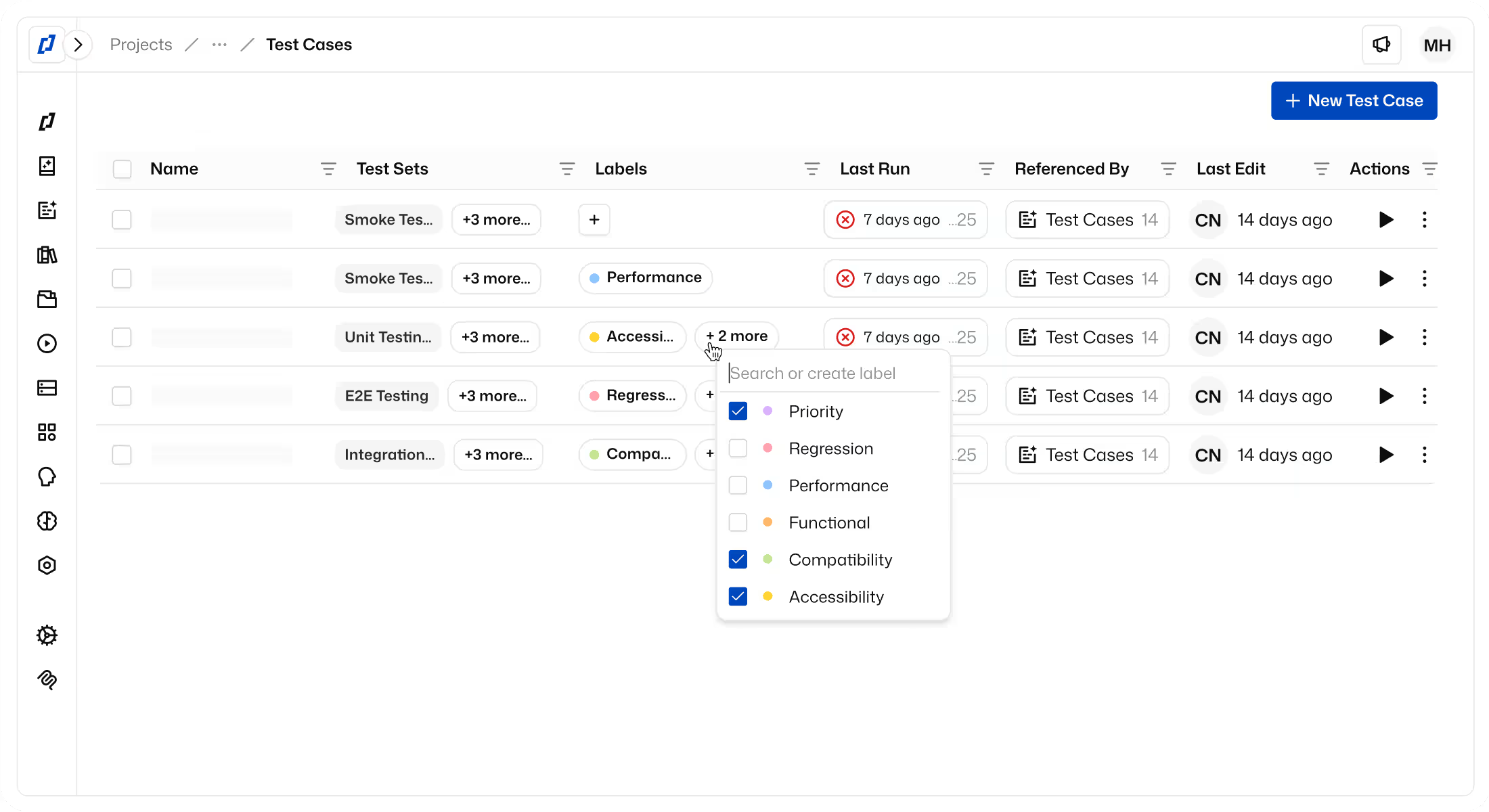
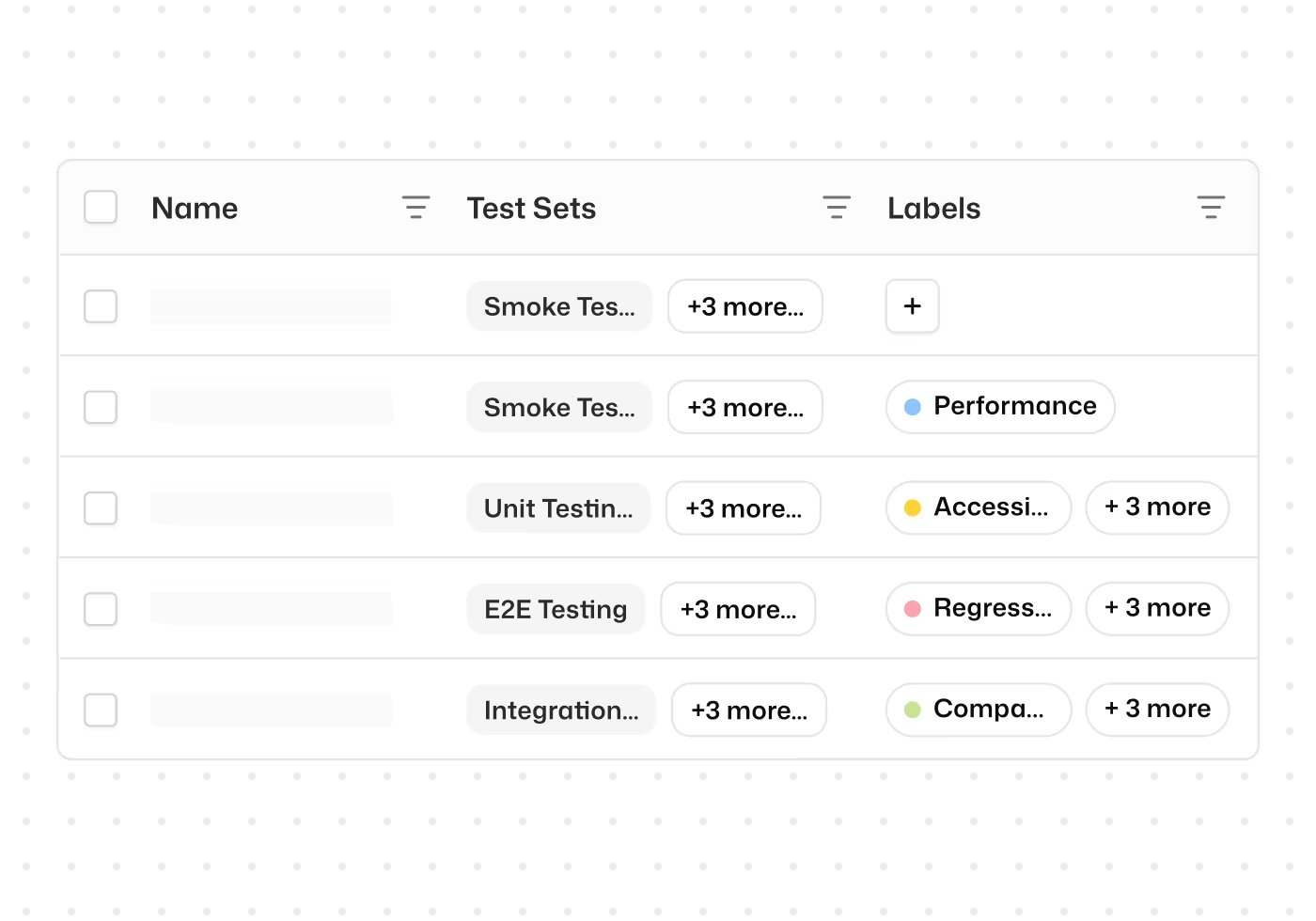
Organize test cases with labels for fast filtering and execution
Tag test cases by feature, priority, sprint, or any category you define. Filter by label to find what you need instantly and execute only the tests that matter for the task at hand.

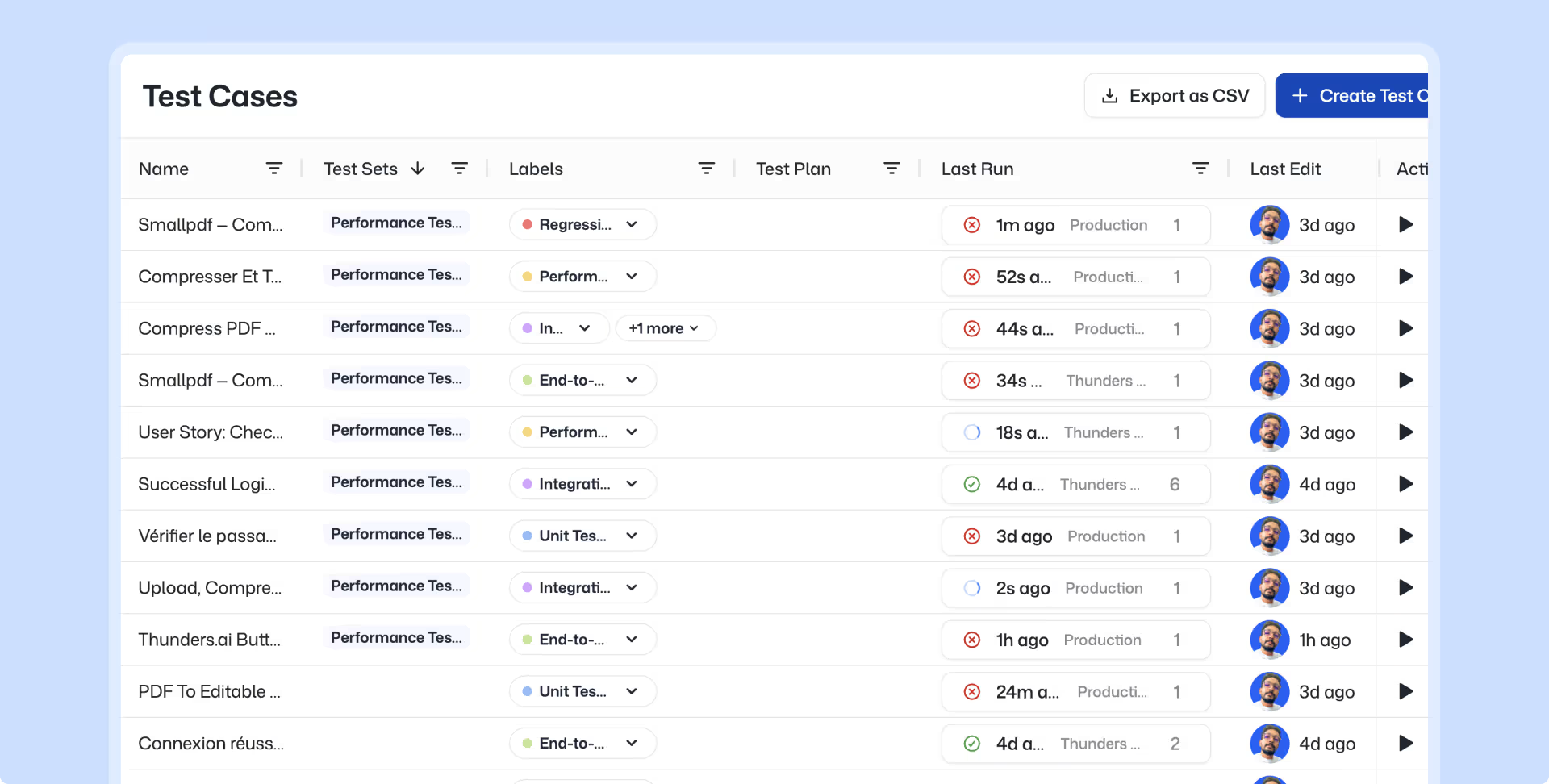
Group tests into test sets for releases, regression, and smoke runs
Group test cases into Test Sets and set concurrency limits, and run them on demand or automatically.

Execute test sets across browsers, environments, and AI Personas
Run any Test Set across multiple browsers, environments, and AI Personas. Validate functional correctness, accessibility, and security from the same set of tests.

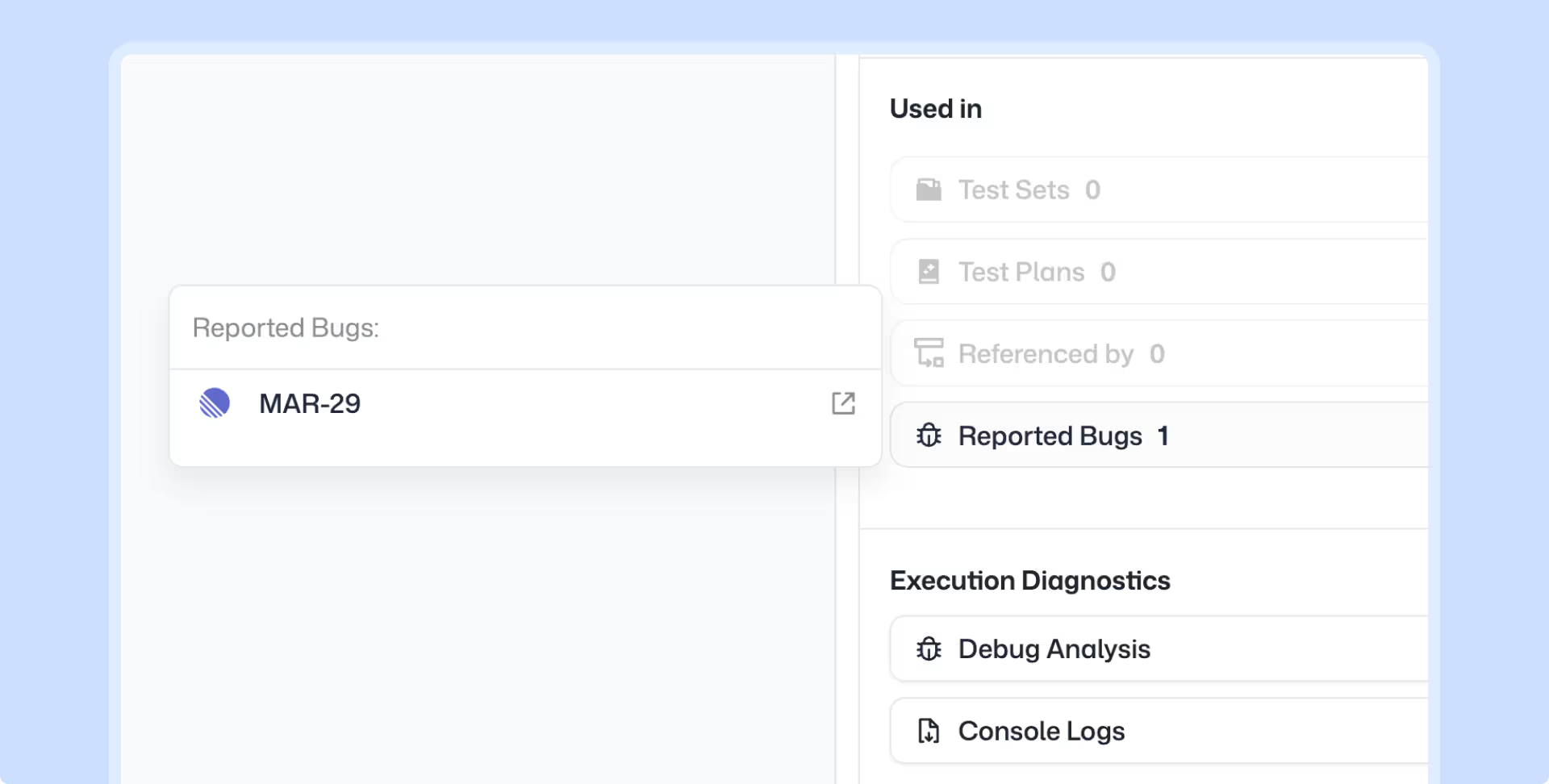
Report bugs to Jira, Linear, or Azure DevOps in one click
Every failed step includes a one-click bug report option. It lands in your issue tracker ready to triage.

Refine and reorganize your test suite with Thunders AI
Thunders AI analyzes your existing test cases, spots duplicates, suggests a cleaner label taxonomy, and identifies flows that can be consolidated. Your suite stays sharp as it grows.

Analyze coverage and testing status through Thunders MCP
Connect any MCP client (Claude, ChatGPT, Cursor) to Thunders and query your testing data in natural language. Answers come from live data, not static reports.
Test Management & Collaboration Use Cases
A growing test suite without structure becomes noise. Labels let you tag test cases by feature, priority, or sprint, then filter and execute just the ones you need. Test Sets group those labeled cases for a specific purpose: a release candidate, a nightly regression, a smoke check. When the suite gets messy, Thunders AI analyzes what you have, spots duplicates, and suggests how to restructure. You build the organization once. Every run after that follows it.
A test fails. The expected behavior did not match. Instead of copying screenshots and writing reproduction steps, one click sends a complete bug report to your issue tracker. The report includes the failed step, expected vs. actual outcome, screenshots, and the full execution path. It lands in Jira, Linear, or Azure DevOps ready to be triaged.
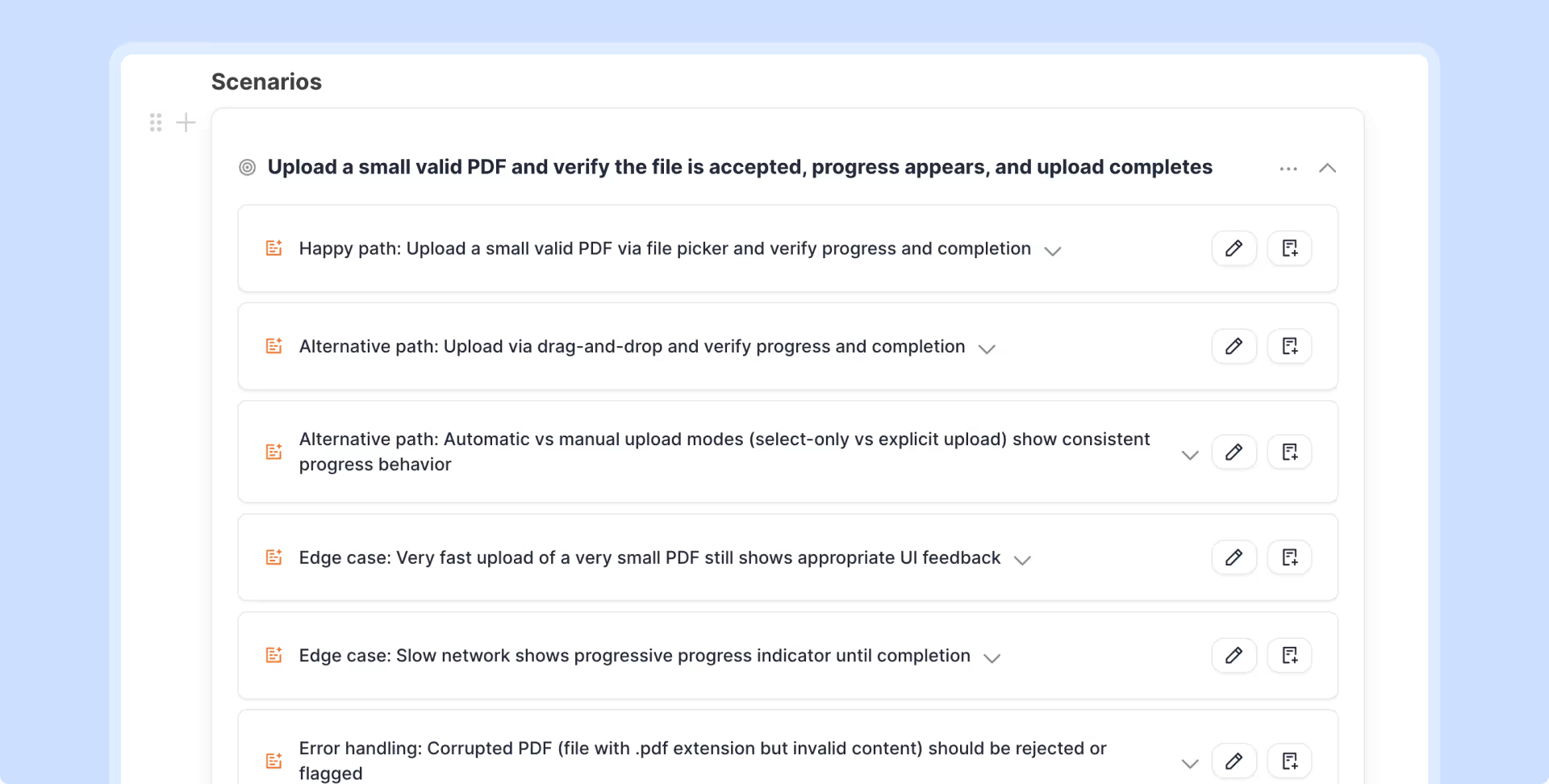
Product teams write specs. QA teams write tests. The translation between the two usually happens in someone's head. Thunders closes that gap. Paste a spec, a PRD, or any product context. Thunders generates a structured test plan with scenarios and edge cases. Edit it collaboratively with AI. Generate runnable test cases directly from the plan. The spec becomes the source of truth for testing.
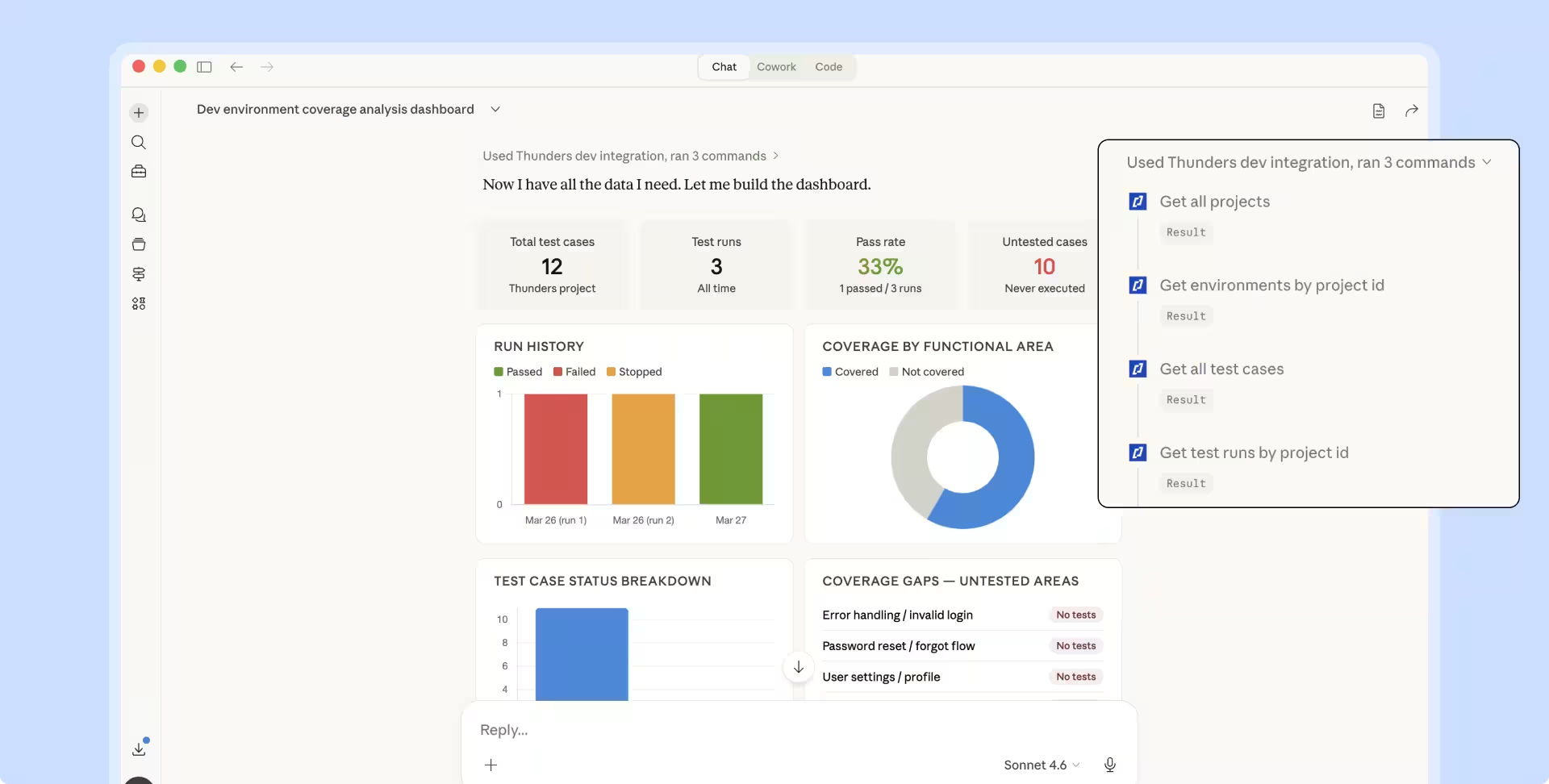
Product managers need to know what is tested. Engineering leads need pass rates and failure trends. Instead of building dashboards manually, connect any MCP client (Claude, ChatGPT, Cursor) to Thunders MCP. Ask questions in natural language: what features are untested, which test sets are failing, where the gaps are. The answer comes from live data, not a static report.
Now it's the PMs who write test plans in plain language directly in Thunders.
Florian Ernoult
VP Engineering
@
AgoraPulse

Discover Thunders' features
Frequently Asked Questions
What is collaborative test management and how does it work?
Collaborative test management is an approach that brings together developers, testers, Product Owners, and other stakeholders around a shared platform to plan, execute, and track testing activities. It relies on real-time sharing of test cases, results, defects, and quality indicators. This approach breaks down silos between teams and fosters a shared responsibility for quality. It fits naturally into Agile and DevOps practices.
What are the main benefits of collaborative test management for a team?
The benefits include better communication between teams, faster defect detection, prioritization aligned with business goals, and a reduction in duplicated efforts. Collaboration also promotes mutual upskilling between developers and testers. Finally, it improves overall project visibility for management and accelerates delivery cycles.
What tools and solutions exist to implement collaborative test management?
Several tools dominate the market: Thunders.ai, Xray, Zephyr, TestRail, qTest, and PractiTest. Each offers specific features: Jira integration, BDD management, automation, or advanced reporting. Thunders.ai stands out as an all-in-one platform combining management, automation, and generative AI, making it particularly well-suited for French-speaking teams. The choice depends on the technical context, budget, and QA maturity.
How do you choose the right test management tool for my team?
The selection is based on several criteria: compatibility with the existing stack (Jira, GitLab, etc.), ease of adoption, automation features, reporting capabilities, and the total cost of ownership. It is recommended to first define high-priority needs (manual management, automation, compliance) before evaluating solutions. Running a POC on a pilot project helps validate the actual fit before a large-scale rollout. Tool support and language options are also factors that are often underestimated.
How does collaborative test management improve product quality?
By involving all stakeholders from the very beginning of the cycle, collaborative management enables earlier defect detection (shift-left). Sharing business knowledge between developers and testers improves the relevance of test cases. Traceability among requirements, tests, and defects ensures that no business need slips through the cracks. The result is fewer regressions, fewer production incidents, and higher user satisfaction.
What are the essential features of a collaborative test management tool?
A good tool must offer: centralized test case management, bidirectional traceability (requirements to tests to defects), integration with development tools (Jira, Git, CI/CD), real-time reporting, role-based access control, and multi-user collaboration. Modern features also include AI for test generation, self-healing, and predictive analysis. User experience and adoption speed remain key differentiating criteria.
How do you integrate collaborative test management into a DevOps or Agile process?
Integration relies on automating the connections between the testing tool and CI/CD pipelines, ticketing systems, and communication platforms. Tests must be executed with every commit, and their results automatically shared with the teams. In Agile, test management aligns with sprints: planning within the backlog, execution during the sprint, and review during the retrospective. Continuous collaboration replaces isolated testing phases.
What is the impact of collaborative test management on costs and timelines?
Collaborative management reduces timelines by catching defects earlier when they are less expensive to fix, and by preventing duplicated work. It also lowers costs tied to production incidents, delivery delays, and user complaints. In the long run, it improves project predictability, which facilitates budget planning. The initial investment in a collaborative tool is generally offset by gains in productivity and quality.
How do you ensure traceability and compliance with a test management tool?
Traceability is ensured by the links between requirements, test cases, executions, and defects, all maintained within a single platform. Good tools offer automated traceability matrices and complete histories for audits. For compliance (ISO 27001, GDPR, sector-specific standards), the tool must guarantee data security, granular access rights, and evidence archiving. Thunders.ai natively integrates these capabilities for regulated environments.
What are the best practices for collaborating effectively on testing?
Best practices include: involving testers as early as the specification phase, using a common language (BDD/Gherkin) between business and technical roles, sharing quality responsibilities, automating repetitive tasks, and holding regular results reviews. Asynchronous communication (comments, notifications) and synchronous communication (reviews, daily meetings) must be balanced. Finally, measuring collaboration through KPIs (resolution time, reopen rates) allows for continuous improvement.
Ready to ship faster with smarter testing?