Accessibility Testing
Ship products every user can use. Thunders Accessibility Agent evaluates WCAG compliance and simulates real assistive-technology behavior automatically: no specialist, no manual audit, no extra tooling required. Run it in natural language. Catch violations before they reach users.










Why choose Thunders for Accessibility Testing

Dedicated Accessibility Agent, ready out of the box
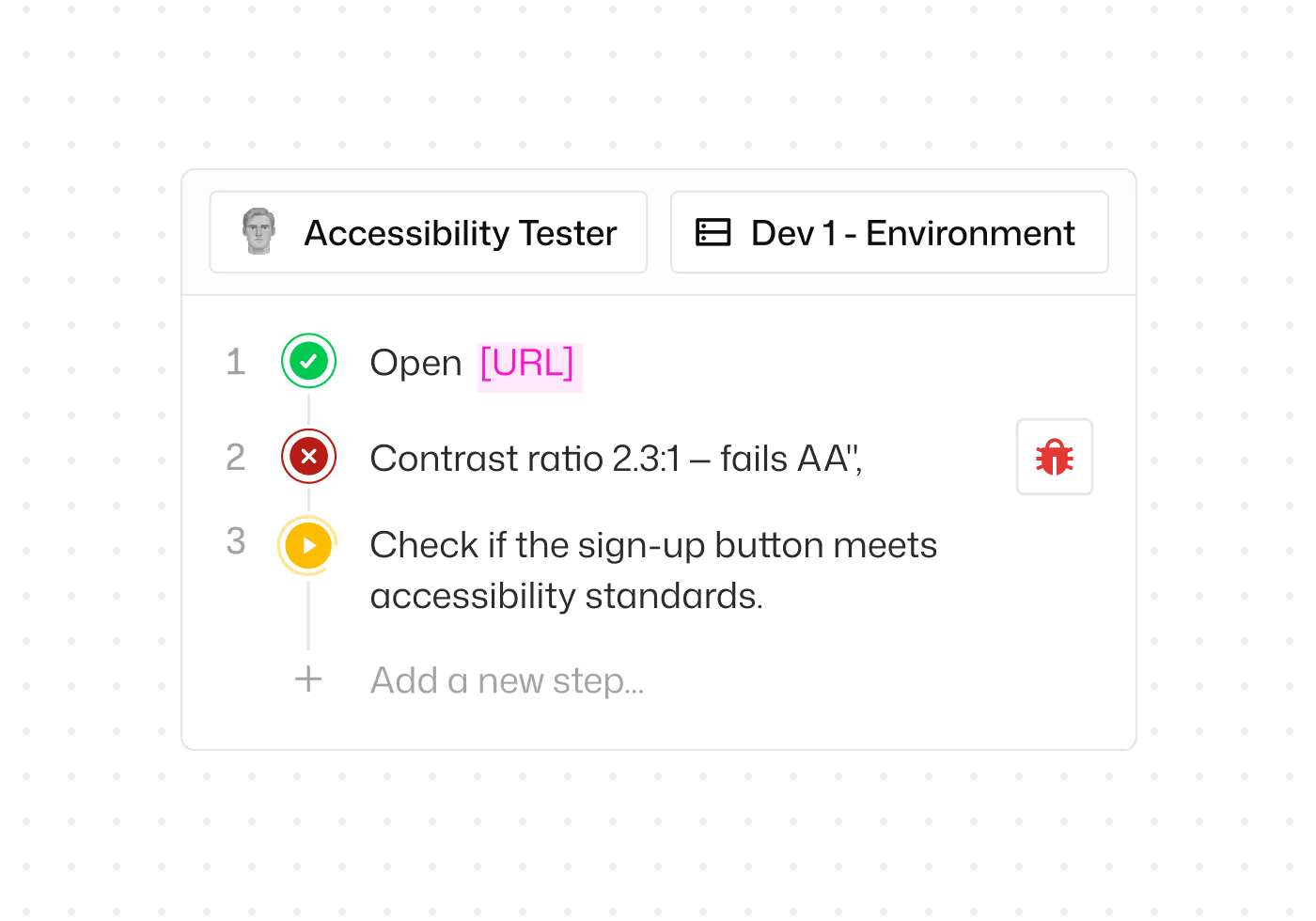
No setup, no specialist to hire. Select the Accessibility Tester persona from the persona list and run it against any page or flow.

Test WCAG A, AA, and AAA without writing rules
Choose the compliance level you need. Thunders generates the test steps and checks for you. No rule files to maintain, no accessibility expertise required to get started.

Validate keyboard navigation across every flow
Verify that every interactive element is reachable and usable via keyboard. Thunders flags broken tab orders, missing focus indicators, and keyboard traps automatically.
Detect color contrast and visual clarity failures
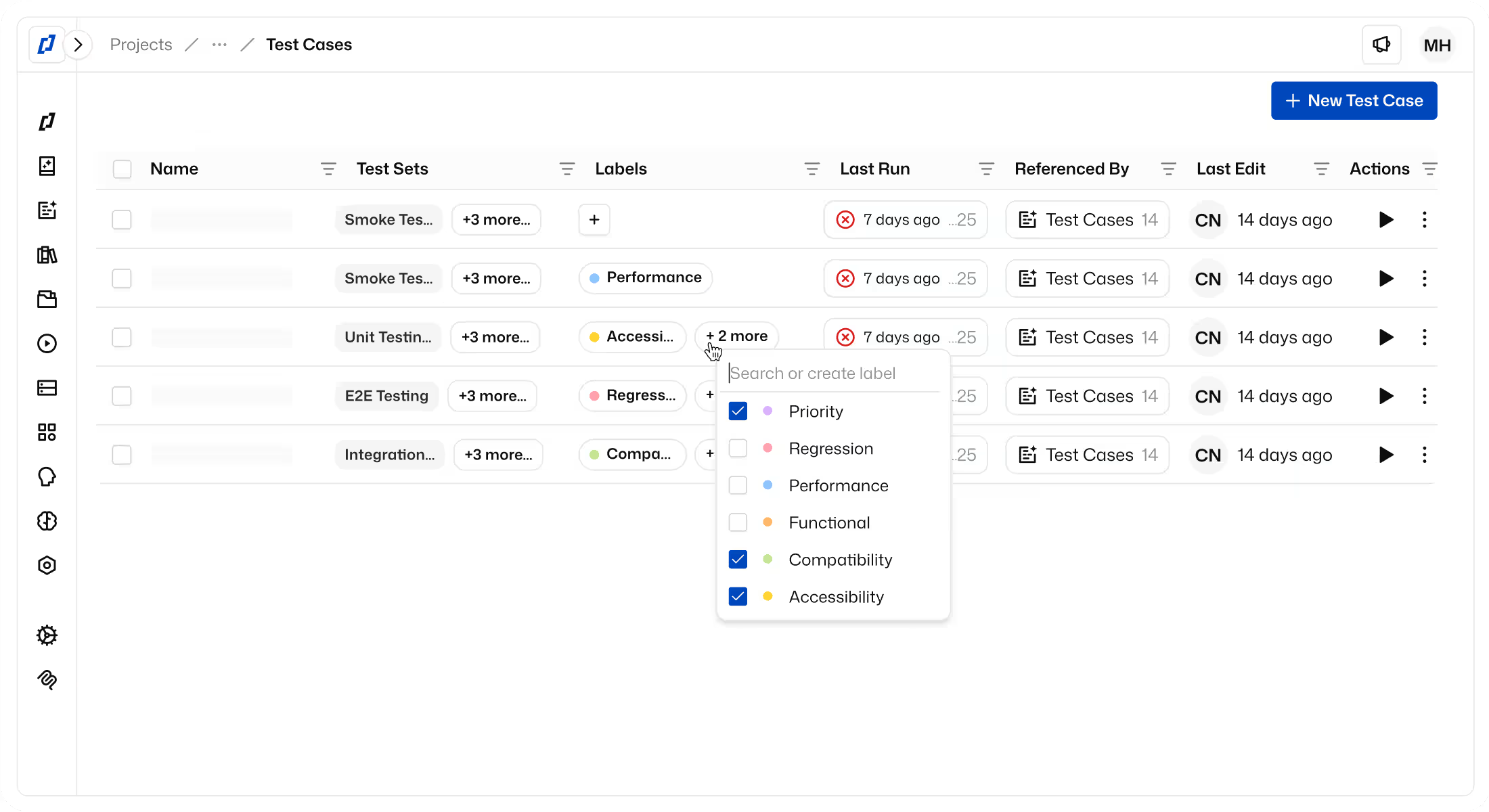
Thunders checks text and interactive elements against WCAG contrast ratios. Violations are flagged with the specific criterion and the affected component, so fixes are straightforward.

Use the Accessibility Tester persona for deeper coverage
Most accessibility tools check one page at a time. The Accessibility Tester persona follows your full user journey and catches contextual issues along the way: focus that gets lost between steps, ARIA roles that conflict across views, and semantic structure that breaks mid-flow.

Block accessibility regressions in CI/CD
Add the Accessibility Tester persona to your CI pipeline. If a WCAG violation is detected, the build fails automatically. Accessibility stays enforced on every release.
Accessibility Testing Use Cases
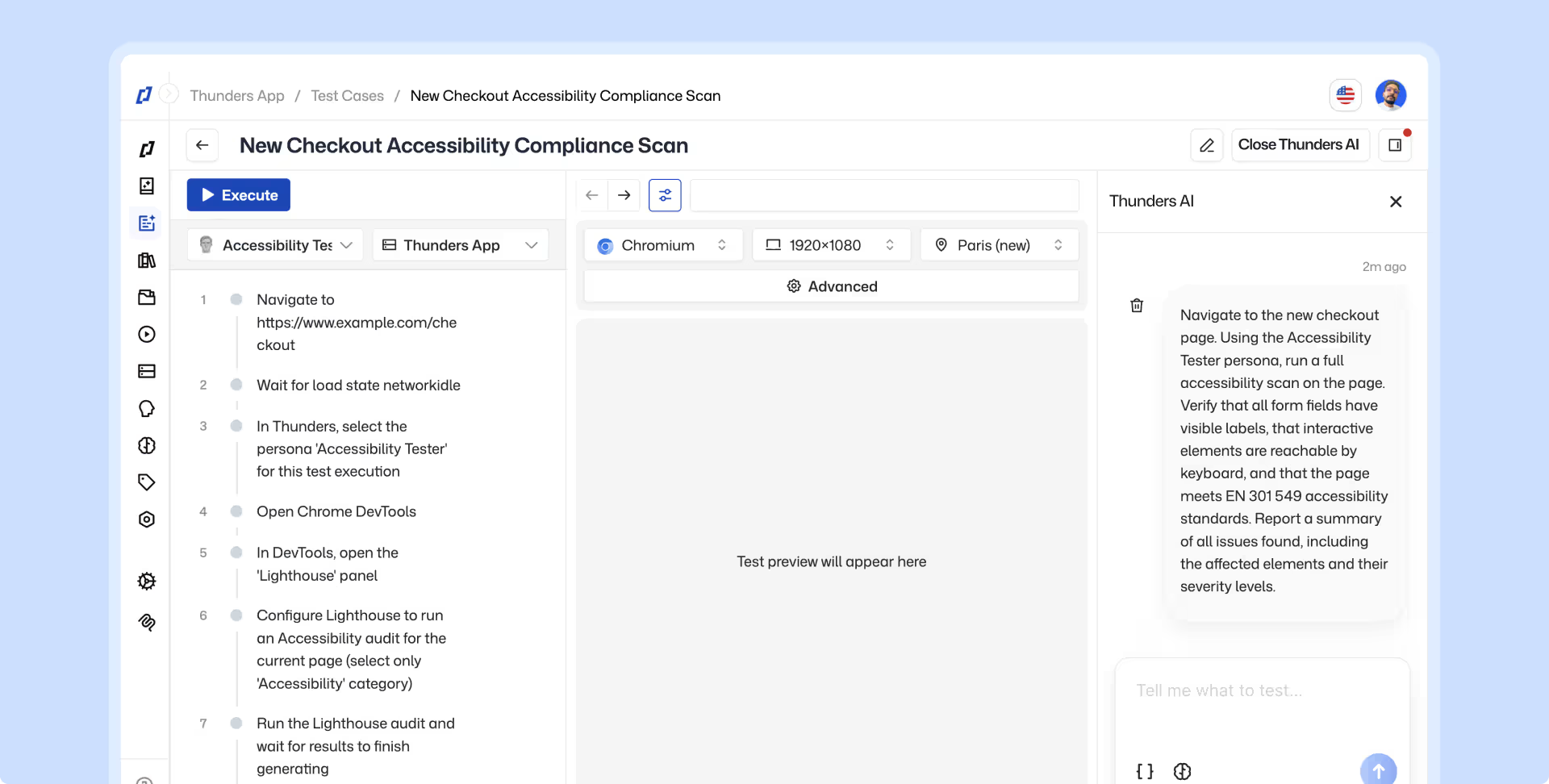
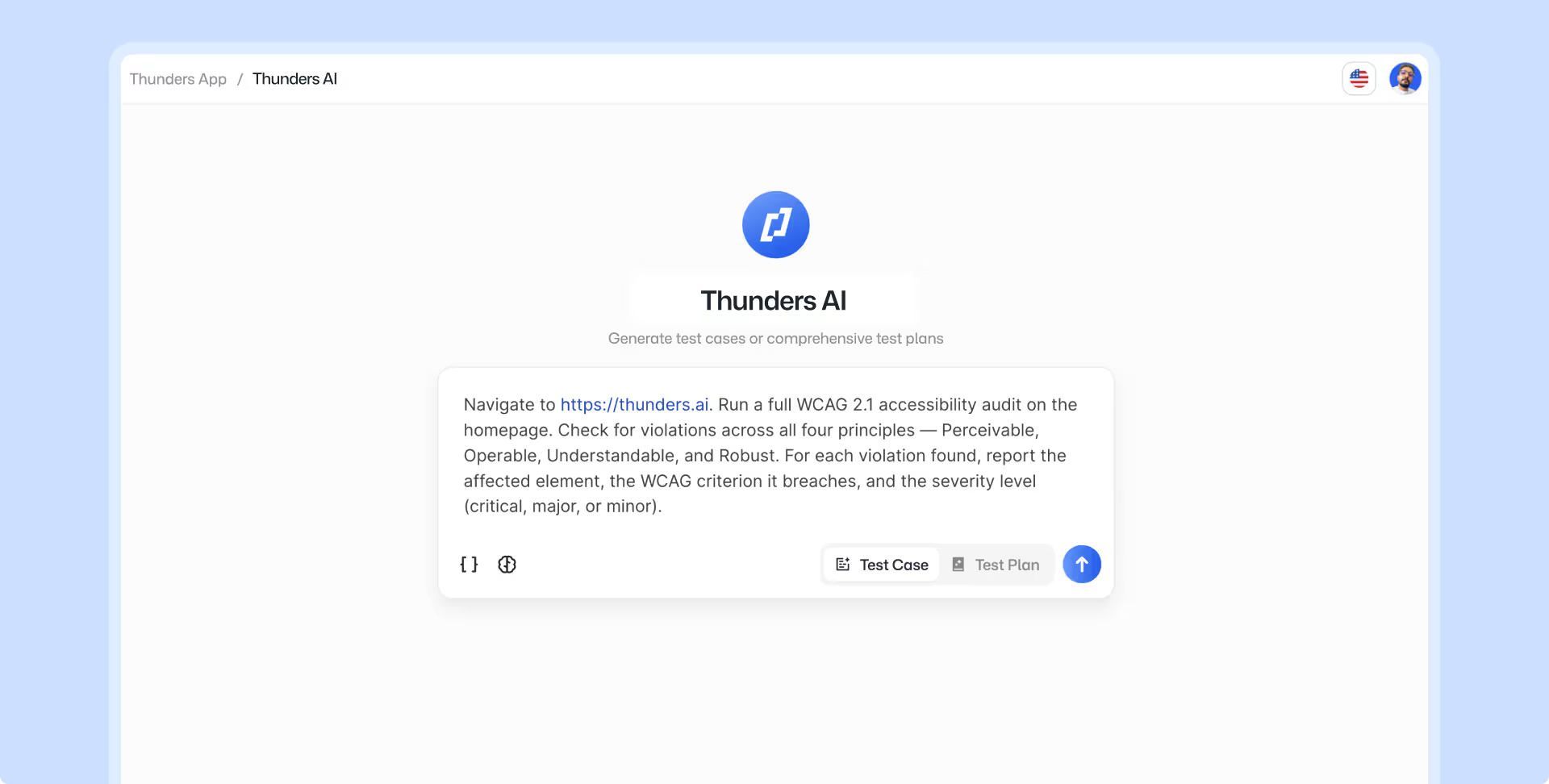
Point Thunders AI at a new feature or URL and let the Accessibility Agent run before anything ships. Describe the scenario in natural language, no accessibility expertise needed. Catch violations while fixes are still cheap.
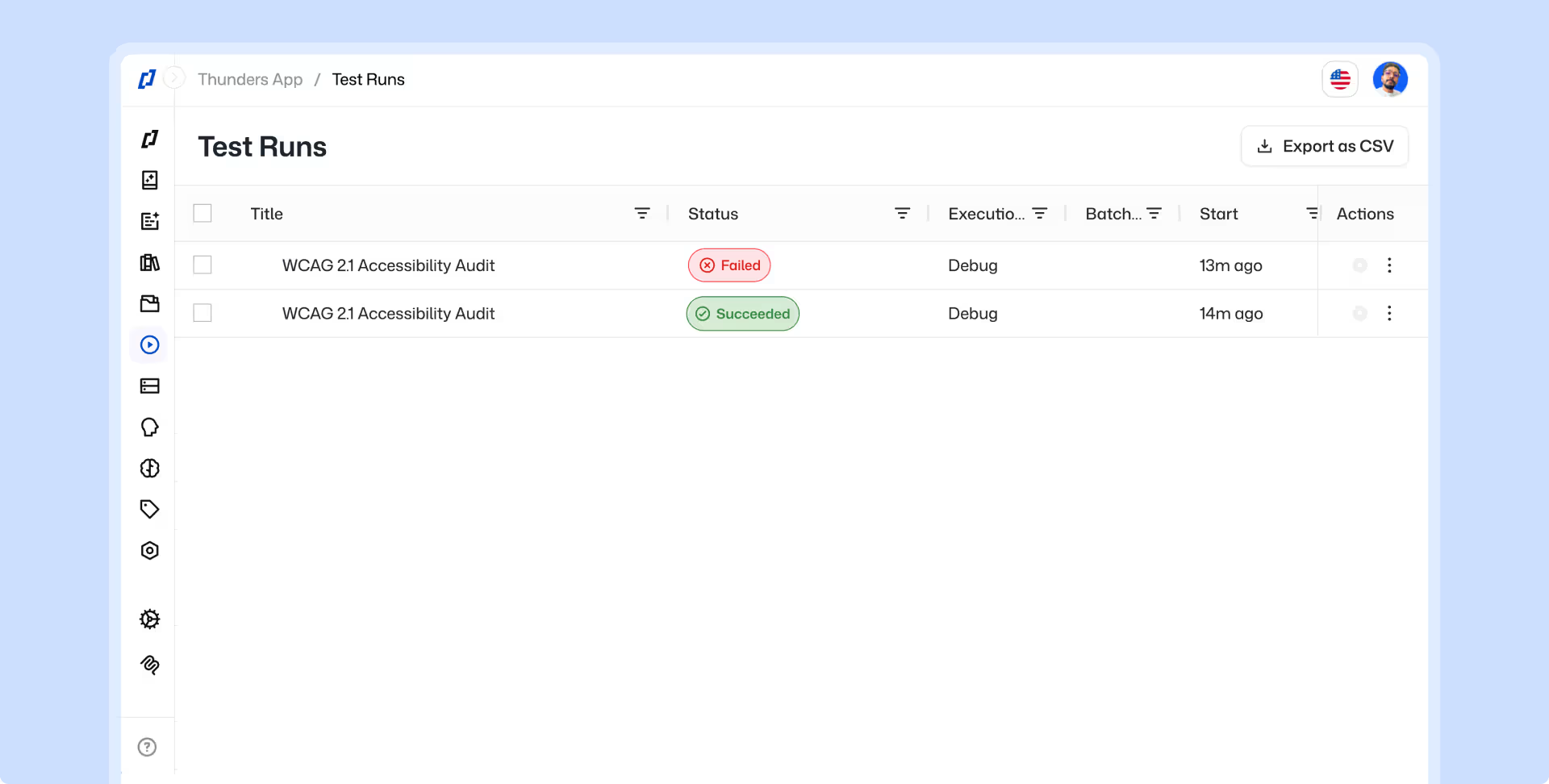
Re-run accessibility tests automatically on every deploy. ML-Based Auto-Healing keeps tests stable as the interface changes, so you always know if a new build introduced a violation.
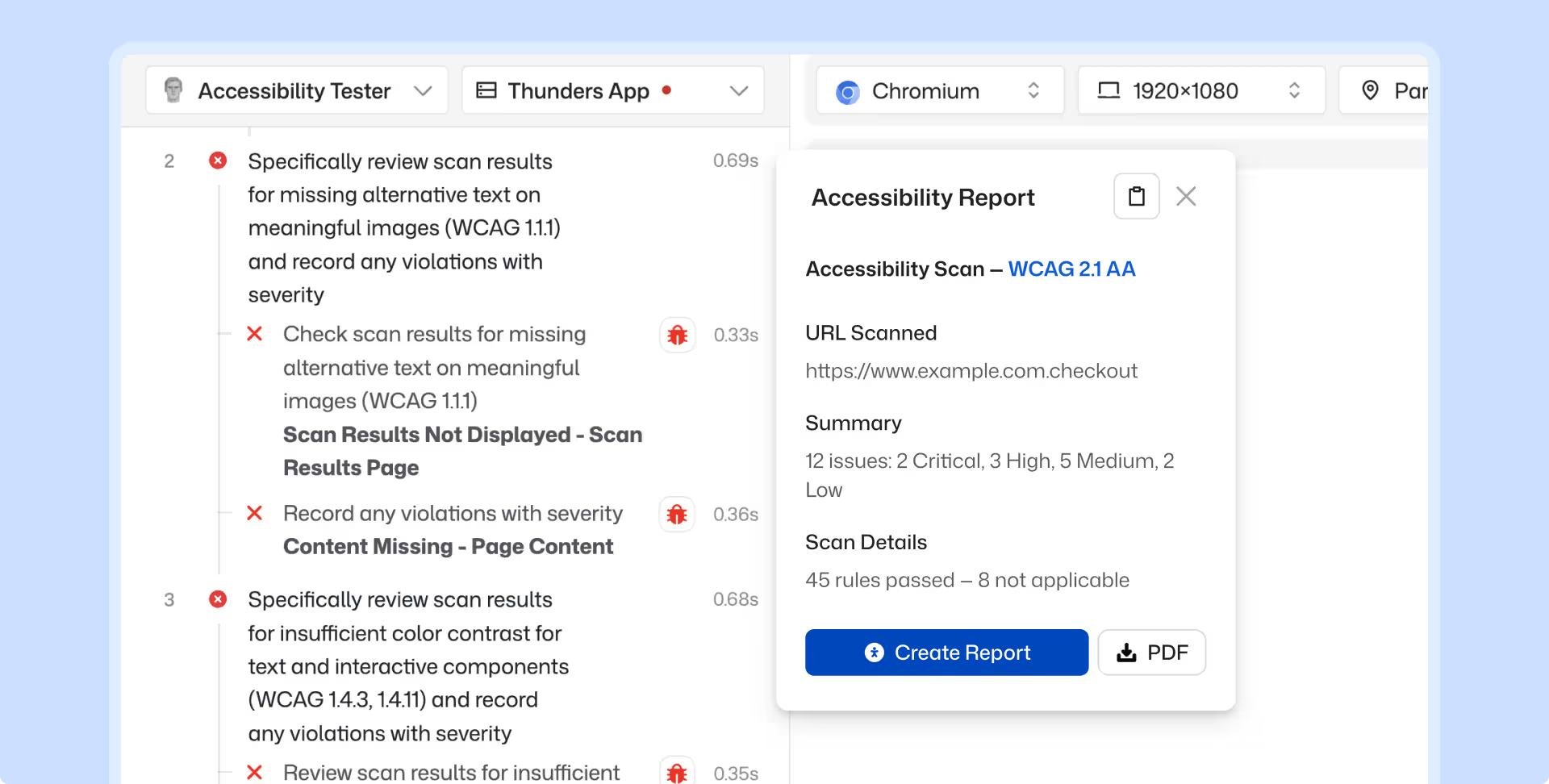
Export test results mapped to WCAG success criteria, ready for VPAT submissions, enterprise procurement reviews, or internal compliance sign-off.
Product managers, designers, and QA engineers can describe what to test in natural language. The AI Parsing Engine handles the rest. No code, no specialist, no extra tooling.
Discover Thunders' features
Frequently Asked Questions
What are the advantages of an automated testing solution compared to classic free tools like Lighthouse?
Free tools like Lighthouse offer a one-off audit limited to a single page, without long-term tracking or a global view of the site. A professional automated solution covers the entire domain, schedules recurring audits, and records historical results to measure progress. It also provides extensive coverage of RGAA and WCAG criteria, whereas Lighthouse only checks a fraction of the rules. Finally, it facilitates collaboration between technical, design, and compliance teams through shared reports and remediation workflows.
How does the platform facilitate tracking an RGAA audit over time?
The platform retains the history of every audit and allows users to visualize the evolution of the compliance rate over time. Each non-compliance issue is tracked until resolution, with assignments to the relevant teams and status updates. Scheduled audits (weekly, monthly) automatically alert teams in the event of a regression following an update. This continuity transforms accessibility from a one-off project into a continuous improvement process.
How are the 106 official criteria segmented in the interface to facilitate remediation?
The RGAA criteria are organized by themes (images, colors, navigation, forms, multimedia, etc.) to allow teams to handle fixes by area of expertise. Each criterion is associated with its severity level, user impact, and concrete remediation examples. This segmentation facilitates the distribution of work among front-end developers, designers, and editorial contributors. It also helps prioritize corrections according to business or regulatory priorities.
How does the tool help anticipate navigation barriers for screen reader users?
The tool analyzes the semantic structure of the HTML (tags, landmarks, ARIA roles) and identifies elements that would cause problems for a screen reader. It verifies the presence and relevance of alternative text, tab order, heading structure, and form labels. The reports precisely pinpoint potential blockers and offer recommendations that comply with standards. This ensures a consistent experience for visually impaired or blind users.
Is the contrast and colorimetry analysis done globally across the entire domain?
Yes, the analysis scans all crawled pages on the domain and detects text/background combinations that do not meet the contrast thresholds required by the RGAA and WCAG. Each non-compliance issue is precisely located (URL, component, colors involved) to facilitate fixing it. The tool distinguishes between normal text and large text, which follow different thresholds. This global view prevents partial fixes that might leave issues unaddressed on secondary pages.
How do the generated reports differ from simple browser extension exports?
Browser extensions produce a one-off report on a single page, without context or tracking. The platform's reports cover the entire site, aggregate non-compliance issues, prioritize them, and offer actionable recommendations. They also include trend data, version comparisons, and indicators that can be shared with management or auditors. Finally, they are exportable in formats suited for official documentation (accessibility statements, multi-year plans).
What sorting features allow users to prioritize errors that block the user?
Filters allow users to sort non-compliance issues by severity level, user impact, targeted type of disability, and estimated remediation effort. Blocking errors (which completely prevent access to content or a feature) are highlighted for high-priority handling. It is also possible to filter by template, site section, or assigned owner. This prioritization helps optimize efforts and achieve quick, visible improvements for users.
Ready to ship faster with smarter testing?