Linear x Thunders
Ship faster without shipping blind. Turn Linear issues into tests with Thunders AI, report bugs back from failed steps in one click, and sync results to your issues. Just a clean loop between what you’re building and whether it actually works.













Move fast and know what's broken
Turn Linear issues into accurate, QA-ready tests with Thunders AI.
Report bugs to Linear in one click with screenshots, expected vs. actual, and the execution path.
Sync test results back to Linear so anyone reviewing the issue sees what passed and what did not.
How to set up Linear with Thunders
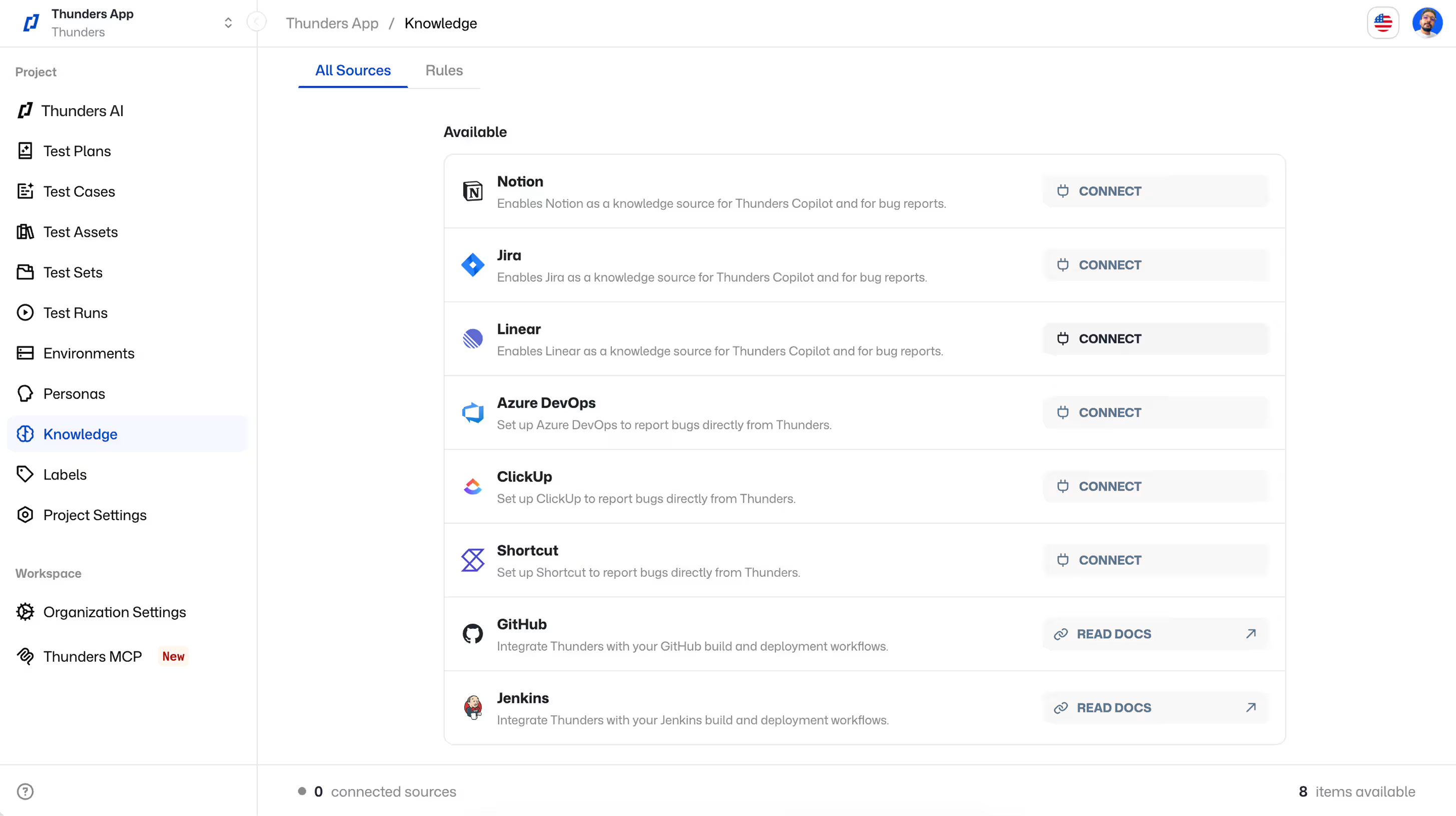
Step 1: Connect your Linear workspace
Go to Knowledge > All sources. Connect your Linear account. Thunders gets access to your workspace. For bug reporting, you choose which project the bug lands in.
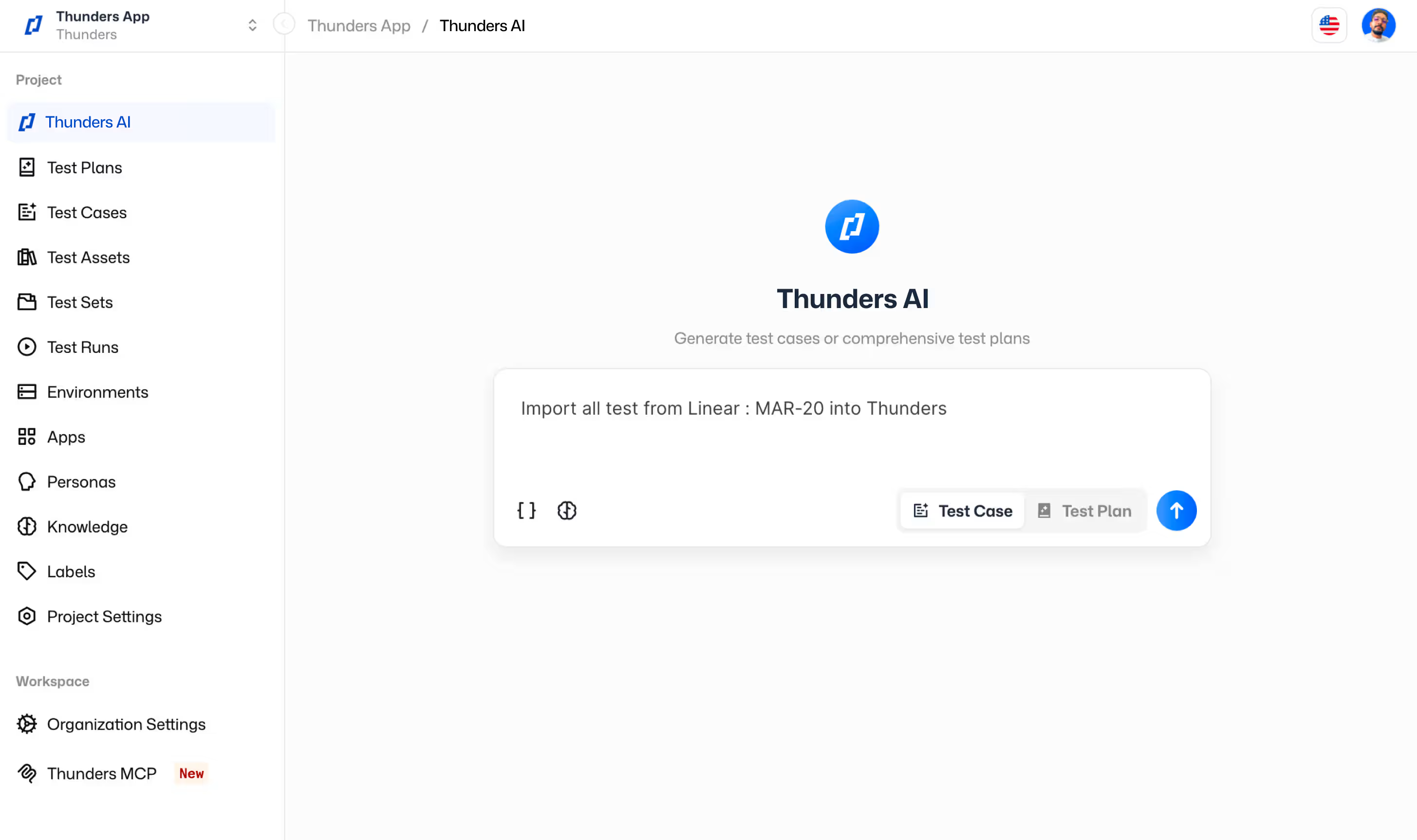
Step 2: Turn Linear issues into tests
Open Thunders AI. Paste a Linear issue URL or reference the issue ID. Thunders AI reads the description, and because it knows your existing tests and project context, it generates accurate test steps with the right validations.
Step 3: Run tests and sync results
Execute the generated tests. Thunders AI syncs results back to the Linear issue. Failed steps include links to the full execution report.
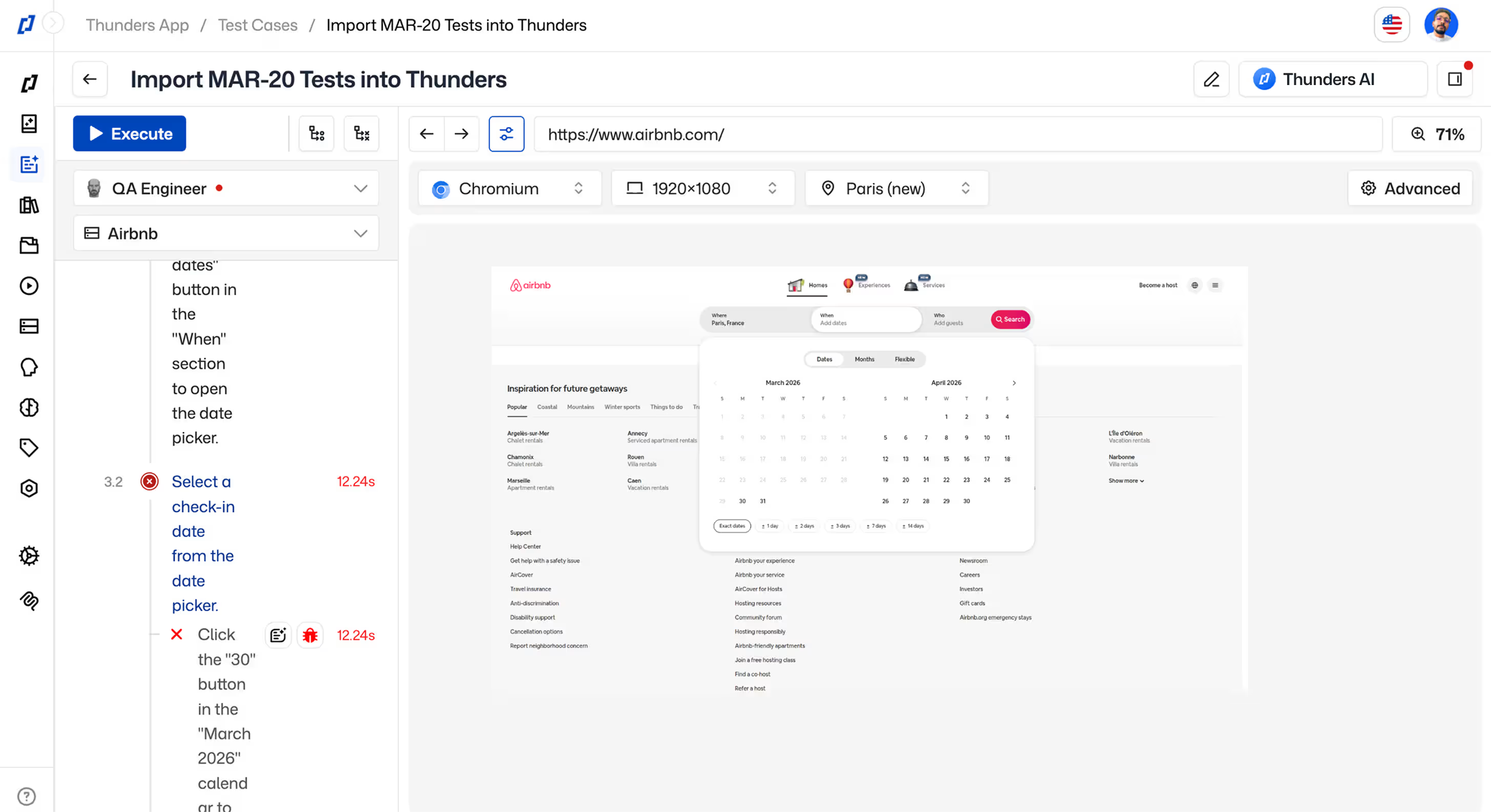
Step 4: Report a bug from a failed step
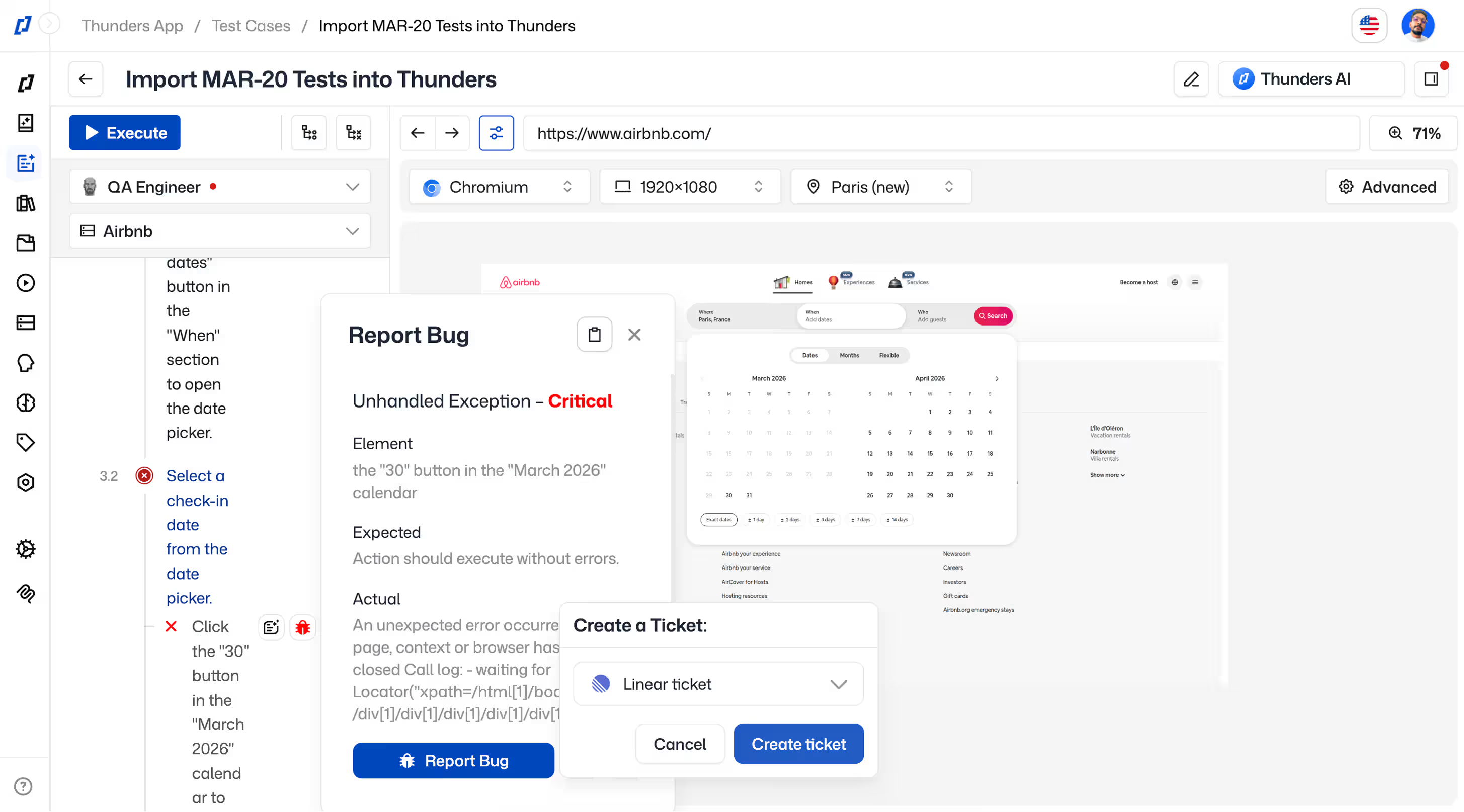
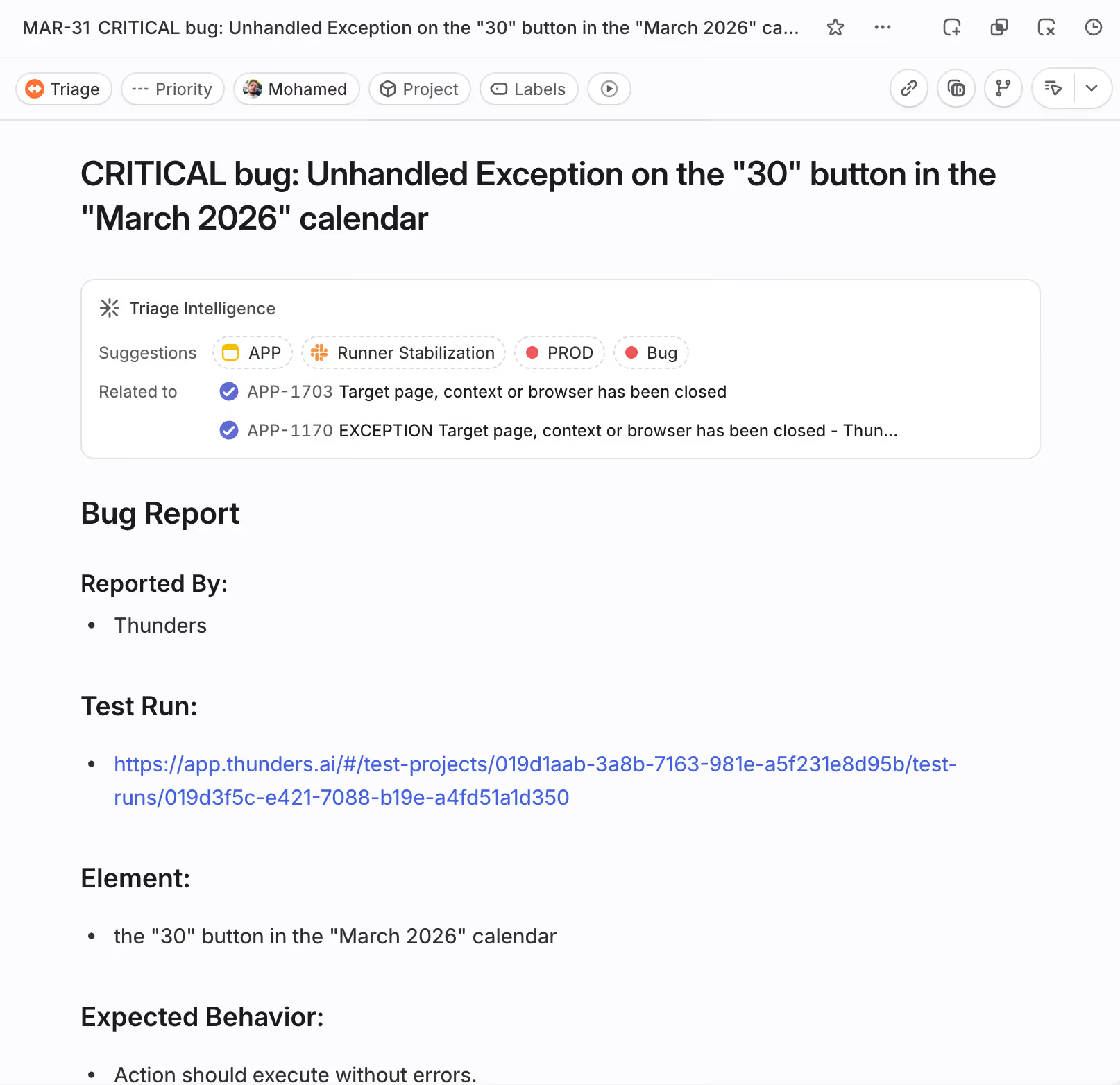
When a test step fails, click 'Report Bug.' Thunders creates a new Linear issue pre-filled with the failure context: step description, expected vs. actual, screenshot, and execution link.
Step 5: Navigate between Thunders and Linear
Every reported bug links to the test and run it came from. Jump from the Linear issue to the exact failure in Thunders, fix the code, and re-run the test to confirm.
Ready to ship faster with smarter testing?