
AI mobile app testing. Every phone. Zero scripts to maintain.
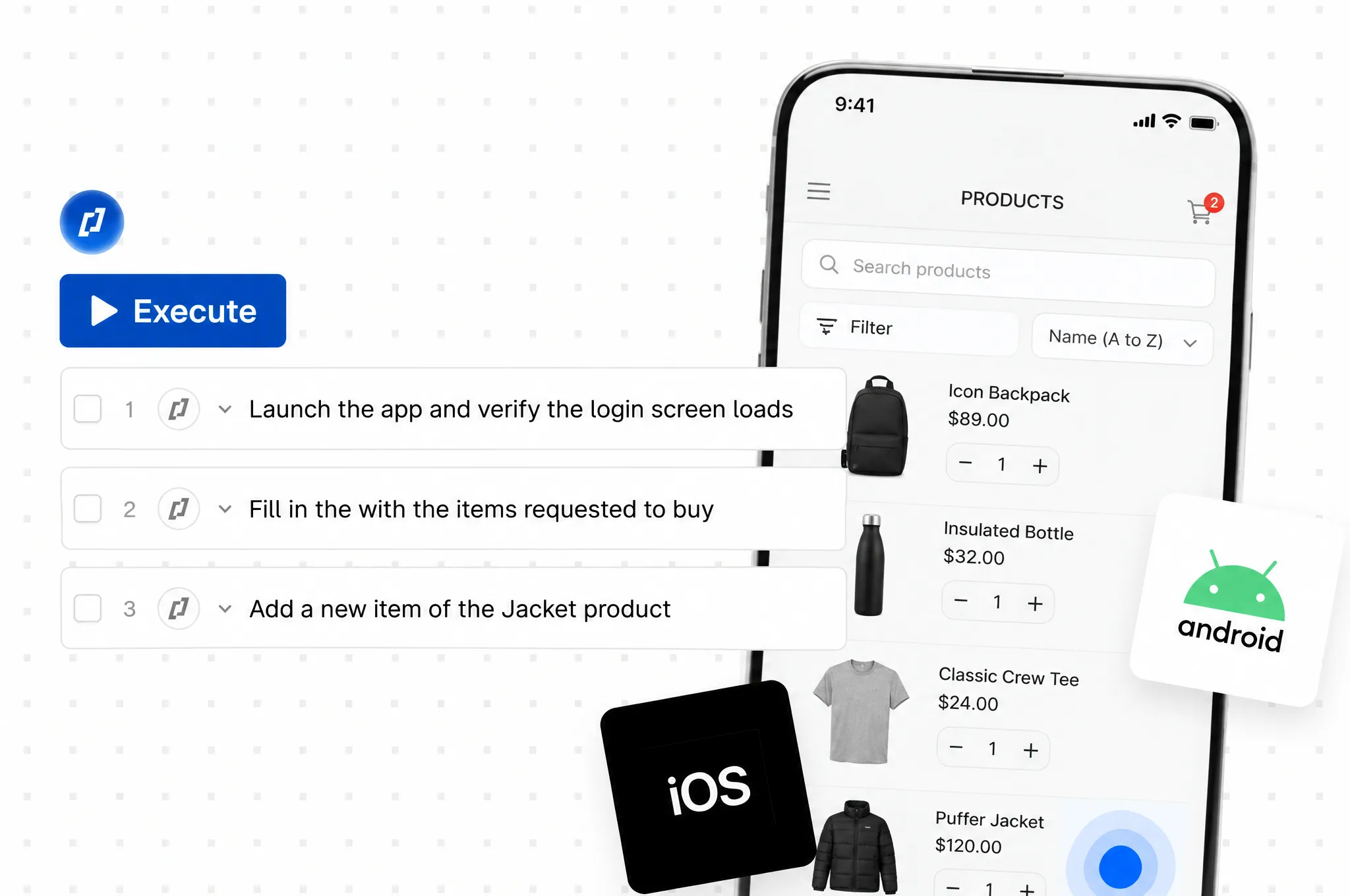
Describe a flow, record it in the app, or generate it from a spec. Thunders runs it across iOS and Android, on real devices and emulators, and heals it when the app shifts.












Why choose Thunders for mobile app testing

Write it, record it, or generate it from a spec
Describe the flow in plain words and Thunders turns it into a runnable mobile test. No code, no Appium, Espresso, or XCUITest. Or play through your app and the recorder captures the steps as you go, putting automation in the hands of the manual testers who know the product best. Point Thunders at a user story, a ticket, or a spec and it generates the scenario for you.

Write once, run on the whole matrix
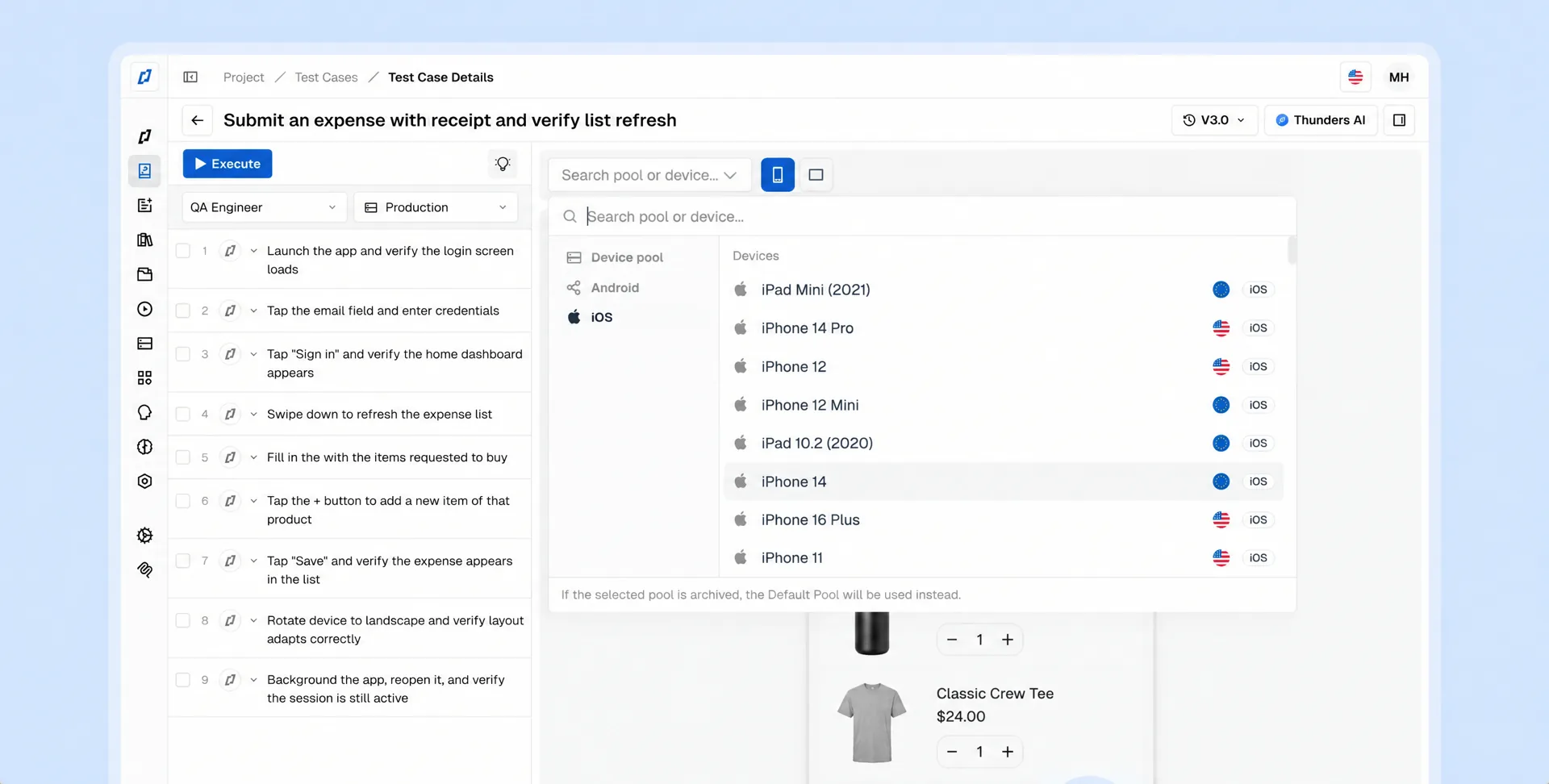
Physical or emulator. iOS or Android. Phone or tablet. You write the test once and Thunders runs it across the combinations that matter, in parallel: 10,000+ real devices across 3,000+ OS combinations, plus emulators and simulators for broad, affordable coverage on every commit.

Tests that heal themselves
Native apps have no DOM to lean on, which is why most mobile suites break the moment a screen changes. Thunders reads the screen two ways at once, through the accessibility tree and through the pixels. When a button moves or a label gets rewritten, the test adapts instead of failing. Fewer red pipelines. Fewer 6am pages.

It handles what real phones do
Native gestures like pinch, long-press, and multi-touch. Permission dialogs, deep links, PIN entry, and interruptions: backgrounding, force-kill, relaunch. On real devices it drives NFC, Bluetooth, and GPS, under network conditions from Wi-Fi down to 3G, 2G, throttled, or fully offline.

Works with however your app is built
Native, WebView, or hybrid, Thunders does not care how the app was assembled. The agent adapts to a visual tree, to WebView HTML, or to the raw screen when neither is there. React Native, Flutter, fully native: same test, same workflow.

Get your build in and go
Upload an APK or IPA, or push the build straight from CI through the API. Your tests run on the fresh build the moment it lands, and results flow back into your pipeline.
Mobile app testing use cases
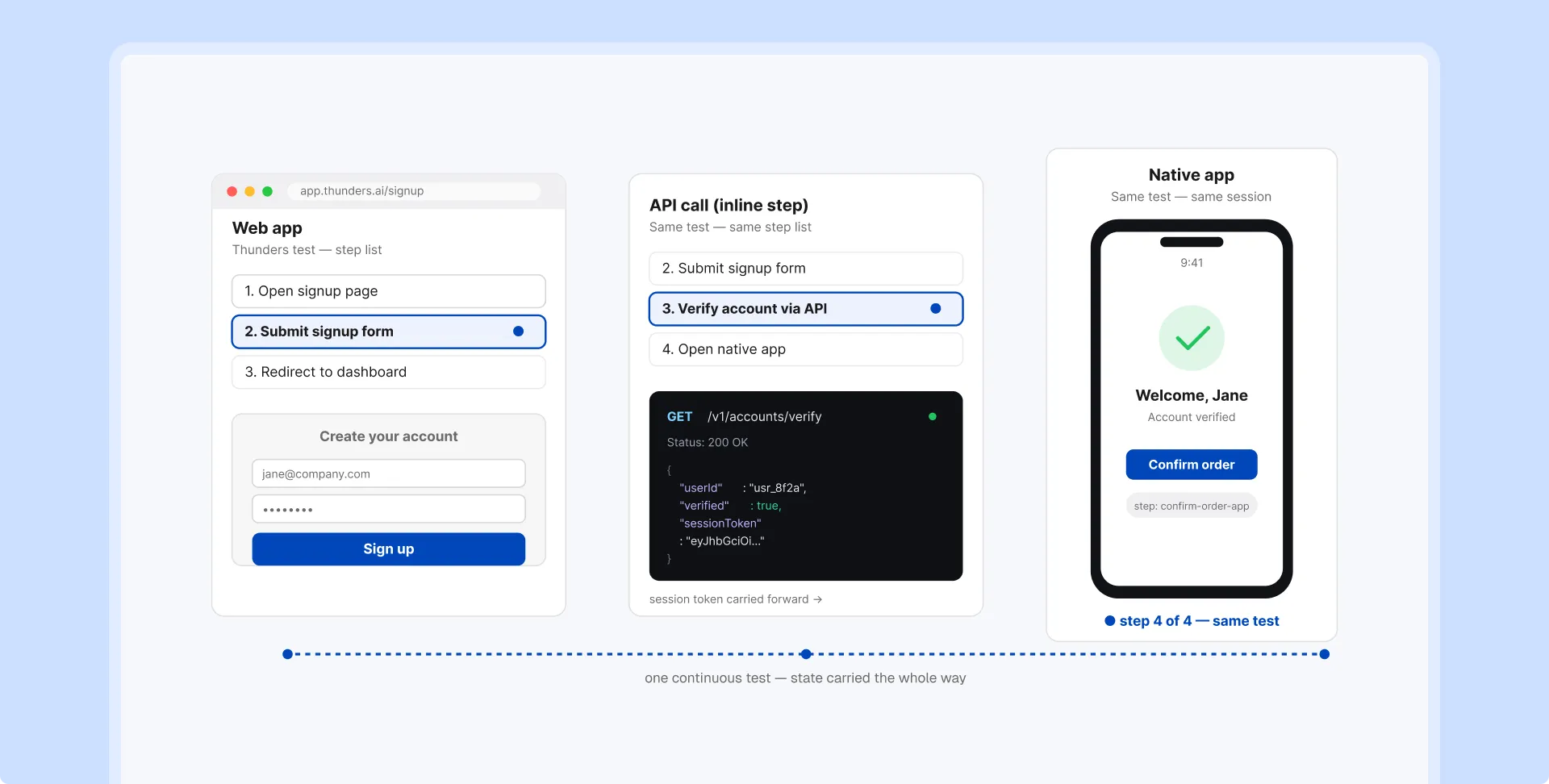
Your users don't stop at the browser, so your tests shouldn't either. A single Thunders flow can start in your web app, follow the API call, and finish in the native app, carrying state the whole way. One test, one language, no stitching together a web tool, an API tool, and a device cloud.
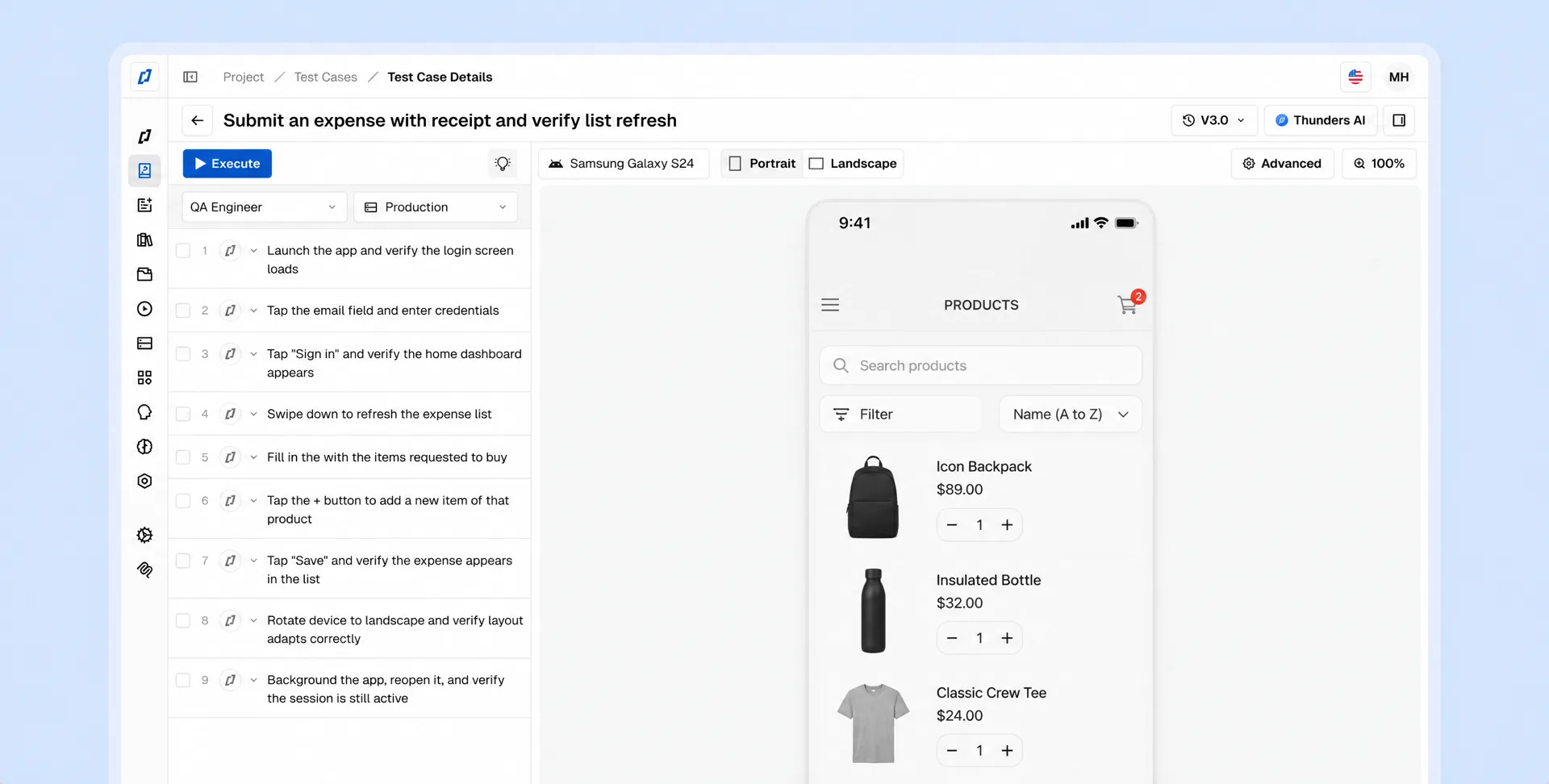
Describe the test in plain language, or record it by playing through the app, and Thunders generates, runs, and maintains it. QAs who don't write code own mobile automation directly, so coverage spreads across the whole team instead of queueing behind a few automation engineers.
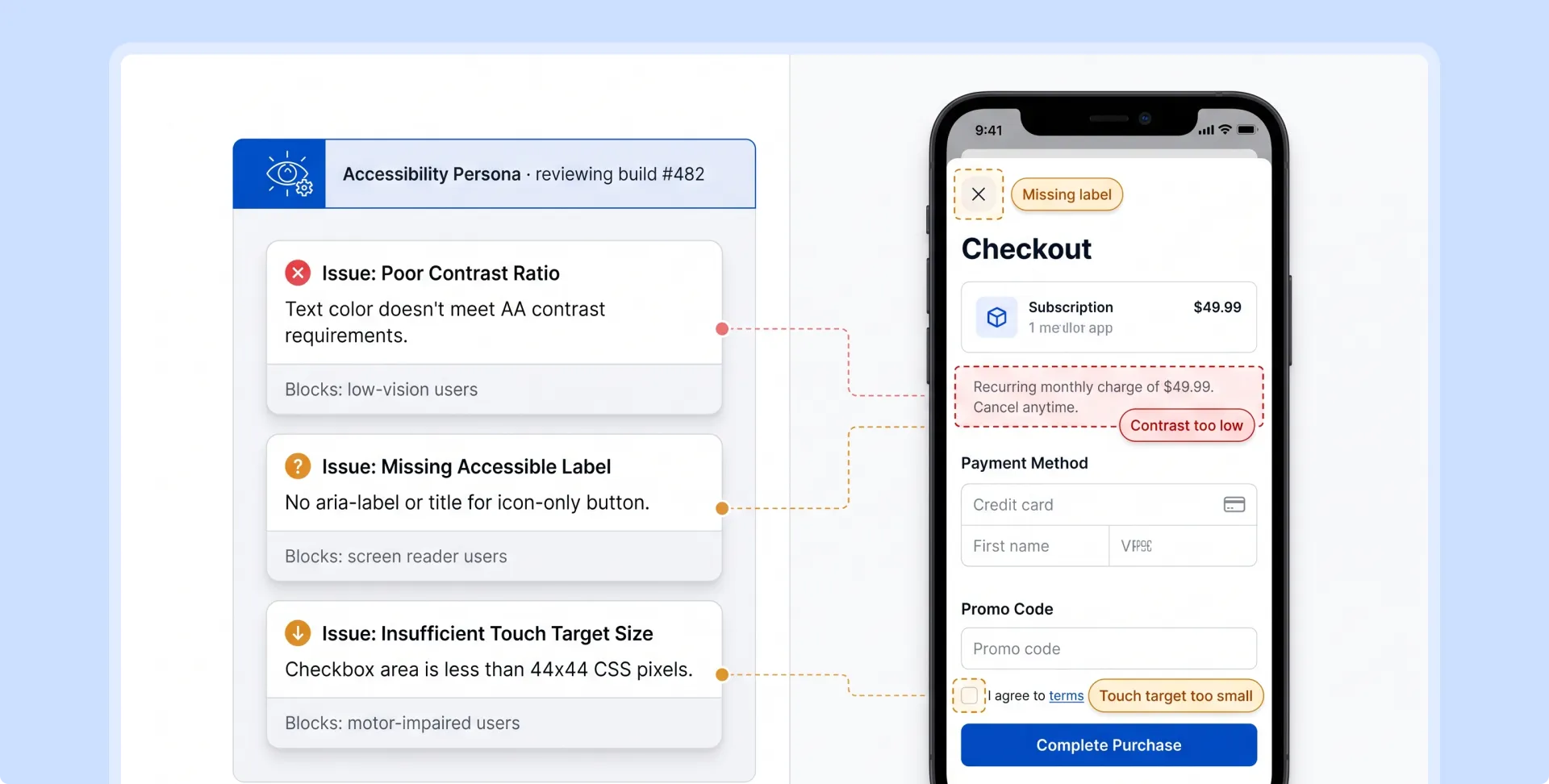
Run your flows through the Accessibility persona and Thunders reviews each screen the way an accessibility specialist would, flagging the issues that block real users. It is one of a set of personas that behave like people: tapping, scrolling, and moving through the flow with a goal instead of a script.
Device-specific bugs don't show up in staging. They show up in a customer's hand, in a one-star review, in a churned account. Run the same flow across the models and OS versions your users actually hold, and catch them first.
Now it's the PMs who write test plans in plain language directly in Thunders.
Florian Ernoult
VP Engineering
@
Agorapulse

Discover Thunders' features
Frequently Asked Questions
Should I automate mobile app testing, or keep testing it manually?
Most teams still test by hand: 92% do at least some mobile testing manually even with automation in place, because older automation cost more to build and maintain than it saved. Meanwhile Apple rejected 1.35 million submissions in 2025 because the app didn't work properly as submitted, one every 23 seconds. Thunders changes that calculation. Tests are written in plain language and repair themselves when the app changes, so you get automated coverage without the maintenance that made manual testing the safer bet, and without adding QA headcount to keep a script suite alive.
Why not just use Appium or another open-source framework?
Appium and similar frameworks are capable but expensive to own. They need engineers to write locator-based scripts and keep repairing them, and mobile UIs change often enough that the upkeep never stops. Thunders gives you the coverage without the maintenance: it finds elements visually and through the accessibility tree instead of brittle locators, and it heals tests automatically, so you don't staff a team just to keep the suite running.
Are AI-generated tests reliable enough to trust in a CI pipeline?
Yes. Most mobile-test flakiness comes from brittle locators that break on small UI changes. Thunders reads each screen through the accessibility tree and visually, so tests adapt to change instead of failing, which is what makes them dependable enough to gate releases. Runs slot into your existing CI pipeline like any other test.
Do I need separate tools to test Web, Mobile, and API?
No. Thunders tests web, mobile, and API from one platform and one plain-language workflow, and a single test can span all three: start on web, follow the API call, and finish in the mobile app. That replaces the usual stack of a web tool, an API tool, and a mobile device cloud, along with the separate specialists each one needs.
Can non-technical QA engineers automate mobile tests?
Yes. You describe the test in plain language and Thunders generates, runs, and maintains it, so QAs who don't write code can own mobile automation directly. Teams that once leaned on a few automation engineers, or tested entirely by hand, can spread coverage across the whole QA team.
Do I need real devices, emulators, or both?
Both, and Thunders gives you both. Emulators are cheaper and run in parallel without limits, which suits fast, broad coverage. Real devices catch hardware, OS, and network defects that only surface on physical phones, and Thunders runs on 10,000+ real devices across 3,000+ OS combinations, so the exact model your customer uses is one you can test on.
How much maintenance do AI-driven mobile tests actually need?
Far less than script-based suites. When the UI changes, Thunders detects the shift and updates the affected tests automatically instead of failing and waiting for an engineer. Your team spends time on what genuinely broke, not on fixing tests that broke only because a label was renamed.
Which mobile platforms and app types does Thunders support?
Thunders supports iOS and Android, on phones and tablets, and is technology-agnostic about how the app is built. It tests native apps, hybrid apps, and WebViews, including React Native and Flutter, because the AI adapts to a visual tree, WebView HTML, or the raw screen.
How do I get my app build into Thunders?
You upload an APK or IPA directly, or push the build automatically from your CI pipeline through the Thunders API. Your tests run against the newest build as soon as it lands.
Does Thunders integrate with CI/CD pipelines?
Yes. Thunders connects to your CI/CD pipeline through its API, so mobile tests run automatically on every build and results flow back into your existing workflow.
What mobile capabilities are coming next?
Shipping soon: OTP and SMS login, push notifications, biometric prompts (Face ID and Touch ID), build-distribution integrations (TestFlight, Play Console, Firebase), impact analysis that flags which tests a code change will hit, and coverage audits through Thunders MCP from coding assistants like GitHub Copilot.
Ready to ship faster with smarter testing?
