Jenkins x Thunders
Testing shouldn’t be a separate step. With Thunders in your Jenkins pipeline, every build runs your tests automatically. Your pipeline already handles builds, deploys, and monitoring. Now it handles quality too.












Plug testing into your Jenkins pipeline
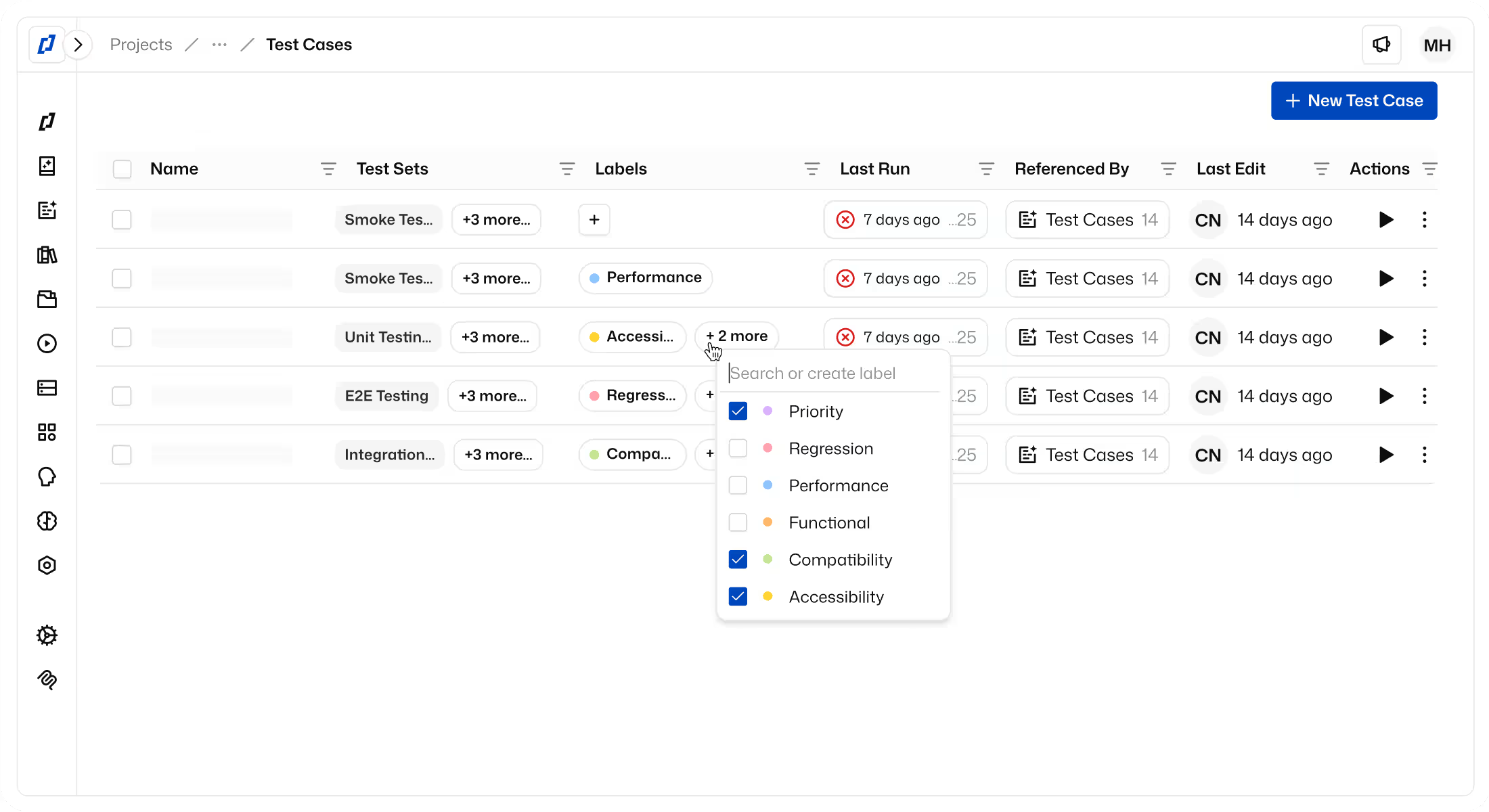
Trigger Thunders test execution on every commit, pull request, or scheduled build, automatically, as part of your pipeline.
Choose which tests to execute, the target environment, the browser, and the test configuration.
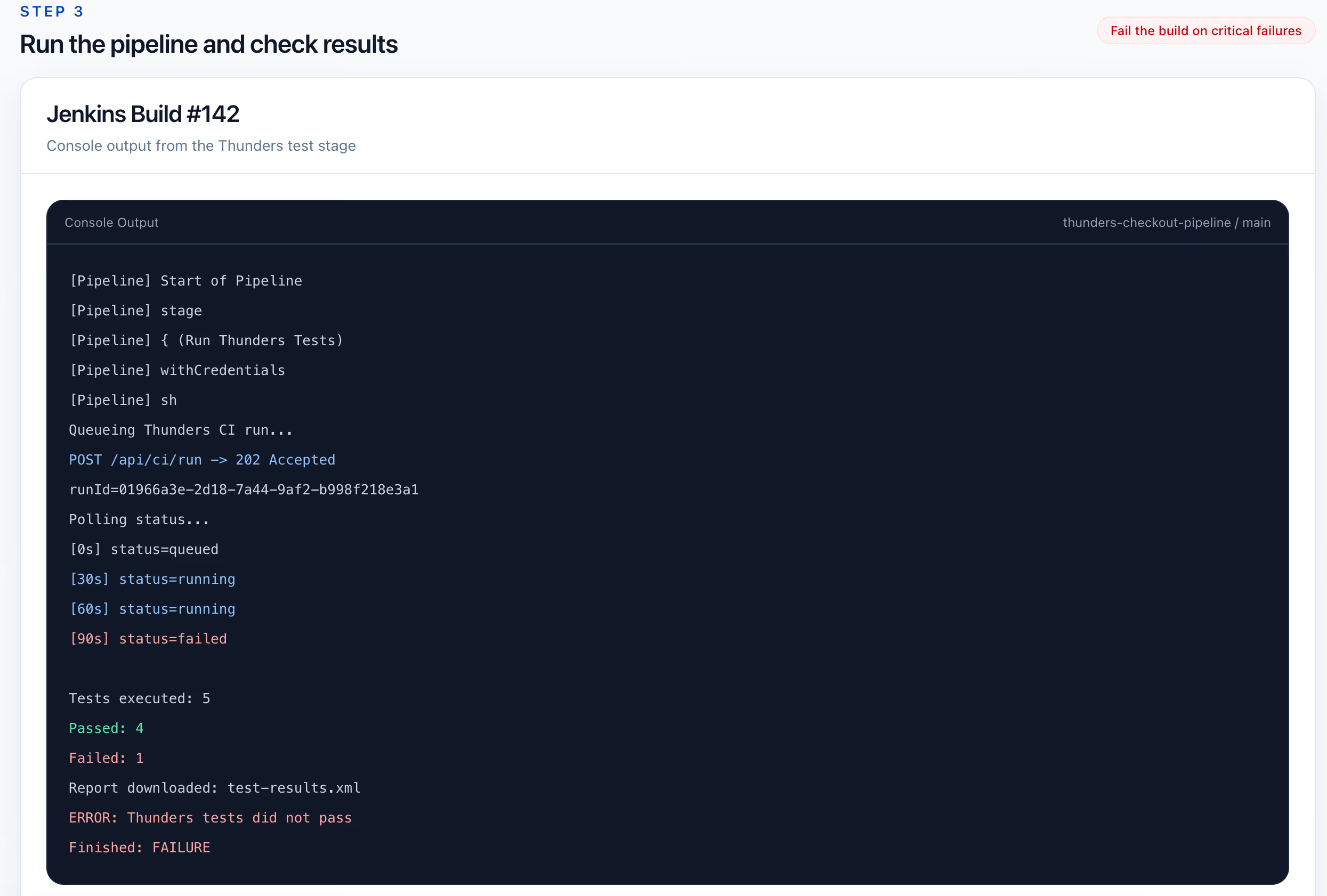
Fail the build when critical tests do not pass. No broken functionality moves forward.
How to set up Jenkins with Thunders
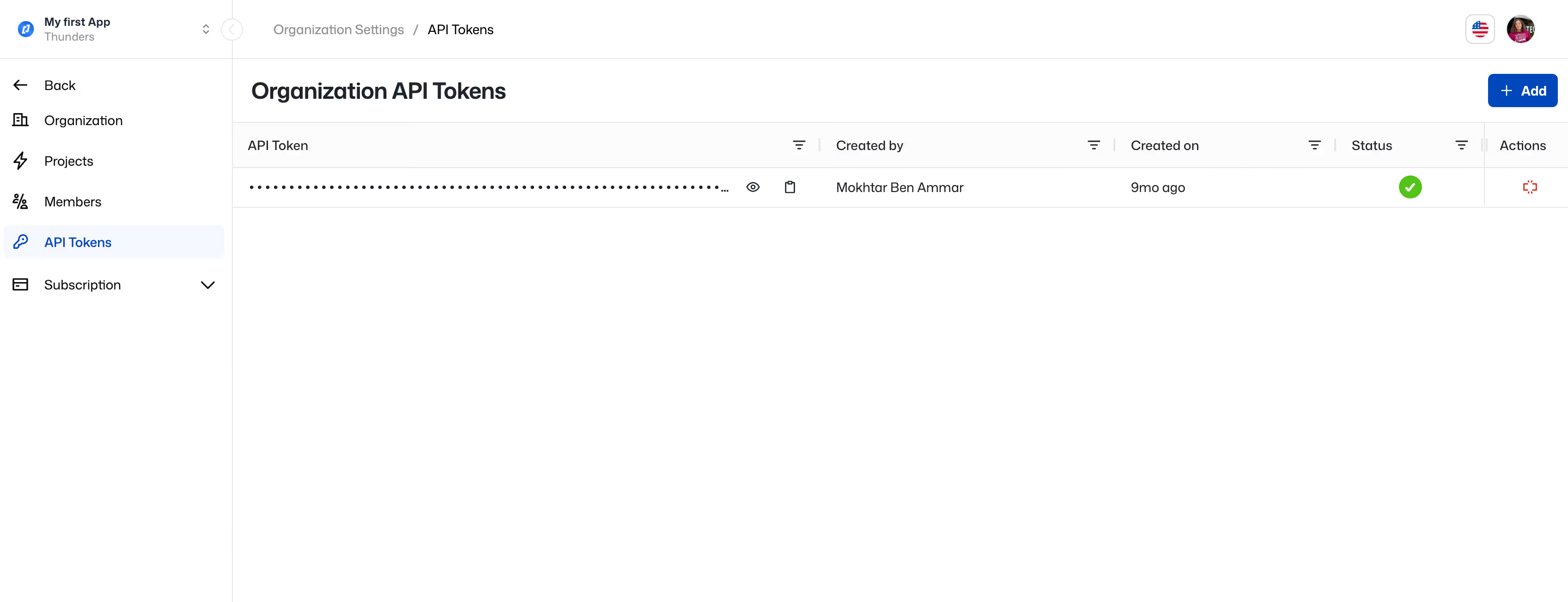
Step 1: Get your Thunders API token
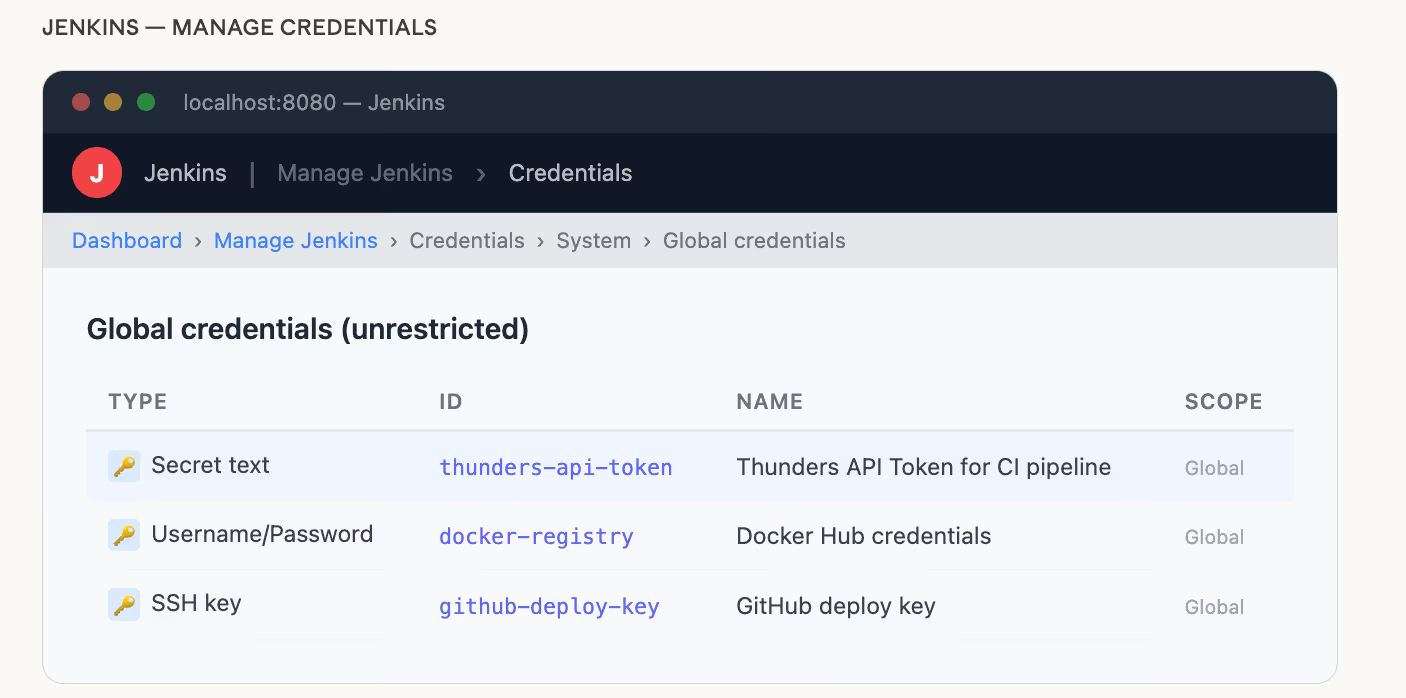
Go to your Thunders Workspace Settings > Api Tokens and generate an API token. Store it as a secret in Jenkins (Manage Jenkins > Credentials).
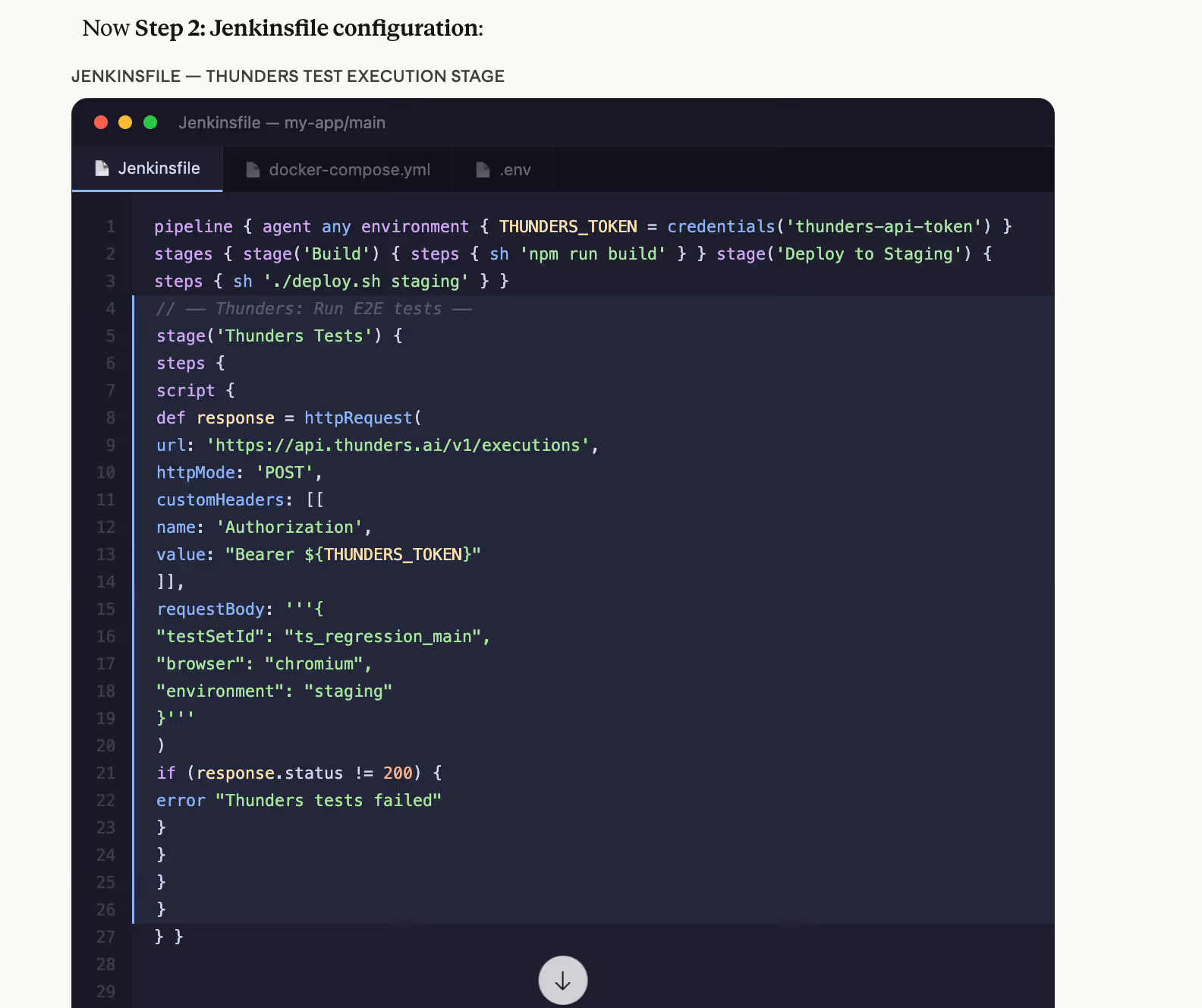
Step 2: Add the API call to your Jenkinsfile
Add a pipeline step that calls the Thunders API with the tests you want to run and the execution settings.
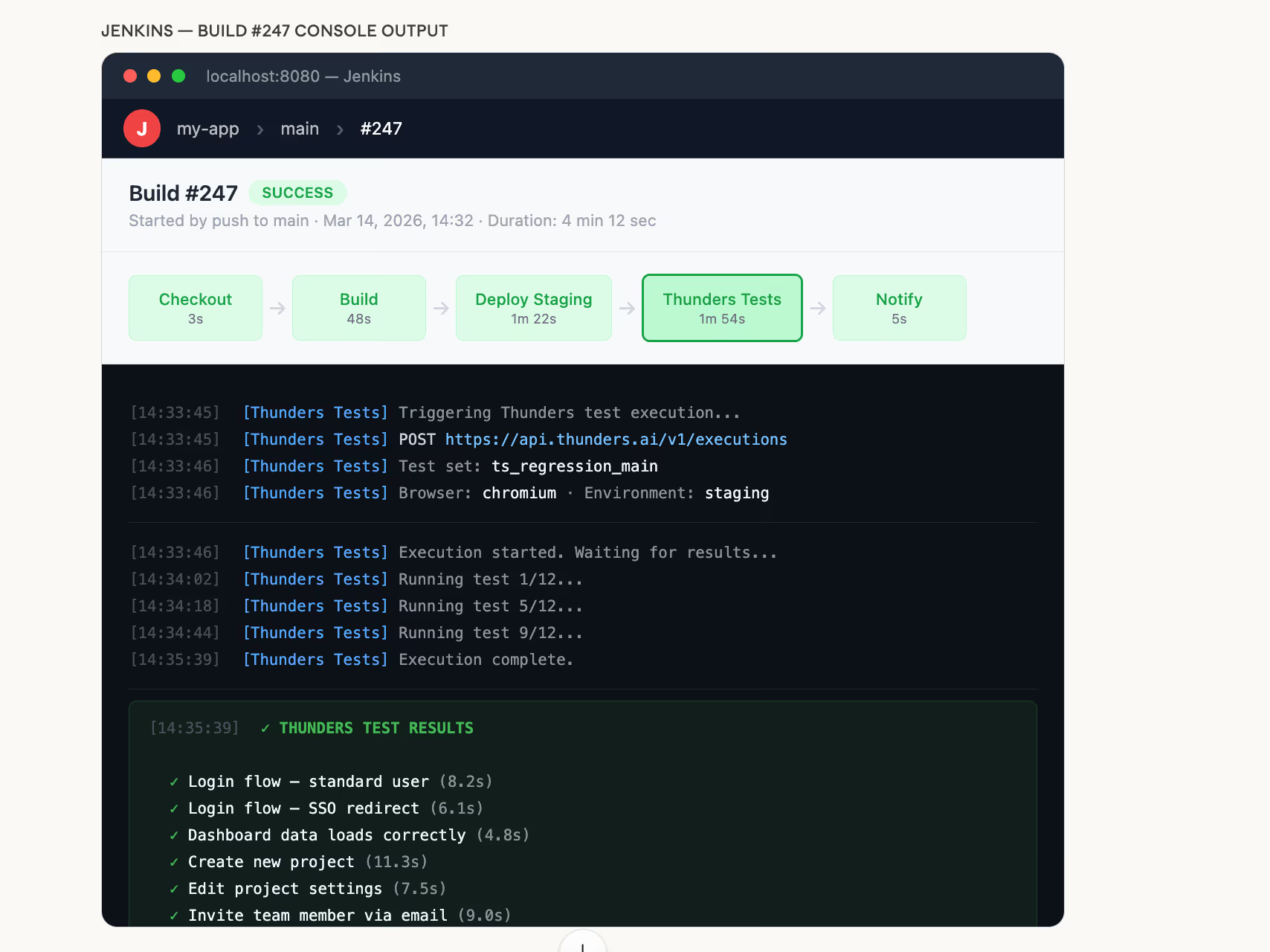
Step 3: Run and check results
When the build runs, Thunders executes the specified tests and returns results. Use the response to pass or fail the build based on test outcomes.
Ready to ship faster with smarter testing?