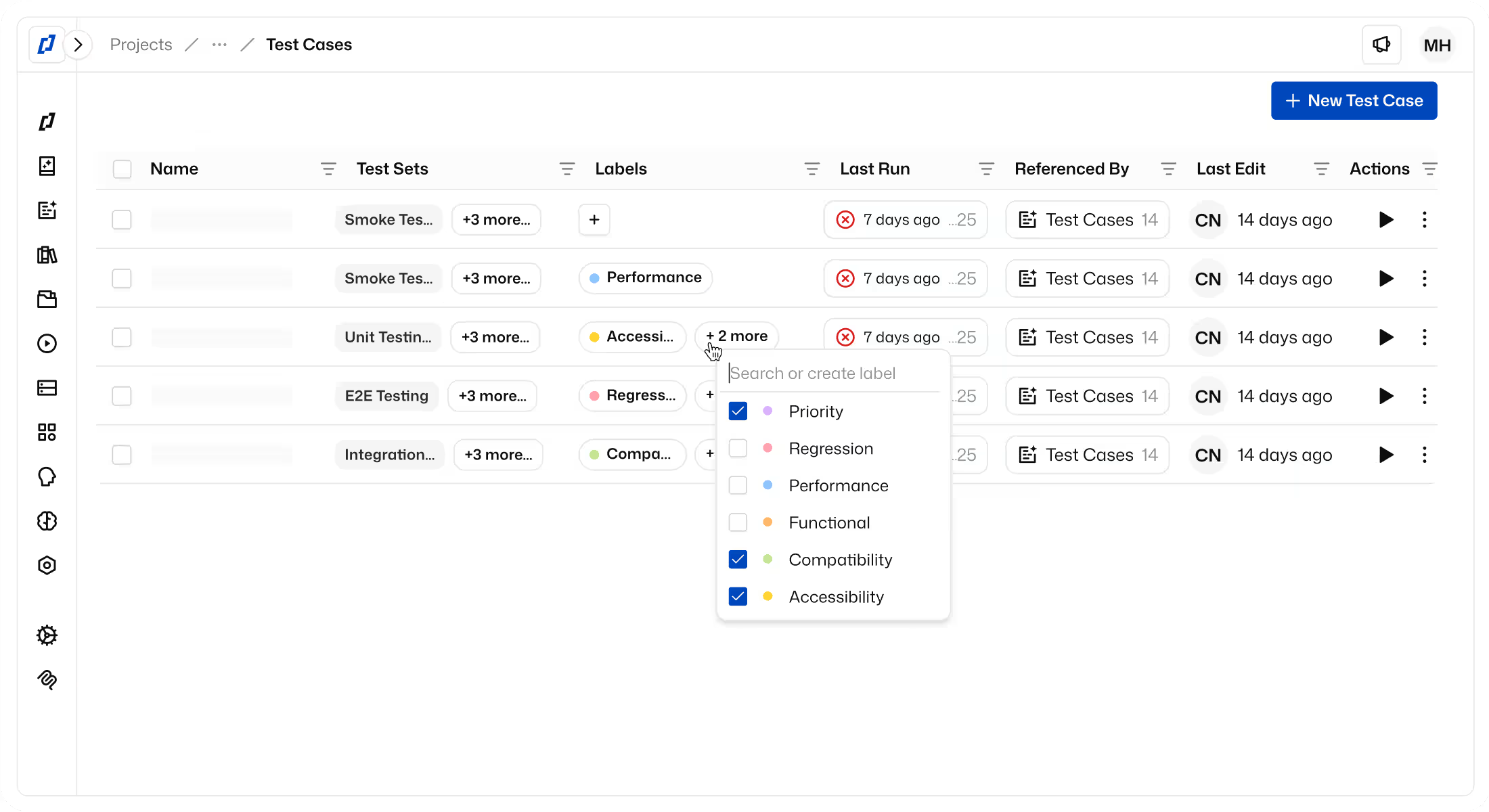
Test coverage map: see where your tests stop, then close the gaps
A pass rate tells you your tests passed, not where they never went. Thunders maps what your tests cover on Web and Mobile apps and shows the screens they never visited. For each gap, Thunders AI writes the tests that cover it, built on the screens and tests you already have, and you approve each one before it joins a Test Set.
Trusted by




























Why choose Thunders for test coverage

A map that builds itself from the tests you already run
Like a robot vacuum that maps a house while it cleans, Thunders maps your app while your tests run. No source code, no instrumentation and no documentation: point it at a Test Set Run and the map is ready in minutes. Every figure traces back to the Test Runs behind it.

Every interaction, not just tested or untested
Most tools mark a control as tested or not. Thunders checks every interaction, meaning every way a control can be used: a button clicked, a field filled and left empty, a checkbox turned on and off. A form your tests only ever fill in correctly shows up as partly covered, because that's what it is.

Unvisited screens, on Web and native Mobile
Thunders shows where your tests stop: the screens your app links to that no test ever opened, for example, Forgot password, Gift cards or API tokens. It works on Web apps and on native Android and iOS apps, where screens have no URL to track, including the web views inside them.

Gaps ranked by a rule you can defend
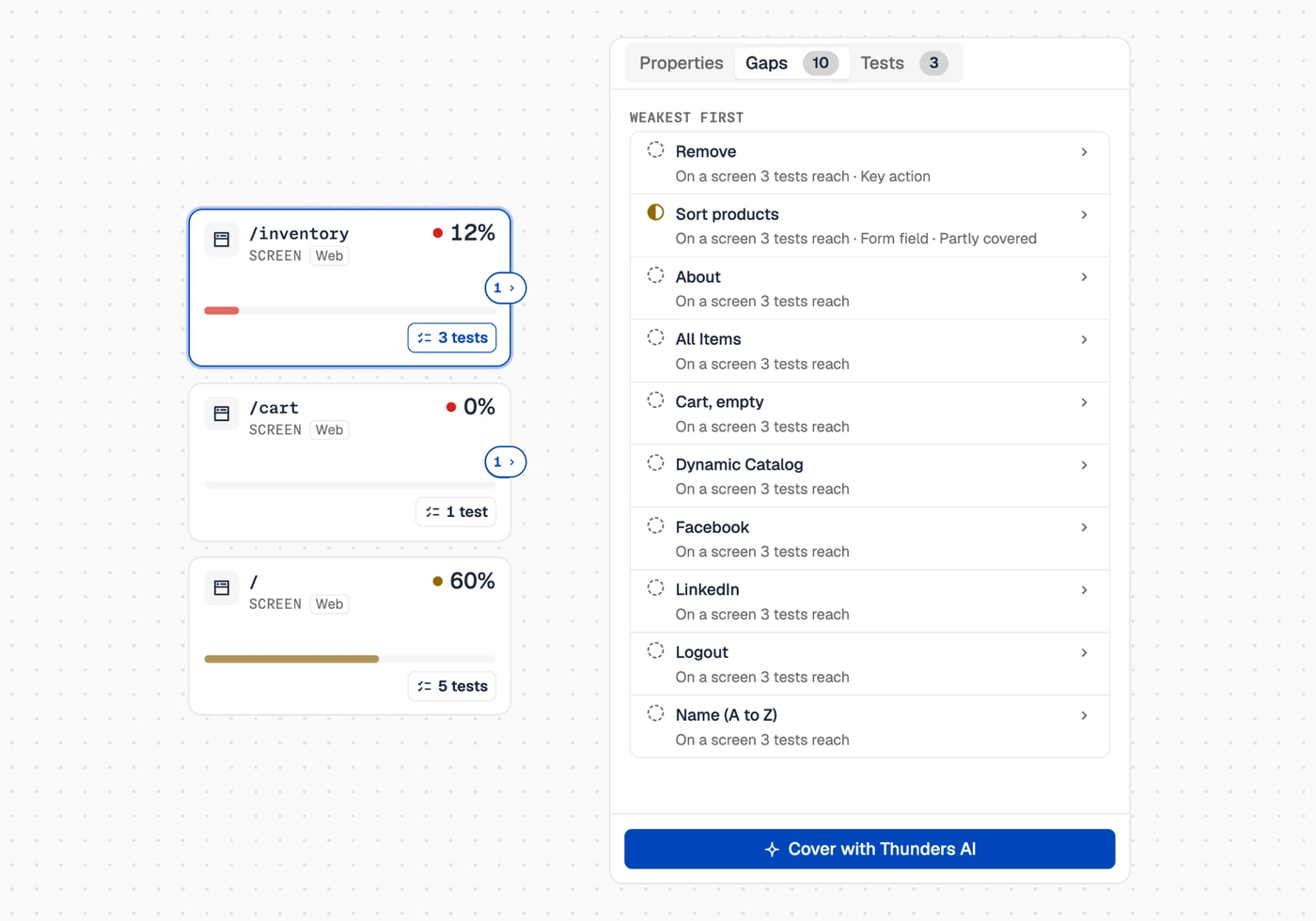
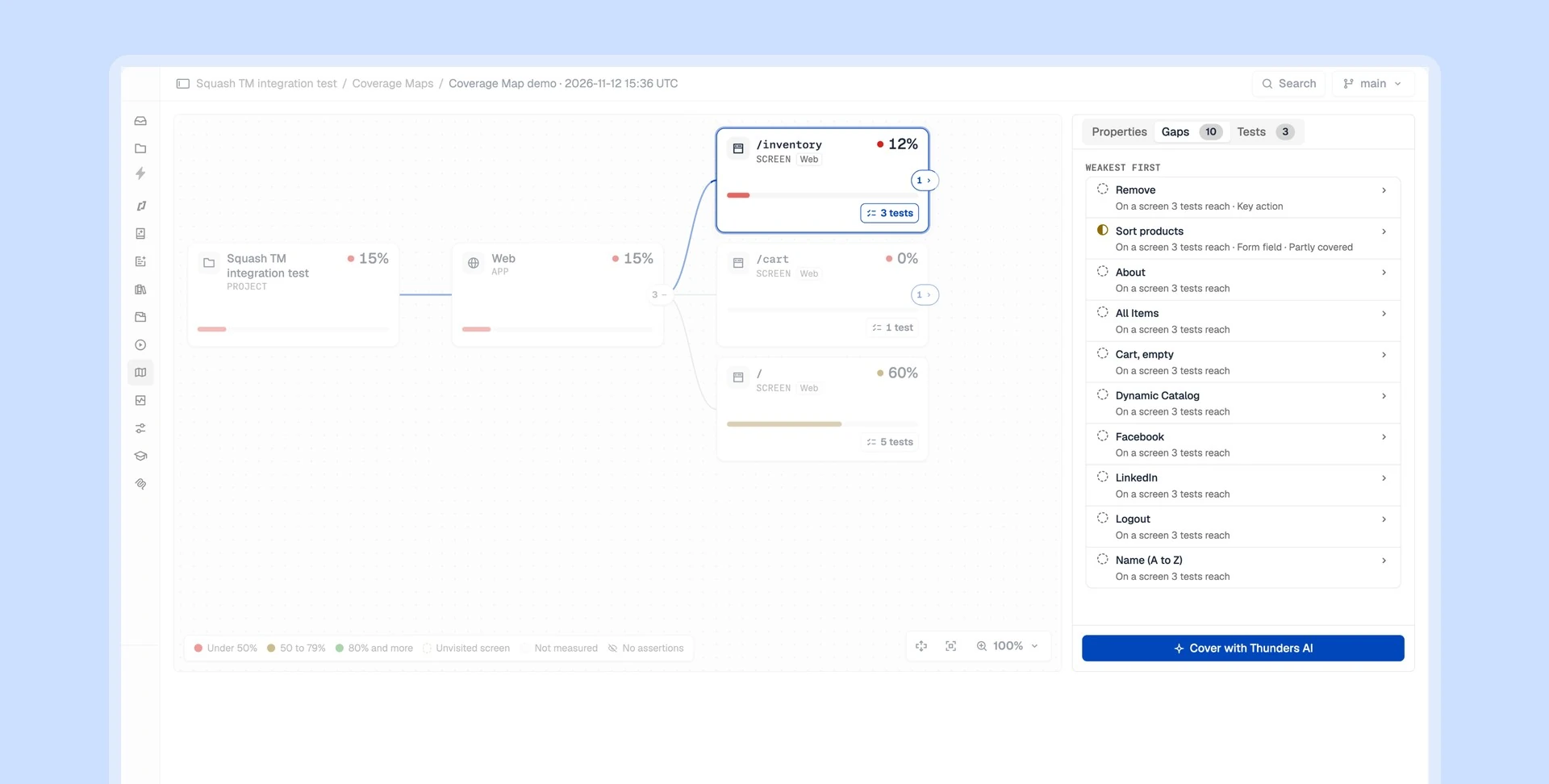
Not every gap deserves a test. Thunders scores each gap with a points rule: key actions such as Save, Delete or Pay, form fields and unvisited screens score higher. Your team sees why each gap ranks where it does, and closes the ones that carry the most risk first.

Your test suite grows itself where tests are missing
For any gap on the map, Thunders AI proposes the tests that cover it, built on the screens and tests you already have. You review and approve each one before it joins a Test Set. Thunders AI creates, runs and debugs your tests, watches coverage, and builds the tests that cover the gaps. You can still describe a test in natural language, record it, or generate it from a spec or a ticket.

A coverage number you can defend
Leadership, QA and auditors get the same figure, for example “Up to 22% of interactions tested”, and every figure traces back to the Test Runs behind it. The figure stays fixed on the Test Runs it reads, so coverage becomes a metric you report and track, not a debate.
Test coverage use cases
Recommended for: product managers and release owners who sign off a release today from a pass rate. Go into the release meeting with what this release is tested against and what still carries risk. Ask Thunders AI “What did this run not cover?” and get the answer in plain words. Paired with the time saved on the Analytics dashboard, you show both sides of your testing: what it saves, and what it protects.
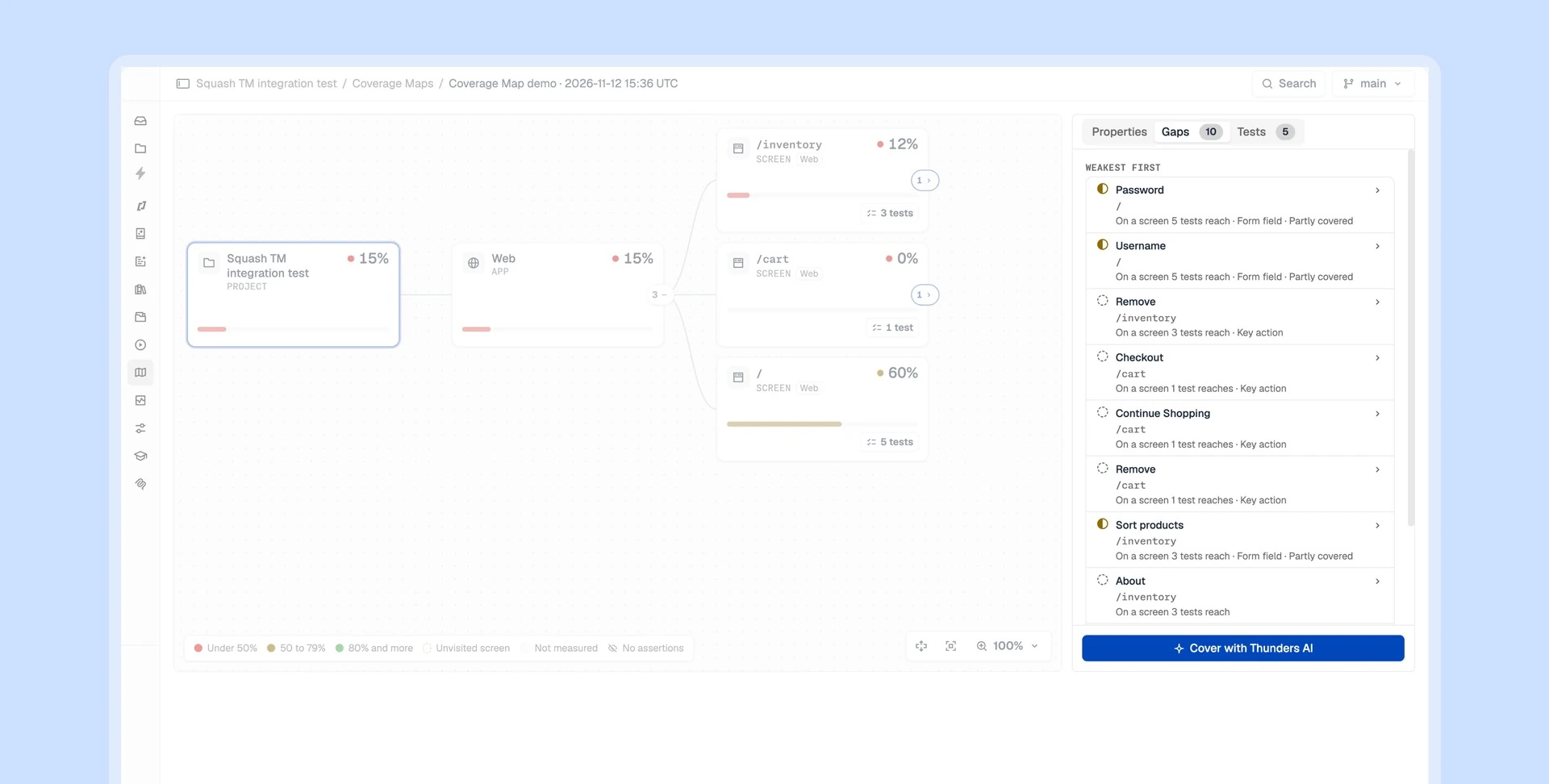
Recommended for: QA leads who own a regression suite and add tests every sprint. Decide each sprint's new tests from evidence, not instinct. Thunders shows the areas no test reaches, which tests use each control, and the gaps that score highest, so every new Test adds coverage rather than runtime. Each Test Set shows its latest coverage, so you see at a glance when it needs attention.
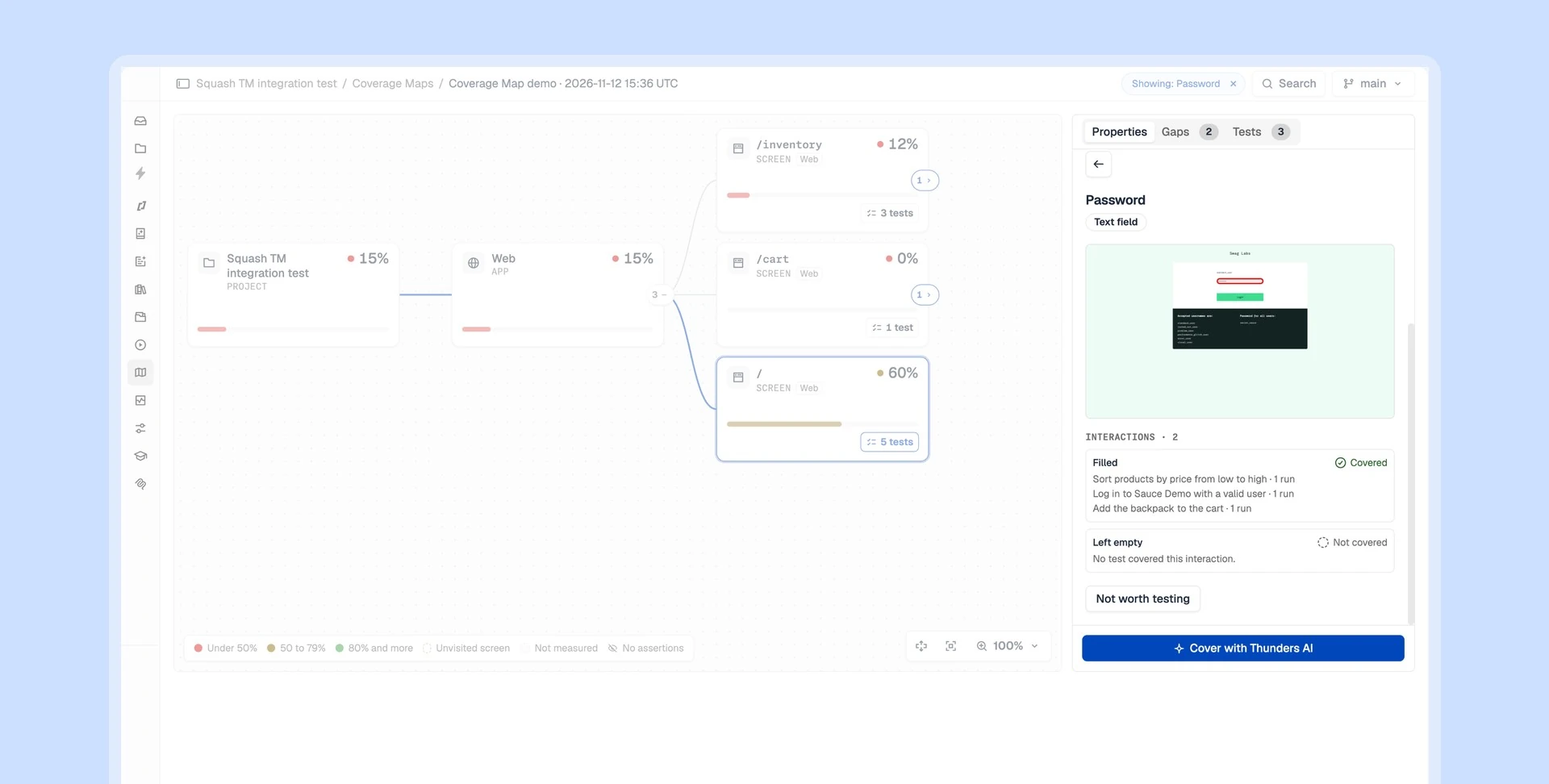
Recommended for: QA managers in banking, insurance, health and other regulated industries who answer to auditors. Every coverage figure traces back to the Test Runs behind it, so you can show exactly what was tested, when, and on which screens. Web and Mobile apps sit in one report, and with Self-hosted Thunders the coverage data never leaves your own database.
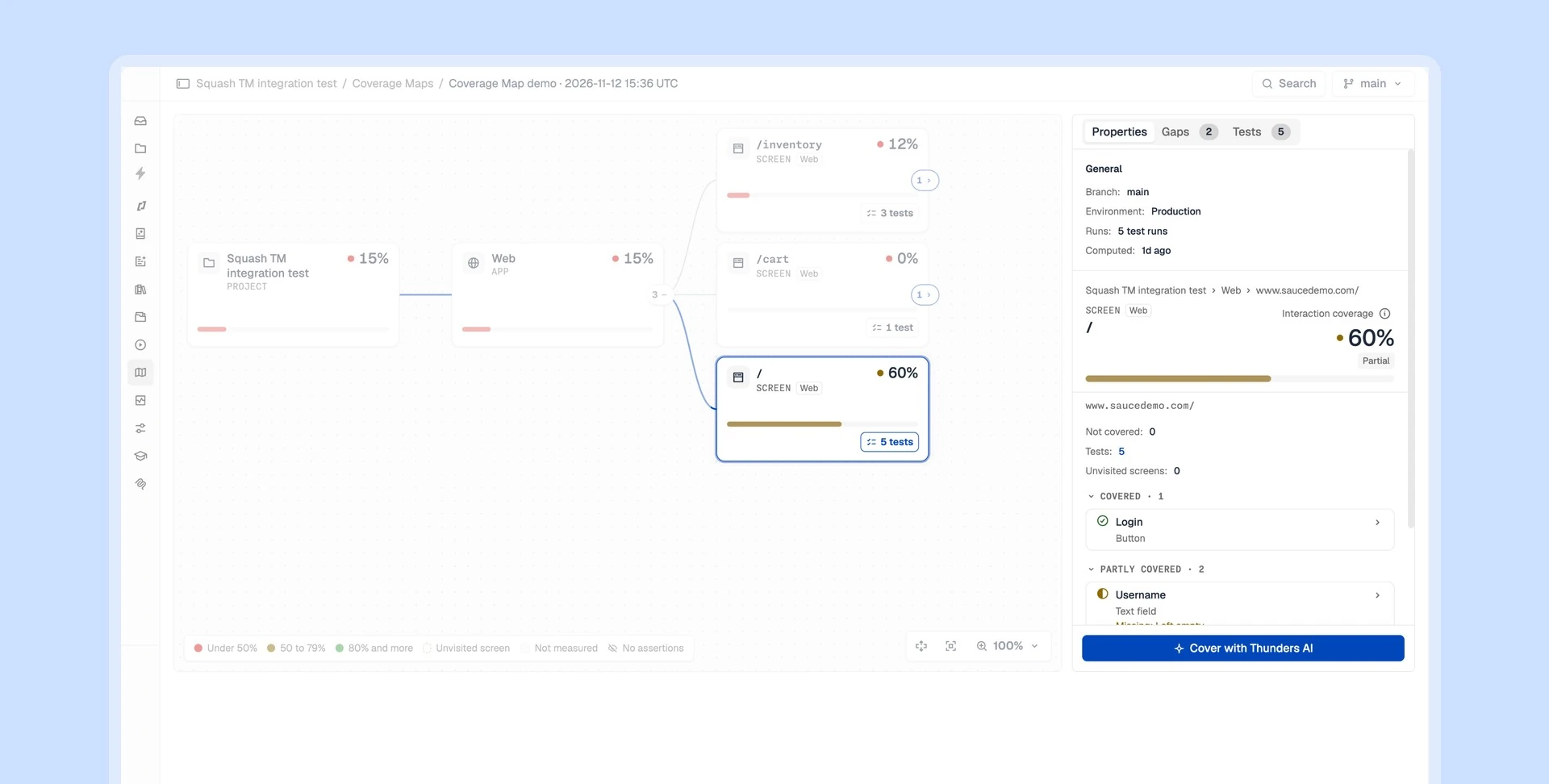
Recommended for: engineers who work with Claude Code, Cursor or any MCP client. Through the Thunders MCP server, your Code Assistant reads the same coverage your team sees, and takes it into account when it writes or fixes tests. It reads the map of your Git branch, lists the gaps on the screens you changed, and checks the coverage of a single Test Case.
Coming soon
- Coverage after every run. Request a fresh map with each Test Set Run, from the app or from CI, and get notified when it is ready.
- Coverage trends. Compare two maps and see where coverage grew or slipped.
- Coverage on the dashboard and in a weekly digest. Coverage next to the pass rate of each Test Set, and a weekly summary of what changed.
- Coverage by feature. AI names your product features and shows how well each one is tested, including security, authentication and notification paths.
- Test planning estimates. How many tests it takes to cover what your current tests reveal.
- API and database coverage. Coverage for the APIs you declare as apps, and the ones beneath them.
This is our QA of the future.
From the very first tests, Thunders caught real bugs in our interface — bugs that had slipped through all our standard quality processes.
Before Thunders, all UI testing was done manually. With Thunders, everything is end-to-end automated. Thunders lets us generate tests very quickly and improve the overall quality of our product.
Wassim Jouini
CTO @LegalPlace


Thunders is a whole new testing culture, not just another tool.
Automating our tests was a real challenge that classical automation simply couldn't solve. With Thunders, we were able to automate a hundred tests, with no technical expertise required.
Thunders opens up test automation to non-technical roles. Thunders bridges the gap between code and people. With Selenium, it used to take much longer.
Hanen Khalfaoui
QA Manager @Infopro Digital


What won me over with Thunders was the testing approach, the maturity, and the innovation.
Thunders delivers far greater resilience compared to classical automation. Thunders introduced a new variable in how we respond to RFPs — and it changes our entire economic model.
Today, Thunders is giving us a glimpse of more resilient tests and better maintainability of test suites. We run proofs of concept with Thunders to validate technologies for our clients.
Jean-Olivier Penin
Co-founder @B/Acceptance


Thunders enabled us to put quality and test creation in the hands of the entire product team.
Our PM teams covered 80% of our test scope in just six weeks with Thunders. After just one month, the entire team was up and running.
Tests are executable immediately and the onboarding was genuinely straightforward. Now it's the PMs who write test plans in plain language directly in Thunders.
Florian Ernoult
VP Engineering @agorapulse

Discover Thunders' features
Frequently Asked Questions
What is test coverage in software testing?
Test coverage measures how much of an application your tests exercise. Code coverage counts the lines of source code that run during tests. Functional test coverage counts the screens and controls your tests use, the way a user sees the app. Thunders measures functional test coverage from your existing Test Runs on Web and Mobile apps, with no source code needed.
Why does functional test coverage matter?
Functional test coverage shows what a release is protected against. A high pass rate only proves the existing tests passed; coverage shows which parts of the app those tests never reach. Thunders turns that into a ranked list of gaps, so teams close the riskiest ones first.
What does Thunders count as covered?
Thunders counts a control as covered when your tests use it in every interaction it allows, and as partly covered when they use some of them. An interaction is one way to use a control: a button clicked, a field filled or left empty, a checkbox turned on or off. Interaction coverage is branch coverage for the UI: Thunders checks every way each control is used, without source code.
Why does the Coverage Map say “up to”?
Thunders shows coverage as “up to” a figure because it measures the screens your tests visit, and your app may hold more. For example, “Up to 22% of interactions tested” means 22% of the interactions on the screens your tests reached. Every figure traces back to the Test Runs behind it, so it holds up in a release meeting and in an audit.
What is an unvisited screen?
An unvisited screen is a screen your tests can reach from a tested screen, but never opened, for example a Forgot password page. Thunders flags each one so your team can add the test before users find the gap.
Which apps and platforms does the Coverage Map support?
The Thunders Coverage Map supports Web apps and native Android and iOS apps.
Does the Coverage Map need source code or documentation?
No. Thunders builds the Coverage Map from your existing Test Runs, with no source code, instrumentation or documentation.
How do I get started with the Coverage Map?
To get started, run a Test Set in Thunders, then create a map from that Test Set Run in the Coverage Map menu. The map is ready in minutes and stays fixed on the Test Runs it reads. The Coverage Map is enabled per organisation: book a demo to turn it on for your projects.
Can Thunders write the missing tests?
Yes. For any gap on the map, Thunders AI proposes the tests that cover it, and you approve each one before it joins a Test Set. You can also describe a test in natural language, record it, or generate it from a spec or a ticket.
How does the Thunders Coverage Map compare with Cypress, Mabl or QA.tech?
Thunders checks every interaction of each control, on Web and native Mobile apps, and ranks the gaps with a points rule. Based on their product documentation in October 2026, Cypress, Mabl and QA.tech mark controls as tested or untested, or list pages found by a crawler, on Web apps. Thunders covers every test it runs, whether described in natural language, recorded, generated from a spec or imported from Playwright.
Does the Coverage Map work with Self-hosted Thunders?
Yes. With Self-hosted Thunders, coverage data stays in your own database, next to your Test Runs, and the AI runs on your own keys.
Why choose Thunders for functional test coverage?
Thunders is an end-to-end testing platform where AI Test Agents create, run and debug tests across Web, Mobile, API, Desktop and SAP. Its Coverage Map closes the loop: it shows where those tests stop, and Thunders AI proposes the tests that cover the gaps.
Ready to ship faster with smarter testing?