
End-to-end SAP test automation for SAP GUI, ECC and S/4HANA
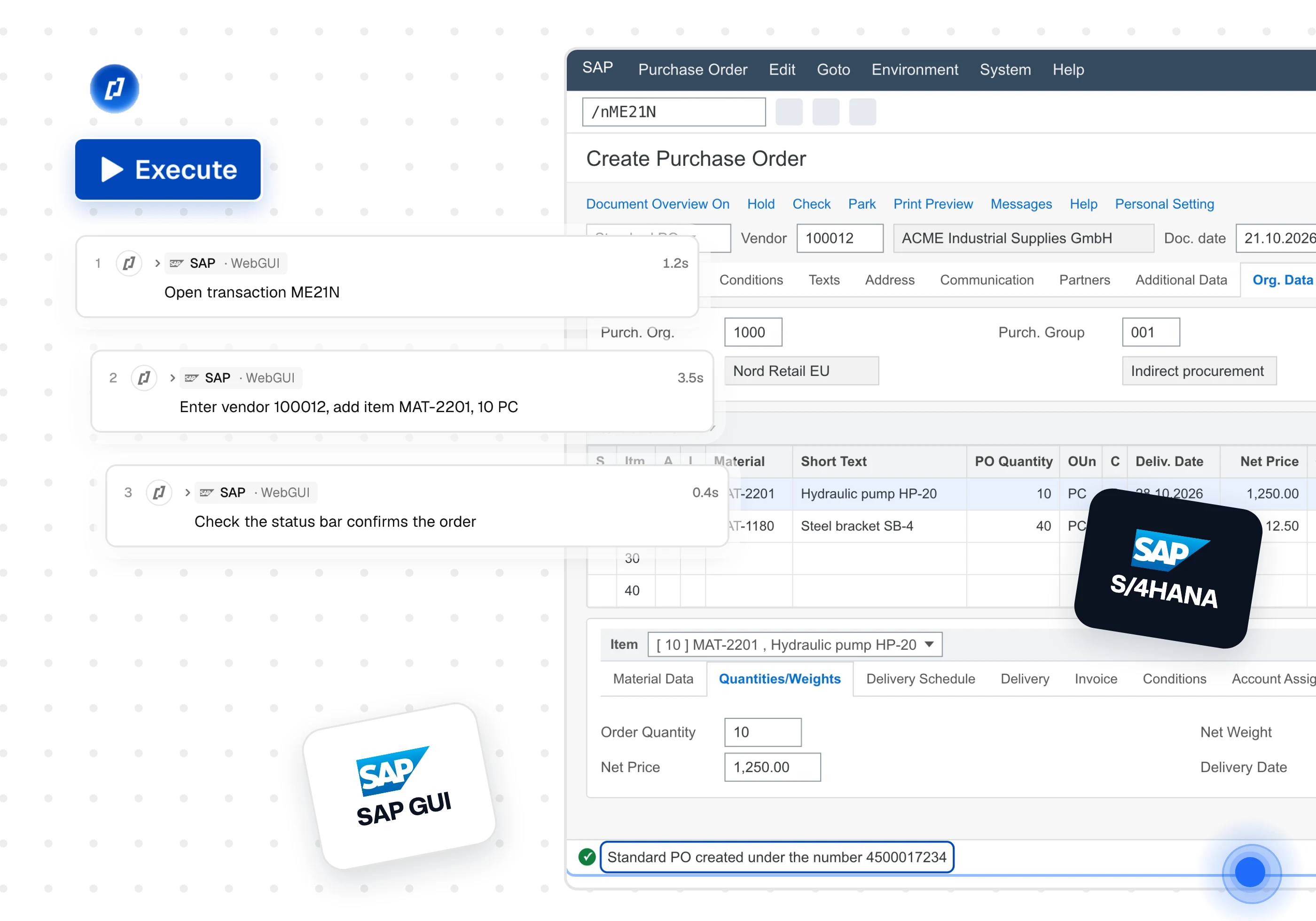
AI Test Agents build, run and maintain tests on SAP, in the browser through WebGUI and Fiori, and in the SAP GUI desktop client. Describe the business process in plain language, and Thunders executes it transaction by transaction.












Why choose Thunders for SAP testing

Write SAP tests in plain language
Describe the business process, for example: “Create a sales order for customer 1000 and check the order number in the status bar.” Thunders turns it into executable steps and reads every screen in full: input fields, buttons, tabs, ALV grid rows and cell values, and SAP status bar messages. AI discovers the steps once, then the test runs deterministically, so results stay consistent from run to run. AI speeds up creation and maintenance without slowing execution. Functional consultants and key users write the tests; engineers review the screenshot, the console and the reasoning behind each step.

Keep tests running through support packages and upgrades
Each step follows the intent of the action rather than a fixed screen position. Screen changes after a support package, a transport or an upgrade are absorbed at runtime. When a step needs a real update, assisted healing proposes it for approval in one click, and every heal is recorded so you can audit what changed.

Record step-by-step evidence for acceptance and audit
Every step records the SAP screen, the status bar message and the reasoning behind it, and every test case is versioned. Share runs with clients, compare them run against run, and export PDF reports or full run archives for sign-off. Visual Compare and File Compare check screens and exported reports before and after a transport or an upgrade.

Keep SAP data inside your perimeter
SAP systems hold confidential business data. Choose SaaS, Hybrid or Self-hosted deployment. With Hybrid, tests are authored in the cloud and run inside your network. With Self-hosted, the whole platform, test data, screenshots and AI provider stay within your perimeter. Credentials are stored as environment variables, never in test steps.

Test SAP GUI natively, on Windows machines provided by Thunders or by you
Thunders drives the SAP GUI for Windows client through SAP GUI Scripting, the automation interface SAP provides. It starts the client, logs on unattended, navigates by transaction code and enters data in fields, tabs and pop-ups. Tests run on Windows virtual machines provided by Thunders, so testers keep full use of their computers.

Set up any of the major SAP products and access methods in one step
Select your SAP product (ECC, S/4HANA private cloud or S/4HANA Cloud) and how your users reach it: WebGUI and Fiori in the browser, a virtualized desktop such as Citrix, or the SAP GUI client. Enter the system ID, connection name, client and logon language for each environment, then follow the preflight checklist to prepare the SAP side. SuccessFactors, Ariba and Concur are set up as standard web applications.
SAP testing use cases
Most teams need SAP within a test rather than as the only system under test: retrieve a product number or a price in SAP GUI, complete a checkout on the website, then confirm the order or the invoice in SAP. Thunders tests SAP, web, mobile and API applications on one platform, so these steps run in one test set with one report. One team covers the work usually split between SAP automation specialists, web automation, API testing and manual key-user testing.

Professional services teams deploying SAP, and internal SAP teams, often run acceptance testing manually, with large test teams and spreadsheets. With Thunders, acceptance scenarios such as procure-to-pay, order-to-cash and record-to-report are written once and run at every cycle. Variables linked to a CSV file run the same scenario for each company code, plant or user. Each run can be shared with the client as evidence of what was tested and what passed. For teams that need hands as well as agents, a certified Thunders specialist can build, run and maintain the suite through QA as a Service.
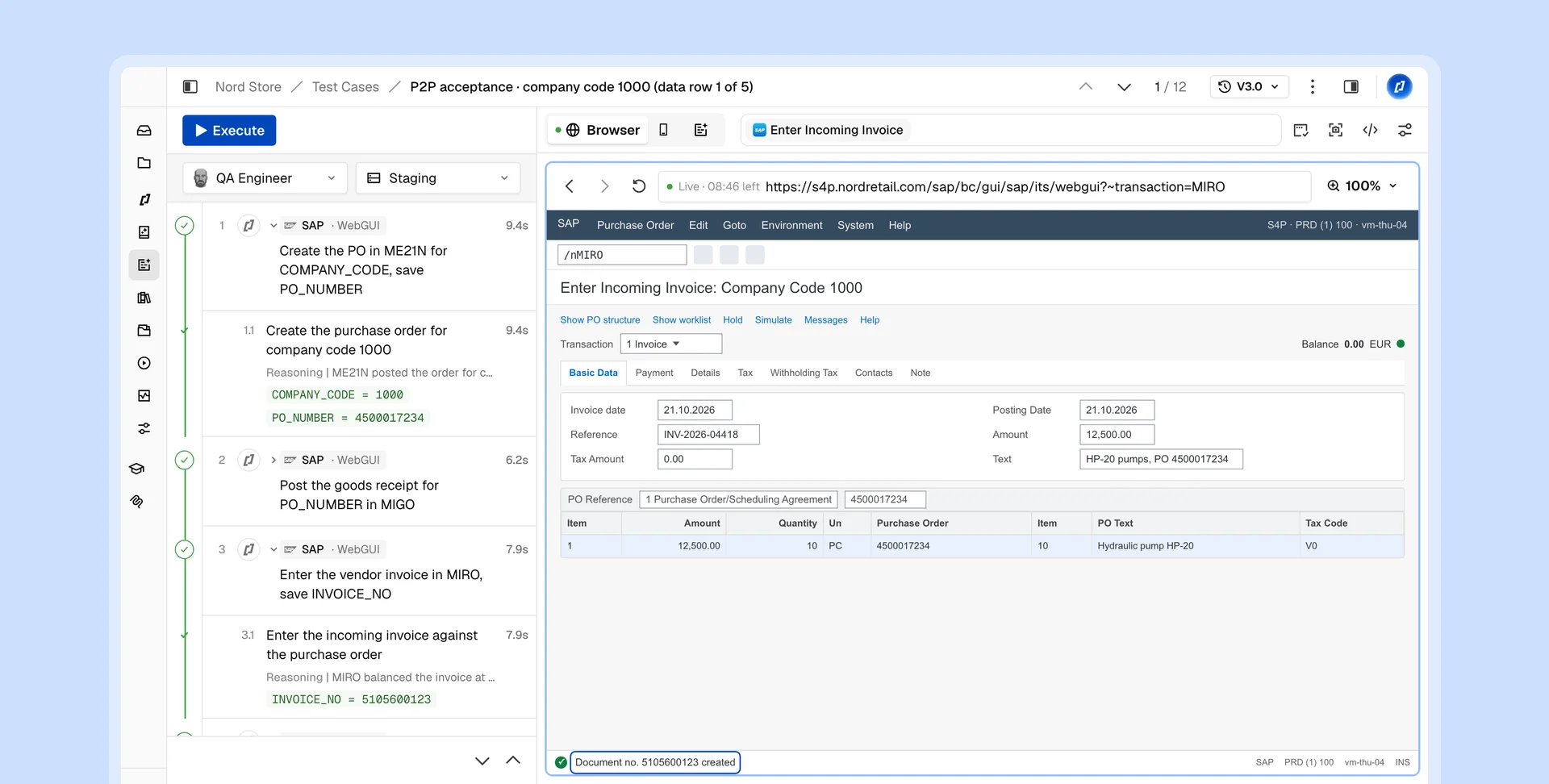
SAP ends mainstream maintenance for ECC at the end of 2027, and many organizations are migrating to S/4HANA under that deadline. Run the regression suite before and after each transport, support package or upgrade, and against the ECC system before cutover and the S/4HANA system after it. Thunders reports which business processes still pass and, for each failure, shows the screen, the step and the SAP status bar message.

Keep Claude Code: Thunders is the runner, the memory and the auditor around it. Through the Thunders MCP server, Claude Code can create SAP tests, run them on the Windows machines and browsers Thunders provides, and read the results, for example to verify that a set of fixes resolved the reported issues. Every run stays in Thunders, repeatable, auditable and visible to the whole team, and the MCP connection can be scoped and reviewed by your security team like any other integration.

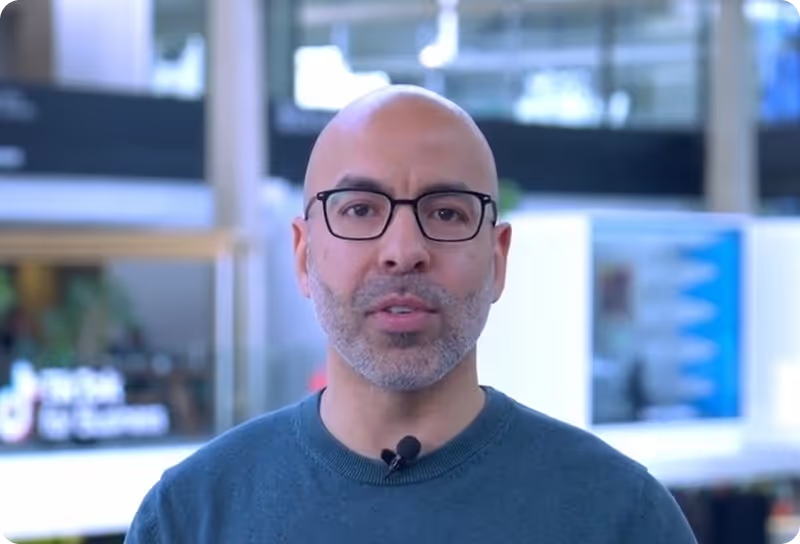
This is our QA of the future.
From the very first tests, Thunders caught real bugs in our interface — bugs that had slipped through all our standard quality processes.
Before Thunders, all UI testing was done manually. With Thunders, everything is end-to-end automated. Thunders lets us generate tests very quickly and improve the overall quality of our product.
Wassim Jouini
CTO @LegalPlace

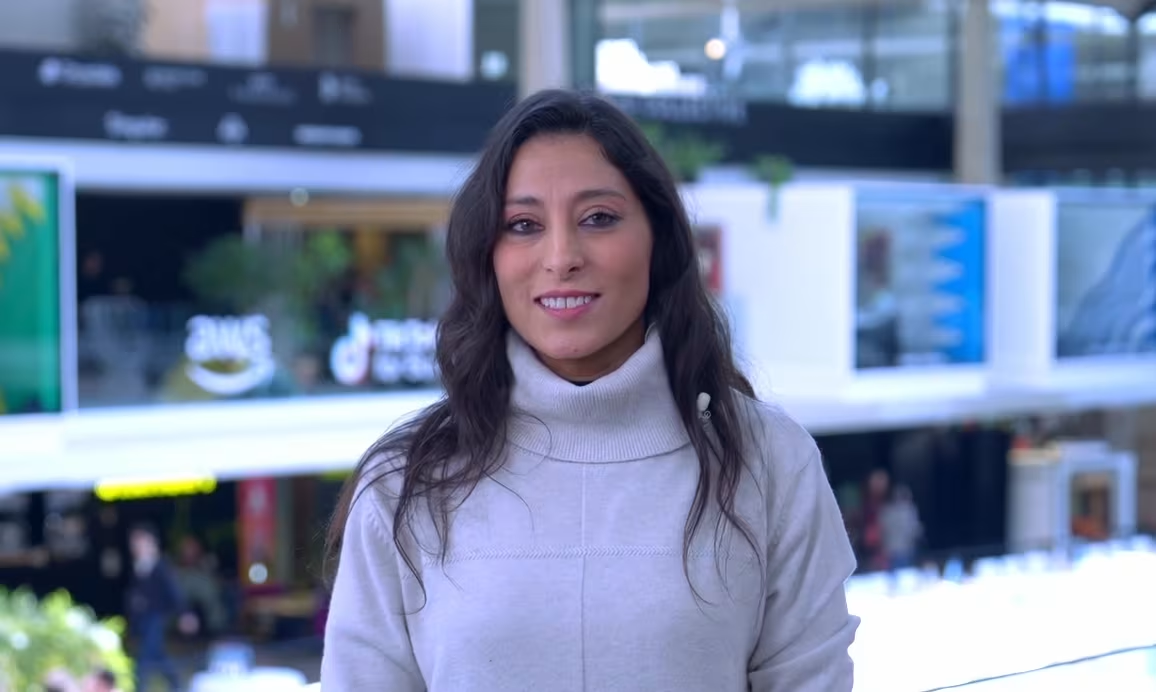
Thunders is a whole new testing culture, not just another tool.
Automating our tests was a real challenge that classical automation simply couldn't solve. With Thunders, we were able to automate a hundred tests, with no technical expertise required.
Thunders opens up test automation to non-technical roles. Thunders bridges the gap between code and people. With Selenium, it used to take much longer.
Hanen Khalfaoui
QA Manager @Infopro Digital


What won me over with Thunders was the testing approach, the maturity, and the innovation.
Thunders delivers far greater resilience compared to classical automation. Thunders introduced a new variable in how we respond to RFPs — and it changes our entire economic model.
Today, Thunders is giving us a glimpse of more resilient tests and better maintainability of test suites. We run proofs of concept with Thunders to validate technologies for our clients.
Jean-Olivier Penin
Co-founder @B/Acceptance


Thunders enabled us to put quality and test creation in the hands of the entire product team.
Our PM teams covered 80% of our test scope in just six weeks with Thunders. After just one month, the entire team was up and running.
Tests are executable immediately and the onboarding was genuinely straightforward. Now it's the PMs who write test plans in plain language directly in Thunders.
Florian Ernoult
VP Engineering @agorapulse

Discover Thunders' features
Frequently Asked Questions
What is SAP test automation?
SAP test automation means running core business processes, such as order-to-cash, procure-to-pay and record-to-report, as automated tests instead of having business users click through them before every release. It covers regression testing after a change, user acceptance testing (UAT) before a go-live, and the validation of an ECC to S/4HANA migration. Thunders builds these tests from the process you describe in plain language, runs them in SAP GUI or in the browser, and maintains them as SAP changes.
Which SAP products does Thunders support?
Thunders supports SAP ECC and SAP S/4HANA, in the browser and in the SAP GUI desktop client. The setup step selects the right configuration from your product and access method. SAP ECC is reached through SAP GUI, WebGUI or Citrix and tested as native SAP GUI, web, or a virtualized desktop. SAP S/4HANA on-premise and private cloud is reached through SAP GUI, WebGUI, Fiori or Citrix and tested the same way. SAP S/4HANA Cloud, public edition, is reached in the browser and tested as a web application.
Does Thunders support the SAP GUI desktop client?
Yes. Thunders drives SAP GUI for Windows natively through SAP GUI Scripting. It reads every control on the screen, including ALV grids and the status bar, and enters data in fields as a user would.
What needs to be configured on the SAP side?
A test user and four values per environment: system ID, connection name, client and logon language. For SAP GUI, scripting must be enabled on the application server (parameter sapgui/user_scripting) and in the SAP GUI client options. For WebGUI, the WebGUI service must be active in transaction SICF. Thunders displays these requirements as a checklist during setup.
Where do SAP GUI tests run?
You can run against WebGUI, or on Windows virtual machines provided by Thunders or by you, running the Thunders desktop agent. Testers keep full use of their computers while tests run, and several runs can execute in parallel.
How does Thunders read SAP screens, including ALV grids?
Thunders reads the full control tree of each SAP screen, then extracts the rows and cell values of every ALV grid, including rows beyond the visible window. It also captures the status bar message after each step, so a test can check the confirmation SAP returns.
Can the same scenario run with different data?
Yes. Variables in a test can be linked to a CSV file. Each row runs the same scenario once, so a single purchase-order test can cover every company code.
How are SAP credentials and connections secured?
Credentials are stored as environment variables for each environment and never written into test steps. Thunders is available as SaaS, Hybrid or Self-hosted. With Hybrid deployment, available from the Pro plan, you author tests in the cloud and run them inside your network, close to SAP systems that are not exposed to the internet. With Self-hosted deployment, the whole platform runs on your infrastructure with your own AI keys, and test data and screenshots stay within your perimeter. Thunders is ISO 27001 and SOC 2 certified and GDPR compliant; details are available in the Thunders Trust Center at trust.thunders.ai.
How does Thunders compare with traditional SAP test automation tools?
Traditional SAP tools rely on script libraries or accelerator packs that a specialist team configures and updates after each change, often on the tester’s own machine. Thunders builds tests from the business process you describe, runs them on dedicated infrastructure and maintains them as SAP screens change.
Why use Thunders instead of building SAP GUI automation in-house?
SAP GUI automation requires a custom scripting driver, specific handling of ALV grids, silent failures that must be detected, and a Windows host available for every run. This represents months of specialist work before the first business process is tested, followed by maintenance after each support package. Thunders provides this foundation, so your team focuses on test coverage.
Can SAP tests run in CI/CD pipelines or on a schedule?
Yes. Runs can be triggered from GitHub Actions, GitLab CI or Jenkins, or scheduled hourly, daily, weekly or monthly. Failures are reported to Jira, Linear or Xray with the screen and the steps to reproduce.
Can Thunders test SAP Fiori and UI5 applications?
Yes. Fiori and UI5 applications run in the browser, and Thunders tests them as web applications. Details are on the SAP testing use-case page.
How is SAP testing enabled on an account?
SAP testing is enabled per organization. Book a demo and the Thunders team will configure it for your SAP system.
Ready to ship faster with smarter testing?
