TLDR
Discover how continuous testing and AI transform your CI/CD pipeline into an ultra-fast delivery engine, finally eliminating the burden of manual maintenance to guarantee flawless software quality.
The Essentials in 3 Points
- Modern CI/CD pipelines deliver code multiple times a day. In this context, manually validating quality at the end of the cycle slows down the entire organization.
- Continuous testing is not just an automation process. It automatically triggers the right checks at every stage of the pipeline to get feedback within minutes.
- AI agents make it possible to drive a quality strategy without having to endure manual script maintenance. They represent a considerable saving of time, money and energy for software development.
Test maintenance absorbs up to 40% of teams' time and QA budgets time and resources that aren't spent improving the product, but simply keeping scripts alive. Discover how self-healing tests eliminate this burden. This guide explains concretely what continuous testing is for, how to integrate it into a CI/CD pipeline, and why it has become indispensable in 2026.
What Is Continuous Testing?
Continuous testing is not a one-off automation effort. It refers to a systematic practice of running tests at every stage of the software development lifecycle (SDLC). This execution is automatic and uninterrupted, from the first commit (when a developer pushes code) all the way through to production deployment.
This approach has established itself alongside the widespread adoption of Agile methodologies and DevOps culture. These methods have radically shortened delivery cycles and created the need to release multiple times a day. In this context, manual end-of-cycle testing has become structurally impossible. Continuous testing is the answer.
What Is Continuous Testing in a DevOps and CI/CD Context?
In a CI/CD pipeline, continuous testing doesn't only intervene at the final validation stage. It triggers at every key step of the delivery flow.
Discover how Thunders integrates into your DevOps pipeline > https://www.thunders.ai/fr/devops
The Types of Tests Used at Each Pipeline Stage
A different test is performed at each stage:
- Commit: unit tests (verifying each function in isolation) and automatic static code analysis without executing it, to detect obvious errors.
- Build: integration tests to validate interactions between components.
- Staging and pre-production: functional tests and regression tests to reproduce real user journeys, plus performance tests to measure behavior under traffic.
- Deployment: UAT acceptance tests (validating that the software meets defined business requirements) and smoke tests (quick checks of essential functions).
- Production: continuous behavioral monitoring (automatic surveillance of application behavior) and real-time anomaly alerts.
At every stage, results feed into an automated feedback loop. If a test fails, the pipeline is blocked and the team is notified. This way, no one can deploy code that breaks an existing feature.
The Shift-Left Approach: Test Earlier to Fix More Cheaply
Shift-left testing is the foundational principle of continuous testing. It consists of moving testing activities as early as possible in the development cycle, rather than concentrating them at the end of the chain.
The economic argument for this practice is well-documented. A principle put forward by the IBM Systems Sciences Institute states:
- A defect detected in the design phase costs $1 to fix,
- The same defect in the development phase costs $6,
- In the testing phase, it costs $16,
- In production, up to $100.
These figures should not be taken literally. But a study by NIST (National Institute of Standards and Technology) confirms that the reasoning is sound, estimating that resolving a defect in production can cost up to 30 times more than in the development phase.
Continuous testing is the operational implementation of shift-left. It transforms late detection into immediate detection.
What Are the Practical Advantages and Benefits of Continuous Testing?
The concrete benefits of continuous testing for each profile are summarized in the following table:
| Benefit | Description | QA & Test Engineers | Developers & DevOps | Product Managers | Business Teams |
|---|---|---|---|---|---|
| Reduced release times | Automated tests eliminate manual validation phases that block releases. | More time for high-value exploratory testing | More frequent and reliable deployments | Faster deliveries without depending on manual technical validation | Faster production releases on critical flows |
| Early regression detection | Every code change is verified immediately, before it affects other components. | End of repetitive manual testing sprint after sprint | Regression detection before merge, without blocking velocity | Autonomous validation of acceptance criteria from development | Guarantee that critical flows don't break |
| Confidence in deployments | Teams deploy knowing critical flows have been automatically validated. | Immediate feedback on the stability of each build | Calm deployments, including continuous ones | Clear visibility on quality status before each release | Confidence in production releases without coding expertise |
| Improved user experience | Fewer bugs in production means fewer client-side incidents. | Fewer post-deployment incidents to investigate | Fewer overnight alerts and emergency hotfixes | Better user satisfaction, fewer support tickets | Smooth user journeys, without service interruptions |
| Better collaboration | A shared pipeline makes quality visible to everyone. | QA drives strategy rather than executing manual tests | Quality responsibility shared across the whole team | PMs validate user stories without depending on technical resources | Business teams participate in defining quality criteria |
Continuous Testing, Manual Testing, Traditional Testing: What Are the Differences?
Traditional automated testing was a logical evolution of manual testing. But continuous testing changes the game entirely. It represents a break, not an evolution structurally permanent and eliminating any need for constant script maintenance.
The advantage of continuous testing is well summarized in the following table :
| Criteria | Manual Testing | Traditional Automated | Continuous Testing |
|---|---|---|---|
| Execution frequency | On demand | Periodic (sprint, release) | At every commit / deployment |
| Feedback delay | Days | Hours | Minutes |
| Maintenance cost | Very high | High (fragile scripts) | Minimal (AI self-healing) |
| Human dependency | Total | Partial | Minimal |
| Test coverage | Limited by resources | Partial | Systematic and scalable |
| CI/CD integration | No | Optional | Native |
How to Integrate Continuous Testing Into a CI/CD Pipeline?
Setting up continuous testing requires a structured approach. Here is a four-step framework.
Step 1: Map the Critical Flows to Cover First
Before automating anything, identify what must never break:
- Payment funnel,
- Sign-up,
- Login,
- High-impact actions.
These critical flows represent 20% of your features but generate 80% of the impact when they malfunction. These are the user journey steps to automate first.
Step 2: Choose the Right Types of Tests for Each Phase
Not all tests run at the same moment:
- Unit tests: at every commit (fast, targeted).
- Integration tests: at build (to verify communication between services).
- Functional and regression tests: during staging to reproduce user journeys.
- Performance tests: before every production deployment.
This logic follows the test pyramid principle: many fast unit tests at the base, few heavy E2E tests at the top. Ideally, don't concentrate everything at the end of the pipeline, the fastest tests run upstream, the most comprehensive ones run downstream.
Step 3: Automate and Connect Tests to the CI/CD Pipeline
Continuous testing makes full sense once connected to your CI/CD tooling. The most common integrations are:
- GitHub Actions: native triggers on push, pull request, or schedule.
- GitLab CI: YAML pipelines with dedicated test stages.
- Jenkins integration: advanced orchestration, particularly suited to legacy environments.
- Quality gates: minimum coverage thresholds, non-regression rules on critical flows. If a threshold is not met, the pipeline blocks automatically.
Automatic triggers must be configured to fire at every commit and every deployment. This way, the pipeline automatically blocks the process if a critical test fails.
Step 4: Monitor Results and Act on Feedback in Real Time
A test that fails without anyone seeing it is useless. This is why certain monitoring best practices should be put in place:
- Immediate alerting: Slack notification, email, or webhook as soon as a test fails.
- Detailed reports: identify precisely which step broke, on which environment, following which commit.
- Coverage tracking: measure the evolution of coverage rates sprint after sprint.
- Zero-flake policy: any unstable (flaky) test is immediately quarantined until it is fixed.
- Key metrics: MTTR (mean time to resolution), flaky test rate, coverage per critical flow, average feedback delay.
Which Tools Facilitate the Implementation of Continuous Testing?
Traditional Tools and Their Limits (Selenium, Cypress, Playwright)
Selenium, Cypress and Playwright have dominated the automation market for several years and for good reason. They benefit from mature ecosystems, very active communities, abundant documentation, and well-established CI/CD integrations. Cypress and Playwright offer an excellent developer experience, while Selenium remains a reference for its cross-browser compatibility and flexibility.
But as delivery cadences accelerate, their structural limitations become harder to absorb:
- Fragile CSS selectors that break with the slightest UI change,
- High maintenance needs: teams spend approximately 30% of their time fixing scripts rather than testing,
- Strong technical dependency to write, maintain, and debug tests,
- Numerous flaky tests with no code-related cause, which end up eroding confidence in the entire pipeline.
These tools remain relevant for technical teams with dedicated maintenance time. But for organizations looking to scale their coverage without adding to their script debt, a new generation of tools is emerging.
Thunders: AI Driving Continuous Test Automation at Scale
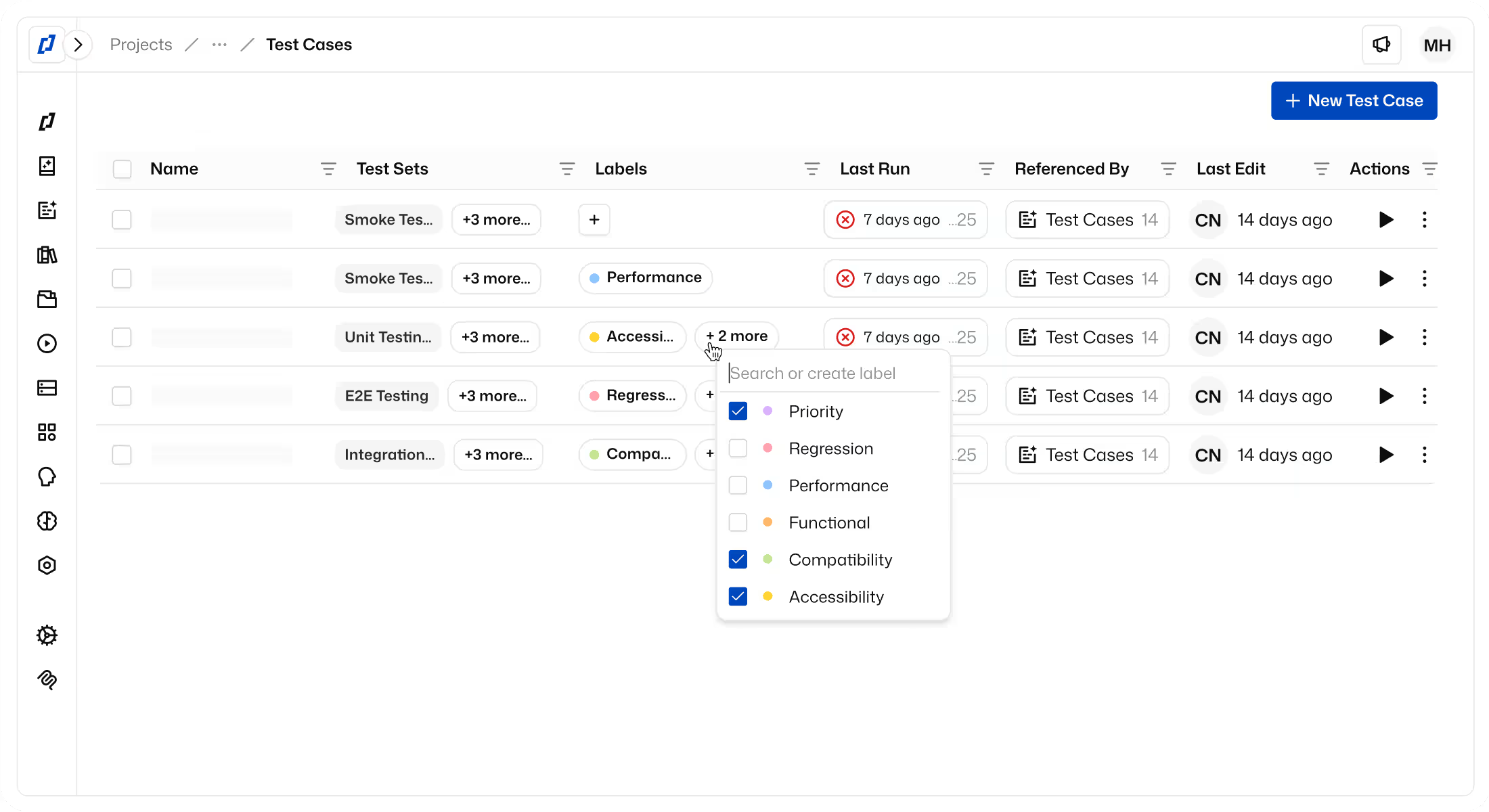
Thunders is a next-generation continuous test automation platform, designed to address precisely the limitations of scripted tools.
Here is what Thunders delivers concretely:
- Natural language generation: you describe a user journey and Thunders automatically generates the tests.
- Self-healing: tests automatically adapt to UI changes, without manual intervention.
- Native CI/CD integration: AI agents ensure a direct connection to GitHub, GitLab, and Bitbucket via CLI and API.
- Drastic reduction of UI-related flaky tests: the AI understands the intent behind each flow and maintains test stability even after a UI redesign. Selector-based instability, the primary source of noise in pipelines is eliminated. Other sources of flakiness (network, test data, environments) are detected and isolated more quickly thanks to logs and automatic analysis.
- Accessible to all profiles: QA engineers, developers, PMs, and business teams can create and review tests without technical expertise.
Thanks to Thunders, teams running continuous testing observe a maintenance reduction of up to 88%.
Conclusion
Continuous testing is no longer a competitive advantage reserved for tech giants. It has become the foundation of any serious DevOps approach a concrete lever for saving time, reducing costs, and achieving lasting software quality.
The keys to a successful continuous testing integration remain the same:
- Prioritize critical flows,
- Select the right types of tests for each phase,
- Automate triggers,
- Monitor results in real time.
What changes with AI is the elimination of script maintenance costs. Thunders puts software quality back at the center of the pipeline. Quality is no longer a task assigned to a team, but a permanent property ensured by AI agents.


.png)