TLDR
Free your teams from time-consuming tasks. No-code makes automation accessible to everyone, without a single line of code.
No-code automation allows anyone, without writing a single line of code, to automate repetitive tasks, connect applications, and optimize their business processes. With tools like Zapier, Make, or n8n, a marketing team can sync CRM leads, notify Slack, and populate Google Sheets in just a few clicks. And for teams that want to push software quality even further, Thunders takes the concept to its limit: complete no-code test automation for E2E scenarios in natural language, with zero programming skills required.
If you've ever waited a week for a developer to "free up some time" to connect a form to a CRM, you know the pain. Business teams are waiting. Tech is overwhelmed. And meanwhile, dozens of micro-tasks keep getting done by hand.
That's exactly what no-code automation unlocks: giving non-technical teams the means to build their own workflows, without going through the "dev ticket" stage. Here's a complete guide to understanding, choosing, and launching your first no-code automations in 2026.
What is no-code automation?
Think of a cooking recipe. You don't need to be a chemist to bake a cake: you follow the steps, in order, with the right ingredients. No-code automation works the same way. You describe a sequence ("when X happens, do Y"), and the tool takes care of the rest, without a single line of code.
Three approaches coexist:
- No-code: zero code, everything is done in a visual interface (clicks, drag-and-drop).
- Low-code: mostly visual, but allows occasional code for advanced cases.
- Traditional development: everything is coded, maximum flexibility but high cost in time and skills.
No-code isn't just for "non-techs." It's designed for EVERYONE, an HR professional can use it just as much as a developer prototyping quickly.
How does a no-code automation actually work?
The principle comes down to two words: trigger → action.
Simple example: a prospect fills out a form → a welcome email is sent automatically.
Cross-application example: a new HubSpot lead → Slack notification and a row added to Google Sheets. Everything is built in a visual workflow, by drag-and-drop.
No-code vs. low-code: what are the real differences?
| Criterion | No-code | Low-code |
|---|---|---|
| Skills required | None | Technical basics |
| Implementation speed | Very fast | Fast |
| Flexibility | Wide | Wide (scripts possible) |
| Target profile | Business, PM, HR, QA | Junior devs, power users |
Simple rule: no-code to start fast, low-code when you need to go off the beaten path.
Benefits of no-code: accessibility and rapid adoption
Why has no-code become so prominent? Because it tackles the most well-known bottleneck in organizations: dependence on tech for the slightest automation. And its first differentiator is the learning curve.
Immediate handling, even without technical training
An HR professional automating onboarding, a PM running their own tests, a salesperson connecting their CRM to Gmail: all of this can be done in a few hours, not several sprints.
Thunders applies this principle to software testing. Describing a test in natural language is enough, the AI handles generation, execution, and maintenance. This is exactly the idea behind no-code test automation: making software quality accessible to the profiles who actually need it, not reserved for those who know how to code.
Time savings and reduction of time-consuming tasks
The numbers speak for themselves. Thunders reduces test maintenance by up to 88% compared to scripted frameworks. Over a quarter, that's several engineering-weeks freed up.
Examples of tasks to automate quickly: employee onboarding, weekly financial reports, regression tests, lead synchronization, internal notifications.
Reducing human errors and operational efficiency
Every manual data entry is an opportunity for error. By directly connecting your tools (CRM → billing, form → CRM), you eliminate typos, oversights, and duplicates. Same logic on the testing side: with Thunders' self-healing, a selector that changes no longer breaks the entire suite.
No-code testing for non-developers: the Thunders case
Software testing is probably the field where no-code makes the biggest difference for non-technical profiles. Selenium, Cypress, or Playwright require code. The result: QA, PM, and business teams are excluded from the scope... even though they're the ones who know the user journeys best.
Testing without coding: how Thunders makes testing accessible to everyone
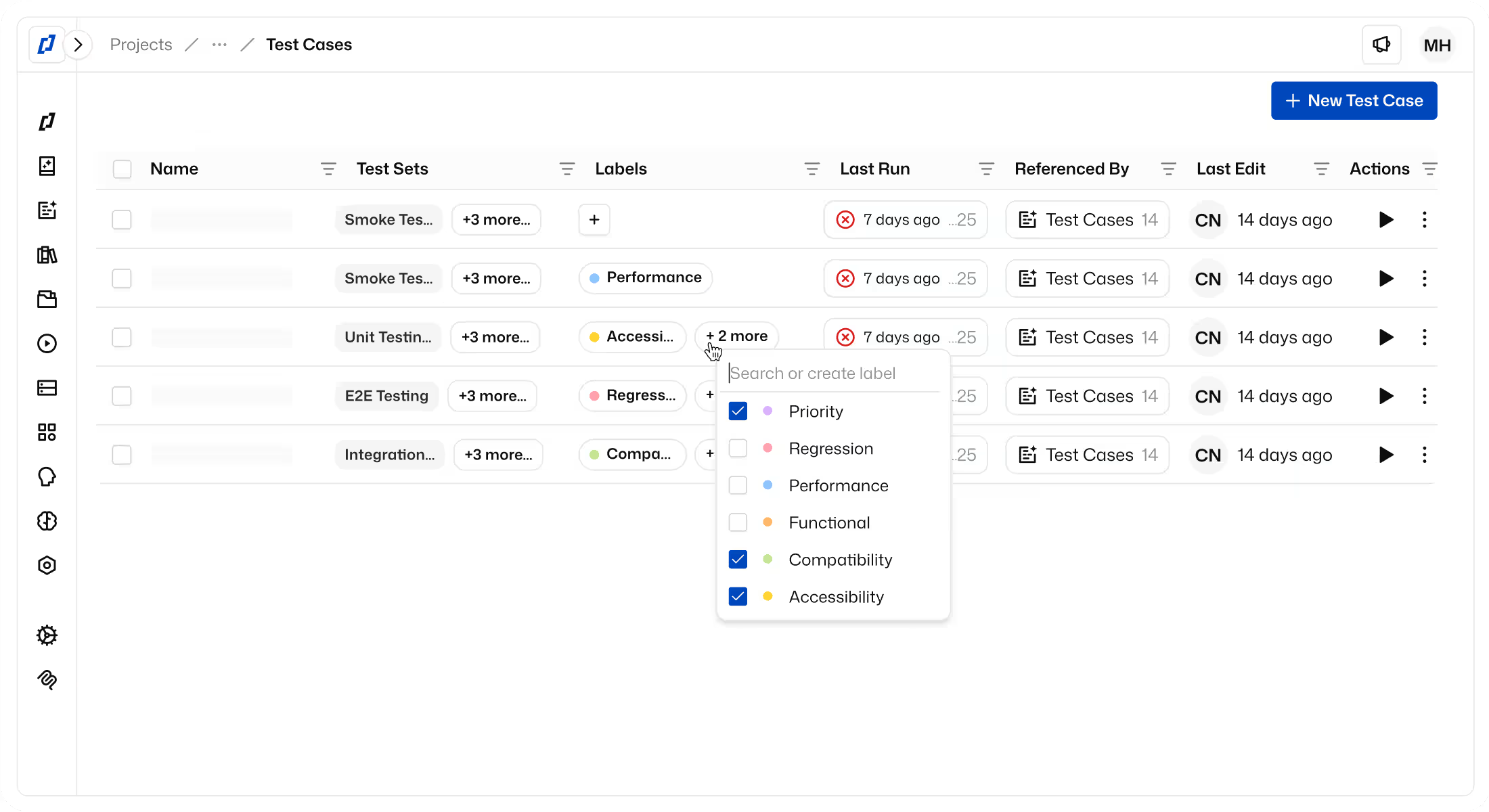
With Thunders, you describe the test in natural language: "Validate the payment flow on mobile Safari and desktop Chrome." The AI agent generates, executes, and self-heals the test. No selectors to write, no locators to maintain.
The numbers: 10× faster to create, 88% less maintenance, tests running 24/7. A PM or Business Analyst can launch their own tests in minutes, not several sprints. To go further, see how automatically generated E2E tests work.
Tests that self-correct when the interface changes
Self-healing relies on a simple principle: Thunders reasons about intent (the "Add to cart" button) rather than implementation (the ID #btn-cart-421). When the front-end refactors the component, the test still holds. This is precisely what QA teams & test engineers are looking for to escape maintenance debt.
Native CI/CD integration for DevOps teams
No-code doesn't mean "not serious." Thunders integrates with existing pipelines (GitHub Actions, GitLab CI, Jenkins) via API and CLI. CI/CD integration remains fully controllable by DevOps, even when test creation is handled in natural language.
Business/technical collaboration made easier with no-code
No-code is bringing forth a new role: the citizen developer, a business team member capable of building their own automations without going through IT. The gap between business and tech is shrinking, without eliminating any roles.
When business teams gain autonomy
A PM validates their user stories without waiting for QA. A marketing team connects HubSpot to Slack without opening a ticket. Product & Delivery teams gain velocity: they test what they ship, immediately.
How no-code streamlines exchanges between developers and non-developers
Devs focus on high-value topics: architecture, security, performance. Business teams handle routine automations. With Thunders, DevOps configures the platform once, and PM and QA then create their tests themselves. Everything is centralized in a single interface.
Business Analyst use case: from specification to testing autonomously
Concrete journey for a BA: they write their acceptance criteria, turn them into Thunders tests, and execute them themselves. Example: before each sprint, validating the e-commerce flow (cart → payment → confirmation). Fewer back-and-forths, earlier anomaly detection, better delivery quality. Business teams without technical skills are finally in the loop.
Comparison of the best no-code tools in 2026
Selection criteria: use case, user profile, budget, GDPR compliance.
Thunders: the reference for no-code test automation
Strengths: natural language, self-healing, multi-browser, CI/CD integration, ISO 27001 / SOC 2 / GDPR certifications.
Recommended profile: QA, PM, Business, DevOps, all profiles, no coding skills required.
Workflow automation tools
Zapier, Make, and n8n are the three references for business workflows.
Zapier: the mainstream reference 6,000+ connectors, predefined templates, ultra-fast onboarding. Limitation: cost rises quickly when your automations scale.
Make: visual power Highly advanced visual interface, conditional logic, excellent value for money. Ideal for complex multi-step workflows.
n8n: the open-source option Self-hostable, data sovereignty, easier GDPR compliance. Limitation: steeper learning curve.
Comparison table of main no-code tools
| Tool | Category | Strengths | Limitations | Price | Profile |
|---|---|---|---|---|---|
| Thunders | Testing & software quality | Natural language, self-healing, CI/CD, ISO 27001 | Focused on testing | Freemium + pro plans | QA, PM, Business, DevOps |
| Zapier | Business workflows | 6,000+ connectors, simple | Cost at scale | Freemium from $0 | SMB, marketing |
| Make | Visual workflows | Advanced logic, good price/quality | Dense UI at first | Freemium from $0 | Ops, growth, tech |
| n8n | Open-source workflows | Self-hosted, GDPR | Technical setup | Free (self-host) | Tech teams, GDPR-sensitive |
| Power Automate | Enterprise workflows | Microsoft 365 integration | Inflexible outside MS | Included in some licenses | Large Microsoft enterprises |
ROI and limitations of no-code: what you really need to know
No-code isn't a magic wand. But its ROI is measurable when done right.
The concrete ROI of no-code: how to measure it?
Simple formula: (time saved × hourly cost) − tool cost. For Thunders: 88% less maintenance × QA hours × hourly cost = measurable quarterly gain. Compare this TCO to the cost of equivalent custom development: the gap is often massive.
Scalability and performance: watch out for the glass ceiling
Some tools cap out on large volumes or very complex workflows. Thunders is designed to scale: 24/7 testing, multi-environment, enterprise support. Always check your tool's limits before industrializing.
GDPR, security, and data sovereignty
Sensitive point: where is your data hosted? Many no-code SaaS platforms store data outside the EU. Thunders answers this with its ISO 27001, SOC 2, and GDPR certifications. For workflows, n8n remains the reference self-hosted option. Check the official CNIL guide on GDPR compliance for your no-code tools before making any choice.
Vendor lock-in: anticipating dependence on a single tool
Depending on a single vendor is a risk. Three best practices: document your workflows, export your data regularly, prioritize tools with open APIs.
How to start your first no-code automation
No need to revolutionize everything at once.
Step 1: Identify a high-potential repetitive task
Start with a single simple workflow: form → email, or recurring manual test → automated test. For tech and product teams, repetitive manual tests are the ideal no-code project.
Step 2: Choose the right tool for your profile
Beginner SMB → Zapier. Technical GDPR-focused team → n8n. Microsoft ecosystem → Power Automate. QA, PM, or business teams who want to automate their tests → try Thunders for free without coding.
Step 3: Build, test, and iterate
Always test before deploying. For critical automations, keep a Human-in-the-Loop mode: the human validates sensitive actions. Iterate small rather than aiming for the big bang.
Conclusion
No-code automation is no longer a gadget. It's a concrete lever for accessibility, autonomy, and measurable ROI. For software quality, Thunders is today the most advanced solution and the next frontier is already here: AI agents that no longer just execute, but reason, diagnose, and self-correct.
Try Thunders for free and generate your first E2E tests in natural language.
.png)