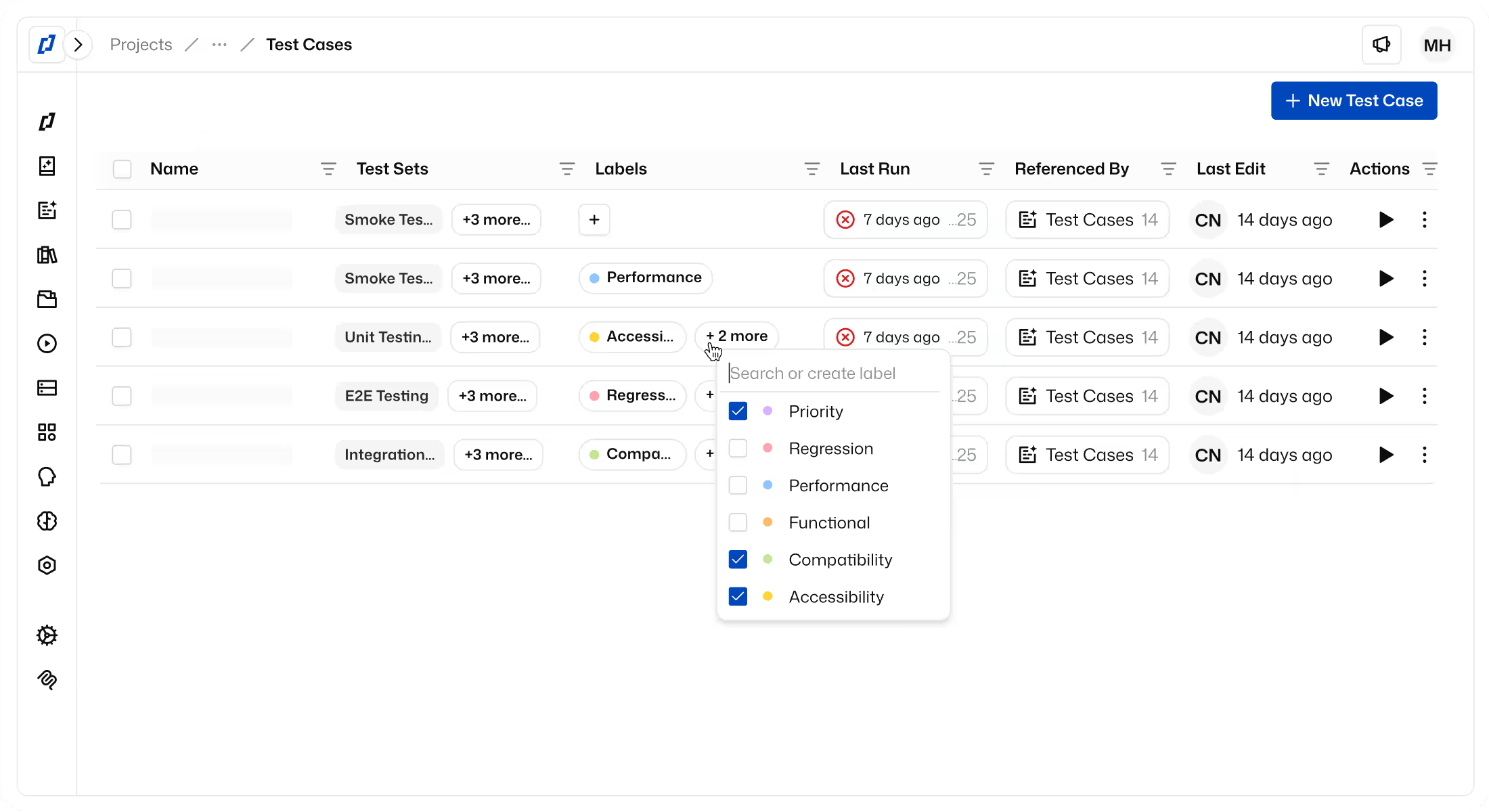
Branches for your tests, new test cases from a test set, and live feedback while Thunders finds an element
TL;DR
Every team can now change tests on a branch, you can create a test case right from a test set, and the live browser now tells you when Thunders looks for an element on the page.
FEATURE
- Branches for every team: Every team can now change tests on a branch, a copy of your tests, while main keeps running as it is. Review the changes, and merge them into main when the branch passes. The Test Runs tab now counts the runs of every branch.
- Thunders AI suggests a branch: Thunders AI now asks to work on a branch when a change may not be live where main runs. When you accept, the conversation continues on the branch, and main keeps its own conversation.
- New test cases from a test set: You can now create a test case from a test set, from scratch or with Thunders AI. Thunders adds the new test case to the set for you.
- Element search feedback: The live browser now tells you when Thunders scrolls the page to find an element. You know that the run is working and is not stuck.
- Thunders MCP: Your AI agent can now read, follow and manage the skills of a project. It can also check test steps before it saves them, and link a data file to a test case.
IMPROVEMENT
- Doubtful passed steps: Thunders now also checks a step that passed in an unusual way, for example only after a long wait. When the step looks wrong, Thunders suggests a fix and tells you why it flagged the step.
- Login steps: Thunders now detects "credentials do not match" and "user locked out" errors. When a sign-in screen appears, Thunders suggests an Inject Profile step. The Inject Profile step now lists your saved profiles and pools.
- Xray: Thunders now sends the environment, the persona, the device and the result of each step to Xray. You see where a run ran and what each step did, directly in Xray.
- Thunders AI chat: The chat history opens fast and highlights your search. You can move through the history with the arrow keys. When you stop a reply, Thunders AI stops at once. The chat now accepts Excel files in the .xls format.
- Thunders AI skills: The skills screens are simpler. A skill with a name in a non-Latin script now gets its own command. Built-in skills now show in the project language.
- Test assets: You can now upload test assets up to 250 MB.
- Date pickers: Thunders now opens more kinds of date pickers, such as icon pickers, date range pickers and time pop-ups.
- Recorder: The recorder is no longer in beta.
- Mobile devices: When a device is not available, Thunders now suggests another device. The device picker opens on the platform of your app build. Thunders now shows the steps that an iOS app build cannot run, before you start the run.
- Test step editor: The step text now stays when you change the type of a step. The schedule dialog and the step dialog are simpler.
FIX
- Test runs: A re-run now uses the branch of the first run. When you run the failed tests of a test set again, Thunders now runs the prerequisite too. The runs of a deleted test case now stay in the runs list. The run timeline now stays visible when a run has no step durations. Blocked tests no longer go into the queue when you run the other tests.
- Element detection: Thunders now clicks the right row in a grid with pinned columns. Thunders now reads and writes a date in the format that the field expects. Thunders no longer adds quotes around labels. Thunders now finds a control that has no name from the label that covers it.
- Recorder: Recorder steps now keep coming after the connection comes back. A recorded page scroll now replays at the same position. A new mobile recording now opens a new device when the earlier one released its device.
- Thunders AI: The files that you sent now leave the message box. A reply that you stopped now shows as stopped, not as an error. Test plans now keep the labels of your app in their original language.
- Mobile runs: Thunders now taps the right point on Android screens. A tap on a disabled control now fails, as on web. Thunders now waits until an element disappears. File uploads on mobile now work more reliably.
- Credits: Thunders now shows a clear message when a run has not enough credits. The credits chart now tells you that it uses only the date filter.
- UI polish: A variable popover now shows the full value. The data file banner now has the right colors in dark mode. The run settings now show an empty state when the project has no app of that type. The environments list now counts the default variables. A list that you open from its link now shows its total. The step editor no longer crashes when you type fast after you open a menu. The accessibility report now shows the real rule counts.
Ready to ship faster with smarter testing?