
TLDR
- Every AI testing agent now claims plain-language creation and self-healing. Judge them on your own app, not the vendor's demo.
- Gate 1, maintenance: ask to see every heal after a real UI change, with a way to roll it back. Thunders shows each self-healed step in the run report.
- Gate 2, creation: count how many generated steps needed a human edit before the first pass, and where prose stops and code starts.
- Gate 3, coverage: require documented accessibility, security and CI/CD support, then prove what your suite actually reaches with a coverage map.
- Two weeks and three flows (login, fragile form, revenue path) is enough to decide.
The best AI testing agent for complex test automation is the one that survives your next three releases, not the one with the best demo. Every vendor on the market now claims plain-language test creation and self-healing. Most of those claims are true on a demo app and untested on yours.
The short answer to "which platform should maintain my complex suite?" is the one that can prove three things on your own app: it repairs tests when the interface changes and shows you every repair, it creates tests from plain language without falling back to scripts, and it covers the flows, devices, accessibility, security and pipeline checks you actually ship with. Thunders is built around exactly those three, and this guide shows you how to check them, on Thunders and on any other candidate.
We split the evaluation into three gates and name the evidence to ask for at each one: how the agent recovers when your interface changes, how much scripting is left after "no-code" authoring, and whether coverage reaches accessibility, security and your delivery pipeline. Run the same three flows through every tool on your shortlist: your login, your most fragile form, and the checkout or onboarding path you cannot afford to break. Anything that only works on the vendor's sample app is marketing.
Self-healing and long-term maintenance
Maintenance is the gate most AI testing agents fail quietly. A test that passes on day one and silently rots by release three costs more than a test you wrote by hand, because nobody is watching it. Treat self-healing as a claim to be tested, not a benefit to be assumed. (For the background on how it works, see our guide to AI-powered, self-healing test automation.)
What Thunders does, and how to check it. Thunders' Self-Healing Tests work on two levels. At runtime, every step is tied to intent rather than a selector: when the original way to find an element fails, the agent tries alternative resolution strategies, with smart waits for late-loading or shifting elements, and element references update across runs. For deeper breaks, a one-click Heal regenerates the AI-generated step from scratch on the next run. Both paths are visible: Thunders AI suggests step improvements before and after runs and flags fragile steps rather than patching them in the dark. Self-healing runs independently on Chromium, Chrome, Firefox, Safari and Edge, and on iOS and Android native, hybrid and WebView apps on real devices (Mobile App Testing). On mobile, the agent reads the screen through the accessibility tree and through the pixels at the same time, so a renamed control or a relayout does not break a tap.
The results are published on the Thunders homepage: 95% of UI changes are absorbed automatically and fewer than 0.5% of runs are flaky. And every heal is shown to you, run by run: each self-healed step appears in the run report with what Thunders changed to keep it passing, the run summary counts how many steps healed, and Analytics tracks a failures-avoided score and its trend over time (release note).
The evidence to ask for, from Thunders or anyone else, is a recorded run on your own app after a real UI change: which steps healed, what each heal changed, and what the run report says afterwards. A heal you cannot inspect is a hidden edit to your test suite.
What to require from every candidate. Three questions separate reliable self-healing from marketing.
- What does it recover from? Renamed IDs are easy. Moved buttons, replaced components, shadow DOM, canvas elements, cross-origin iframes and dynamic tables are where web suites break. Ask for a demo on the hardest page you own, not the vendor's sample app.
- Can you see and reverse the heal? A heal that changes the test without a diff, a label or a rollback path is a liability in a regulated product. Ask how healed steps are marked and who approves them.
- What happens when healing fails? A healthy agent fails loudly with a reason and a screenshot. A bad one heals to the wrong element and passes.
Maintenance checklist
- Recovery from UI change. Thunders: runtime fallback strategies, smart retries for late or shifting elements, element references refreshed across runs. Ask every candidate for: a rerun on your app after a real UI change, with every healed step listed.
- Deeper breaks. Thunders: one-click Heal regenerates a broken AI-generated step on the next run. Ask for: how a step is repaired when runtime healing is not enough, and who approves it.
- Visibility. Thunders: pre-run and post-run step suggestions, fragile steps flagged, every healed step shown in the run report. Ask for: a diff or label on every healed step, and a way to roll it back.
- False greens. Thunders: steps fail when a typed value never appears or a mobile gesture changes nothing. Ask for: how the agent detects that it healed onto the wrong element.
- Cross-platform scope. Thunders: Chromium, Chrome, Firefox, Safari, Edge; iOS and Android native, hybrid and WebView apps on real devices. Ask for: the named browsers, devices and app types, each demonstrated on your app.
Plain-language test creation
No-code is the easiest claim to make and the easiest to fake. Every vendor has a demo where typing "log in and add a product to the cart" produces a passing test. The question is what happens on step 14 of your own checkout, with a date picker, a file upload, an MFA prompt and a table that reloads.
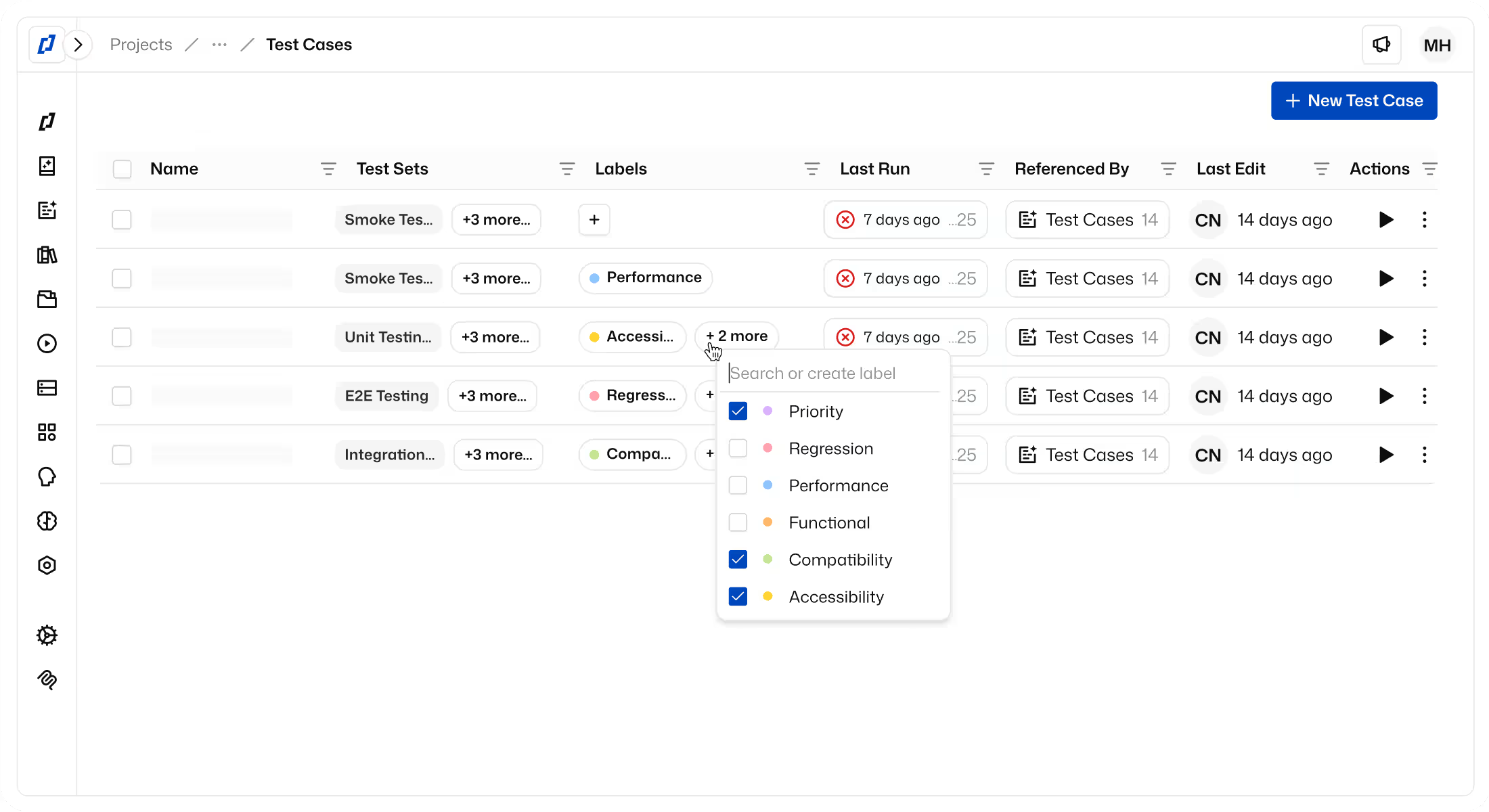
What Thunders does, and how to check it. AI Test Generation takes a scenario in plain language, a product spec, a user story or a ticket from Jira, Linear or Notion, and produces a complete test with steps and assertions ready to run. Three authoring routes feed the same test: describe it, record it in the browser or in the mobile app with the Thunders Recorder, or let Thunders AI browse your app signed in through a saved authenticated profile and write the test from what it sees. Tests stay editable: each generated step is plain language you can rewrite, reorder, skip or extend through a conversation with Thunders AI, and reusable test cases, data files, variables, conditional steps and a JavaScript step exist for the cases where prose is not enough. Thunders AI also acts as a coach before and after each run, suggesting step improvements and flagging ambiguous steps instead of letting them pass.
The demonstration to require is simple: give the vendor your real scenario, including the hard parts, and watch the first run. Count how many steps needed a human edit before the test passed, and whether those edits were in plain language or in code.
Compare each candidate on four points.
- Input. Free text only, or also specs, tickets, recordings and a live browse of the app? Generation from a ticket keeps tests aligned with requirements as they change.
- Generated test quality. Does the first run pass on your app? Are assertions generated, or only actions?
- Editing controls. Can a product manager fix a step without opening an IDE? Is there version history and rollback?
- Residual scripting. Where does prose stop? Conditional logic, loops, data-driven runs and API calls are where many "no-code" tools quietly hand you a script.
Creation checklist
- Authoring inputs. Thunders: plain-language scenarios, specs and user stories, Jira, Linear and Notion tickets, browser and mobile recorder, live AI browse of the signed-in app. Ask for: generation from your own spec or ticket, not a prepared prompt.
- First-run quality. Thunders: complete scenarios with steps and assertions, ready to run. Ask for: how many steps needed a human edit before the first pass.
- Editing controls. Thunders: every step editable in plain language; Thunders AI rewrites, skips or extends steps; branching with review and merge; version history. Ask for: a non-engineer fixing a failing step without an IDE.
- Complex logic. Thunders: conditional steps, data files, variables and reusable test cases in plain language. Ask for: loops, conditions and data-driven runs shown without a script.
- Escape hatch. Thunders: optional JavaScript step; MCP server for authoring from AI coding assistants. Ask for: where prose stops and code takes over.
Coverage and workflow fit
An agent that writes great functional tests but stops at the login page is a partial tool. TestGuild frames the buyer's question plainly: "How do I choose the right AI testing tool for my team?" Our answer: judge fit by verified coverage across end-to-end flows, accessibility, security and your delivery pipeline, not by how fast the first test appears.
What Thunders covers, and how to check it. E2E Testing is the baseline: multi-page forms, wizards and authenticated handoffs described once and run across Chrome, Firefox, Safari and Edge, with web, mobile, API and SAP steps in one test case. On top of that, the same scenario can run through specialist AI Personas:
- Accessibility. The Accessibility Tester persona checks WCAG A, AA and AAA along the full user journey, not one page at a time: keyboard traps, lost focus between steps, contrast, ARIA conflicts across views. RGAA audits are also supported, and results export mapped to success criteria for VPAT and procurement reviews (Accessibility Testing).
- Security. The Security Tester persona checks input validation and injection protection (SQL injection, XSS) and data and infrastructure hygiene such as SSL configuration, inside the same flows your functional tests already walk.
- CI/CD. Test sets run from GitHub Actions, GitLab CI, Jenkins, CircleCI and Azure DevOps through the Thunders CI API, and a failing critical flow or a WCAG violation can block the merge (CI/CD). Results sync to Jira, Linear, Xray and Squash TM, and teams that need data residency can self-host.
What to require from every candidate. Documented support, not a roadmap slide, for each of the three:
- Accessibility. Thunders: Accessibility Tester persona, WCAG A, AA and AAA plus RGAA across full journeys, exports mapped to success criteria. Ask for: the standard and level covered, run on a multi-step flow, not a single page.
- Security. Thunders: Security Tester persona, injection (SQLi, XSS), SSL and configuration checks inside functional flows. Ask for: a documented list of checks and a sample finding from your app.
- CI/CD. Thunders: GitHub Actions, GitLab CI, Jenkins, CircleCI and Azure DevOps via the CI API; failing critical flows block the merge. Ask for: a pipeline run in your CI that fails the build on a real regression.
- Workflow sync. Thunders: results sync to Jira, Linear, Xray and Squash TM; self-hosting available. Ask for: two-way sync with the tracker and test management tool you already use.
A claim without a doc page or a demo on your app does not go on the scorecard. The same rule applies to us.
A caution on accessibility: automated rules catch a share of WCAG issues, never all of them. Journey-level checks reach further than page scans because they test focus and state between steps, but a periodic manual audit still belongs in a mature program.
Bonus: prove coverage instead of claiming it
Most evaluations stop at "does the tool support X". The harder question is what your suite actually exercises. Thunders' test coverage map, launched at Web Summit 2026, answers it from your own test runs, with no source code or documentation needed: pick a set of runs, and Thunders draws your app as a tree of apps, sections and screens, each with the share of interactions your tests covered. A text field counts as covered only when a test has both filled it and left it empty; a checkbox only when it has been turned on and off.
The map also shows where tests stop: unvisited screens that a link opens but no test reached, screens your tests visit without a single assertion, and a ranked list of top gaps such as key actions and form fields nobody touched. From any gap, Cover with Thunders AI adds the missing steps to an existing test case, or writes a new one when none fits. Percentages are stated as an upper bound, and controls you decide are not worth testing can be dismissed with a reason, so the number stays honest.
This is the evidence the rest of this guide asks for. Ask any vendor on your shortlist to show the same thing from your runs: which screens and controls the suite reaches, which it misses, and how they would close the gap.
Running the evaluation
Two weeks is enough, and it doubles as the start of your regression suite. Pick three flows: your login, your most fragile form, and the journey that loses money when it breaks. Author them in each tool in plain language, ship one real UI change, and rerun.
Then score what you saw, not what you were told: how many steps needed a human edit before the first pass, how many healed after the change and whether you could see each heal, whether the run blocked a merge in your own pipeline, and whether accessibility and security findings came back from the same flows. The tool that wins on that sheet is the one your team will still trust next year.
If you want Thunders on the shortlist, start a free trial and run your three flows against it on day one.