
TLDR
- Zero-code only counts if a non-engineer can create, read and update a test. Trial it on a flow of medium difficulty and watch for the moment the tool asks for a selector or a script.
- In Thunders, you describe a scenario in plain language and AI Test Generation builds the test. We cover web, iOS and Android, API and desktop, and one test can run end to end from one platform to another.
- Self-healing reduces maintenance. It does not remove it. Ours is not a black box: we show you every healed step, with what changed.
- Judge any tool on evidence: supported flows, rerun results, failure rates and maintenance records.
Most tools that call themselves zero-code stay that way until the first hard case. A dropdown needs a custom selector. A login needs a script step. Then the person who was promised they could write tests hands the work back to an engineer.
So if you are looking for a zero-code solution for automated app testing, check two things. Who on your team can write and read a test on day one? And who keeps that test alive after the tenth release? We take both in turn, and show how we handle each one in Thunders.
No-code access and ease of use
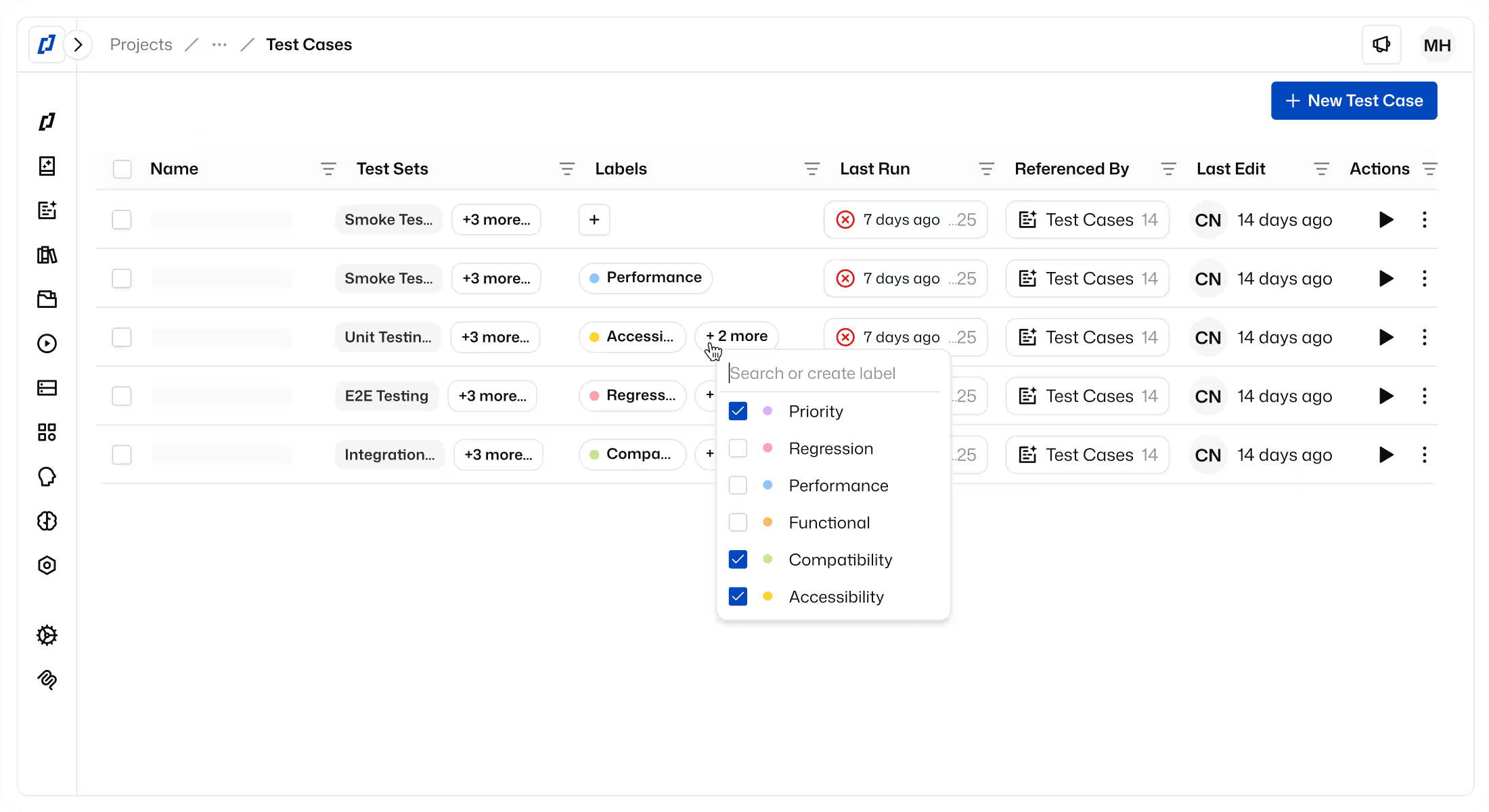
We built Thunders to generate automated tests from plain-language instructions. You describe the scenario you want to validate, such as a returning customer logging in, adding two items to the cart and paying by card, and AI Test Generation turns it into an executable test with steps, assertions and edge cases. It can also start from a URL, or from a Jira or Linear ticket. There is no scripting and no framework to set up.
This is what people mean by scriptless test automation. You describe the intent, and Thunders works out the clicks.
What do you need to know to use it? Your product. Creating a test means knowing the flow and what should be true at the end of it. Reviewing a test means reading its steps. Updating one means telling Thunders AI what to change in a conversation: adjust a step, add a validation, rework the scenario. We recommend that you review every generated test, and you should hold any vendor to that, us included. A generated test nobody has read is a guess with a green tick next to it.
The line between no-code and low-code is easy to find. Give the tool to a product manager, pick a flow of medium difficulty, and watch. Low-code tools offer a recorder or a visual builder for the easy path, then ask for a selector, a snippet of JavaScript or a configuration file as soon as the flow has a condition or a dynamic table in it. If someone has to open the browser's developer tools, it is low-code, and the people who can write tests are once again the people who could already script.
One caveat applies to every product in this category, ours included. Connecting a CI pipeline, linking Jira, or pushing mobile builds from CI through an API is setup an engineer does once. That is configuration around the tests, not inside them. Ask each vendor where that line sits for them.
A test-creation flow is reliable when you can verify it yourself during a trial. Generate the same scenario twice and compare the steps. Check that the assertions test the outcome, not just that a page loaded. Edit one step in plain language, rerun, and read what changed.
Thunders is cross-platform in a specific sense you can check. We test web apps on Chromium, Chrome, Firefox, Safari and Edge. We test iOS and Android apps, whether native, hybrid or WebView, including React Native and Flutter, on real devices and on emulators. We also cover API and desktop testing. You can also test end to end from one platform to another: a single test can follow a journey that starts on the web, continues in the mobile app and is checked through an API.
Reliability and ongoing maintenance
At Thunders, we use Self-Healing Tests to address the changes that would otherwise send you back to edit a test by hand. The mechanism is worth knowing, because "self-healing" covers very different things from one vendor to the next.
In Thunders, a step targets intent ("Click the login button") and we identify the element behind it through several selectors at once: ID, classes, XPath, position and text. When a button moves or a form field gets a new ID, the original locator fails and we try the alternatives at runtime. When the layout shifts or an element loads late, we retry with smart waits. When an AI-generated step needs a deeper repair, Heal resets the step and the AI regenerates its actions on the next run. We see 95% of UI changes absorbed at runtime. Check that number against your own app.
Our self-healing is not a black box. We show you every heal: the healed step appears in the run, with what changed. You can read each one and decide whether the test adapted to a harmless UI change or hid something that should have failed. Not every self-healing tool shows you this, so ask before you buy. A heal you cannot see is a test you can no longer trust.
Both capabilities are ai-powered, and our product documentation is specific about what that covers: generation from plain language, URLs and tickets, and healing through selector fallback, waits and regeneration. We do not claim that tests will never need a person. We warn about false confidence, where a repair hides a real bug, and we ask you to supervise and validate the corrections. You can do that because we show you every heal.
That is how we think the whole category should be read. One community description of AI test automation says it will "reduce maintenance, and automate web, mobile, and API testing." Reduce is the accurate word. With self-healing, the maintenance question stops being "who fixes the selectors?" and becomes "who reviews the heals?" That is a much smaller job, and it still needs an owner.
To compare an AI-powered approach with a conventional scripted one, measure the same five things on both:
- Coverage. How many flows are automated after six weeks, and who wrote them? A scripted suite is capped by the hours of the engineers who can script.
- Failure triage. When a run fails, how long until you know whether it is a bug, a broken test or the environment? In Thunders, the AI persona that ran the step tells you what it expected and where the mismatch occurred, and one click turns the failed step into a Jira, Linear or Azure DevOps bug report with screenshots and expected versus actual results.
- Update effort. Hours spent editing tests after each release.
- Review time. Hours spent reading generated tests and heals. A scripted suite scores zero here, so count it honestly on the AI side.
- Total cost. Licence plus all of the above, over the two or three years the suite will live. A scripted framework costs nothing to license and a great deal to staff.
To judge whether end-to-end testing is reliable, collect four kinds of evidence:
- Supported flows. List your ten most important journeys and confirm each one runs from start to finish, including the awkward parts: file uploads, third-party payment pages, sign-in.
- Rerun results. Run the same suite ten times against a build that has not changed. Any test that flips between pass and fail is flaky. We report a flaky-run rate under 0.5%, and this test tells you whether your app sees the same.
- Failure rates. Of the failures in the trial, how many were real bugs and how many were problems with the test?
- Maintenance records. A log of every heal and every manual edit across at least two releases. We show every healed step in the run and report pass rates and self-healed tests, which gives you this record without anyone keeping a spreadsheet. If a tool cannot produce this log, you cannot audit what it healed.
Most teams trial a new tool on their cleanest flow. Use the one that broke your last suite. If a zero-code tool gets through that flow with a non-engineer writing the test, the five measures above will settle the rest.